GP3D Root User Manual
13
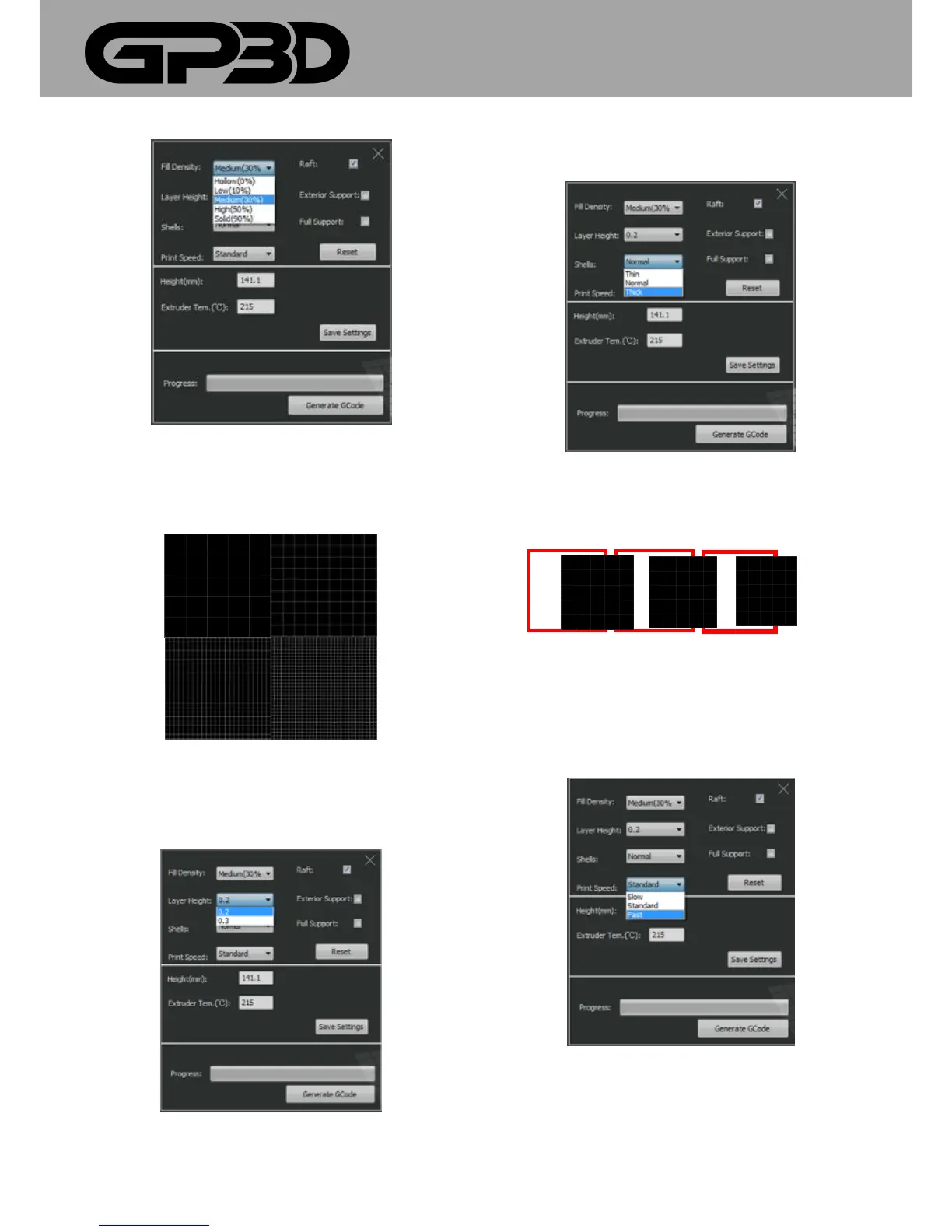
4.1.9.4 Different filling densities will affect the printing time. The greater
the density means a longer print duration, and a more solid model. Please
select a density according to your needs as shown below.
4.1.9.5 Layer thickness refers to the height of each layer of the model.
Click “▼” to select 0.2 or 0.3mm, and the default is 0.2mm. The print time
at the parameter of 0.3 will be shorter than 0.2, but the model’s surface is
less accurate.
4.1.9.6 Case layers refer to the thickness of the model surface. Click “▼”to
select different wall thickness, “Thin, Normal, or Thick”.
4.1.9.7 If the model is a cube, with the same filling (10%), the thickness of
the red frame represents different effect of “Thin, Normal, or Thick”, as
shown below.
Thin Normal Thick
4.1.9.8 Speed means the movement speed of the model during the
printing and the speed of the extruder. With different printing speeds, the
model consumes different time. The higher the speed means a shorter
print time and a less accurate model surface. Please select according to
your needs. Click “▼” to select different speeds “slow, standard, or fast”.
4.1.9.9 In order to make the model better fixed on the build plate, it is
recommended to first print the raft and then print the model on the raft
.



 To Next Page