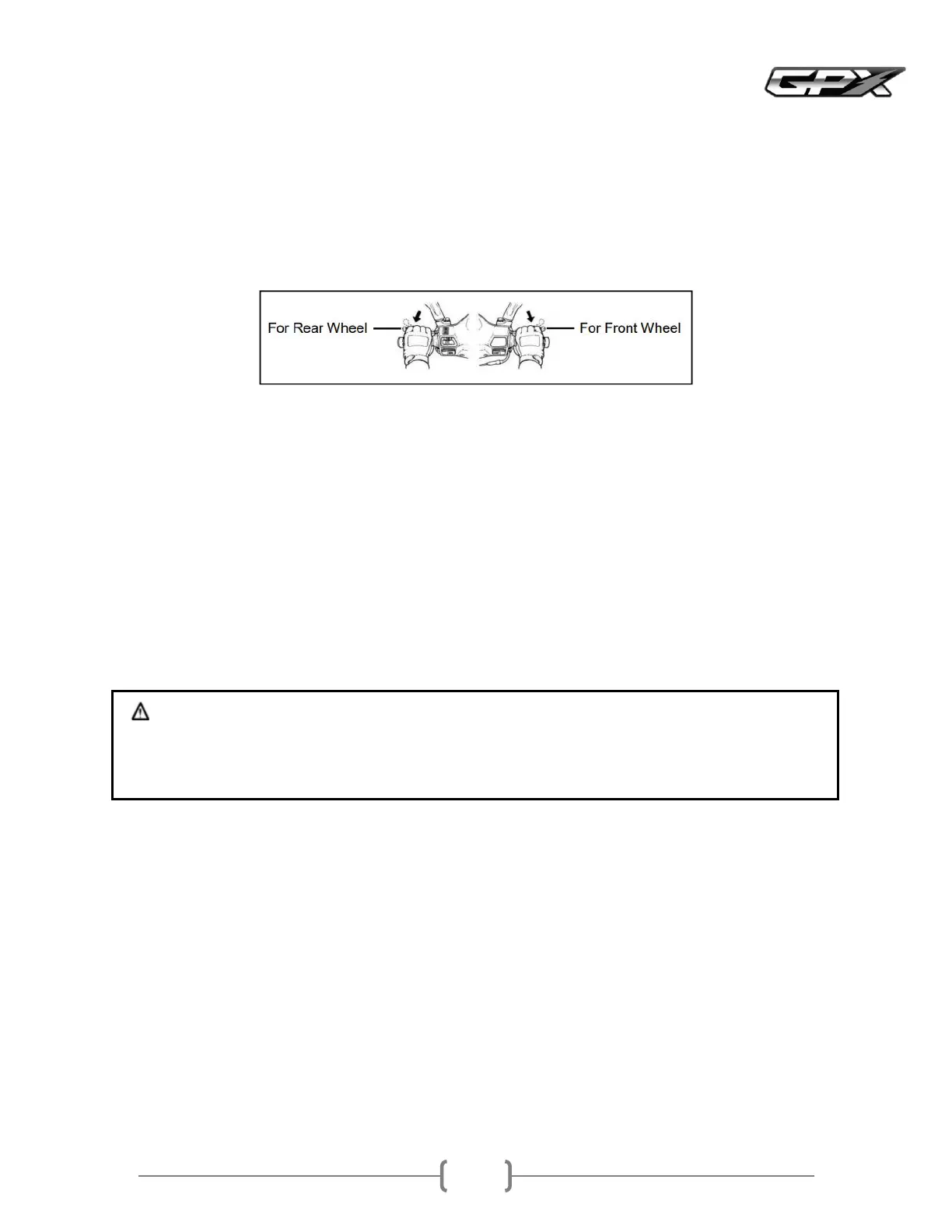
Braking
Gradually release the throttleThe engine will help slow down the motorcycle
When stopping the motorcycle, always apply both brakes at the same time
Do not brake to lock the wheels, otherwise the tires will skidWhen cornering, reduce speed before cornering
Even if the motorcycle is equipped with ABS or CBS, braking while cornering may cause the wheels to skidPlease do not
speed up while cornering and do not use the brakes while cornering
In case of emergency braking, apply the brakes as hard as possible
ABS
ABS is designed to help prevent the wheels from locking when braking hard while driving in a straight lineABS
automatically controls the force of the brakesIntermittent braking prevents the wheels from locking and maintains stable
steering controlAlthough ABS provides stability when stopping by preventing wheel lock, remember the following
ABS cannot compensate for poor road conditions, mistakes or improper use of the brakesYou must use the same caution
as you would on a motorcycle without ABS
ABS is not designed to shorten the braking distanceOn uneven surfaces or when going downhill, the stopping distance of
a motorcycle with ABS may be longer than that of a motorcycle of the same model without ABSUse extra caution in such
areas
ABS prevents the wheels from locking during straightline braking, but does not control the wheel slip that can occur
when braking in a corner
When cornering, it is best not to brake, but reduce speed before entering the corner
Warning
ABS cannot protect the rider from all possible dangers and is not a substitute for safe riding practicesRiders must ride at a
speed and in a manner appropriate to weather, road surface and traffic conditions
Traction Control System TCS
This Traction Control System reduces engine power if the rear wheels lose tractionThis system helps maintain traction
when accelerating on slippery surfaces such as wet, muddy or unpaved roadsIf sensors detect that the rear wheels are
starting to slip, the TCS takes over engine power until traction is restored
TCS indicator light
When the ignition switch is turned on, the TCS system will be turned on automaticallyThe TCS system can be turned off
when the ignition switch knob is in the ONpositionPress the TCS button page
once to turn off the TCS system while the TCS status display is OFFTo turn on the TCS system, press the TCS button once
again and the indicator light will change to ON
TCS indicator light is onTo indicate the ready status of the TCS system
TCS indicator light is flashingTo indicate that the TCS system is working
TCS indicator light is offTo indicate that there may be a problem with the TCS systemPlease take the vehicle for
inspection at a GPX sellers



 To Next Page