Dispense
313046A 21
3. The display changes to show the Preset Amount.
The UP or DOWN ARROWS can be used to
increase or decrease this amount. If you change
the amount you must press the center ENTER
button on the meter’s keypad to confirm the new
amount before you begin dispensing fluid.
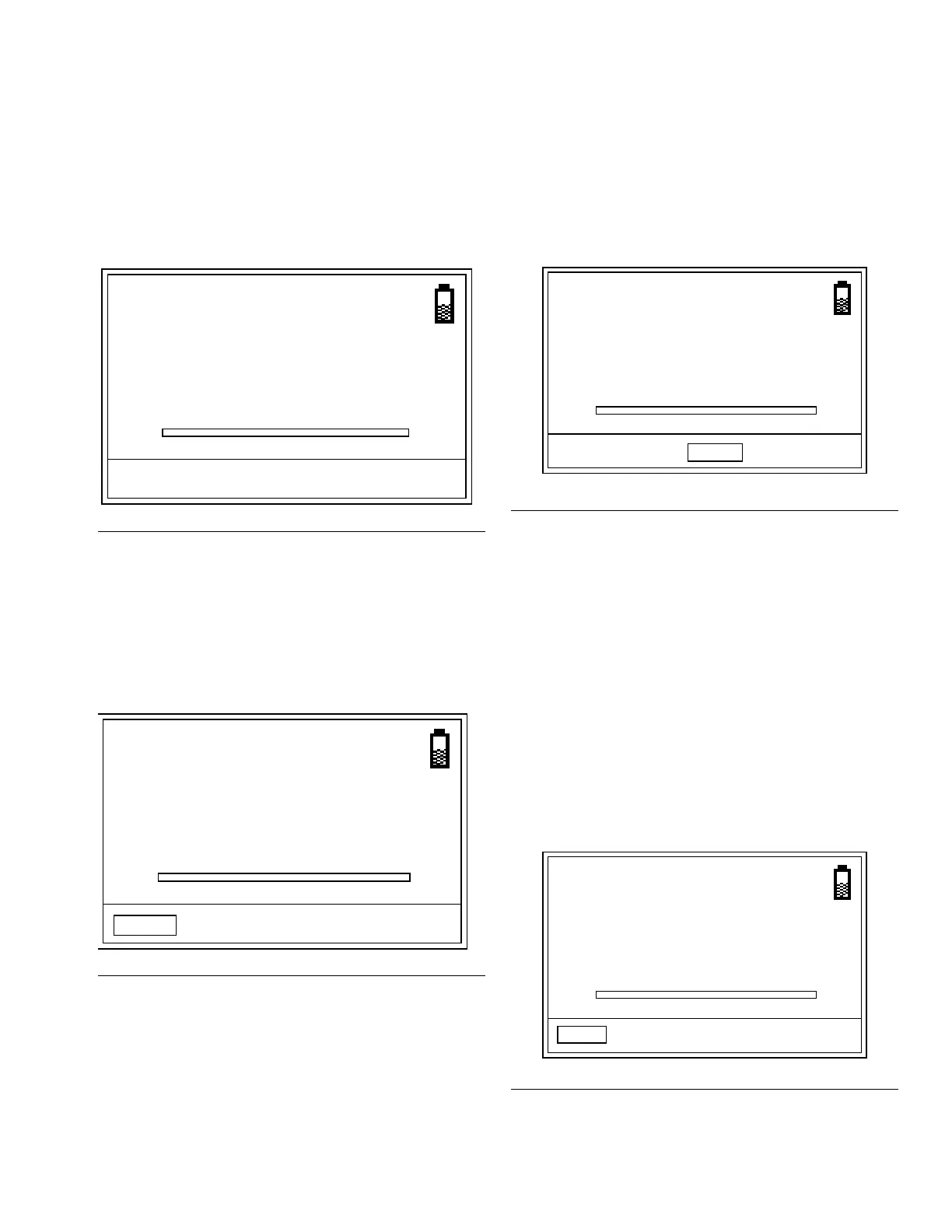
4. Pull the trigger to begin the dispense. The meter
counts up from 0. The progression bar also provides
a visual display of the dispense.
NOTE: If at any time before reaching the preset dis-
pense amount, you want to stop the dispense, STOP on
the bottom of the screen can be selected.
The screen shown in F
IG. 35 displays. Use the LEFT or
RIGHT ARROW and center ENTER s to select one of
three options:
a. TOP OFF - the dispense can be continued in
TOP OFF mode (see description of TOP OFF,
on this page.
b. PRESET - returns meter to PRESET mode and
continues the current preset dispense where it
was stopped.
c. END - ends the dispense and sends final report
to PC.
5. When the preset amount has been dispensed the
meter will click loudly and release the trigger, stop-
ping the dispense.
6. You now have the option to choose either:
• TOP OFF if you need to add additional fluid.
The amount of top off allowed can be limited
during meter programming.
OR . . .
• END to finish the dispense and send the dis-
pense report to the PC.
TOP OFF
FIG. 33
F
IG. 34
MOBIL
1
5W-20
0.00
QTS
20.0
20.0
MOBIL
1
5W-20
2.25
QTS
STOP
4.5xxxxxxxxxxxxxxxxxxxxxxxx
FIG. 35
F
IG. 36
STOPPED
4.50
QTS
TOP OFF
xxxxxxxxxxxxxxxxxxxxxxxxxxxxxxxxxxxxxxxxxxxxxxxxxx
PRESET
END
DONE
4.50
QTS
TOP OFF
xxxxxxxxxxxxxxxxxxxxxxxxxxxxxxxxxxxxxxxxxxxxxxxxxx
END


 To Next Page