Appendix B - ADM Setup Screens Overview
76 313997ZAA
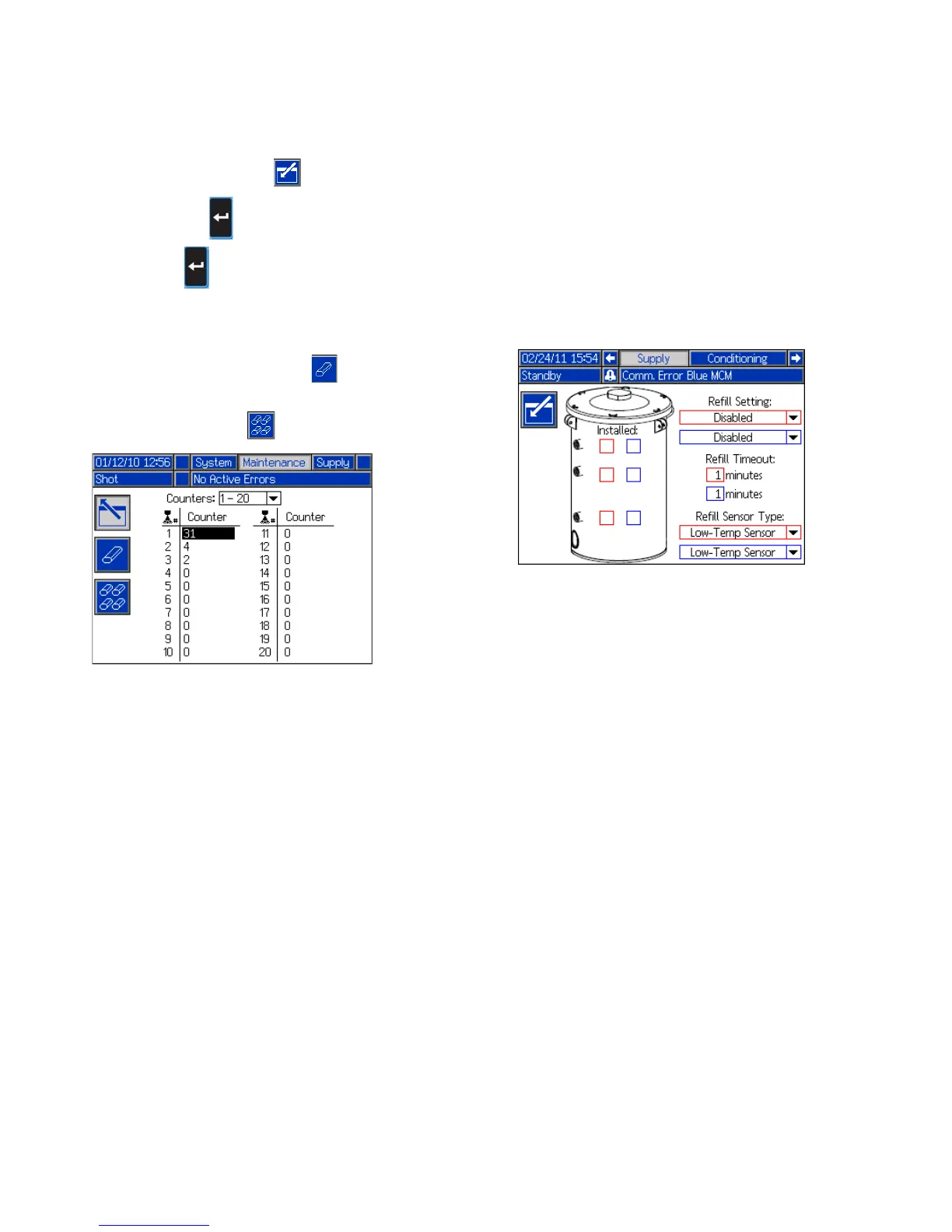
Maintenance Screen
This screen shows shot number, sequence position, and
dispense valve counters. Press and navigate to the
drop down box. Press and scroll to a range of count
ers to view. Press again to select the range of
counters and display them on the screen.
Counters may be erased individually. Navigate to the
counter you want to erase and press . Alternatively,
each counter displayed on the page may be erased
simultaneously by pressing .
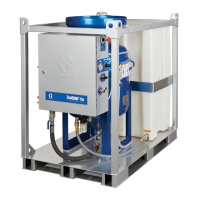
Supply Screen
This screen allows the user to specify the operating
parameters for off-board, integrated tanks and indicate
which positions have level sensors installed. See the
Tank Feed Systems manual for information about
installing level sensors, see Related Manuals on
page 3. The user may select from the following refill set
tings: Disabled, Monitor, Manual, Auto Top-Off, Auto
Full-Volume.
NOTE: Use the “Disabled” setting if off-board tanks are
not installed.
The following describes system operation when each
tank mode is selected.
• Disabled
• Disables tank operation
• Monitor
• The top sensor generates a high level deviation
and the bottom sensor generates a low level
alarm
• Refill is not supported, no button is provided on
the run screens to initiate refill
• Errors will clear when the corresponding condi
tion clears
• Manual
• The low level sensor will generate a low level
alarm
• A button is provided to the user on the run
screens to instigate a manual refill operation at
any time
• Manual refill will run until either the high level
sensor sees material, the user aborts the refill
via the refill button on the run screens, or the
refill time-out expires
• The low level alarm will clear when the condition
clears
• Auto Top-Off
• The low level sensor will generate a low level
alarm



 To Next Page