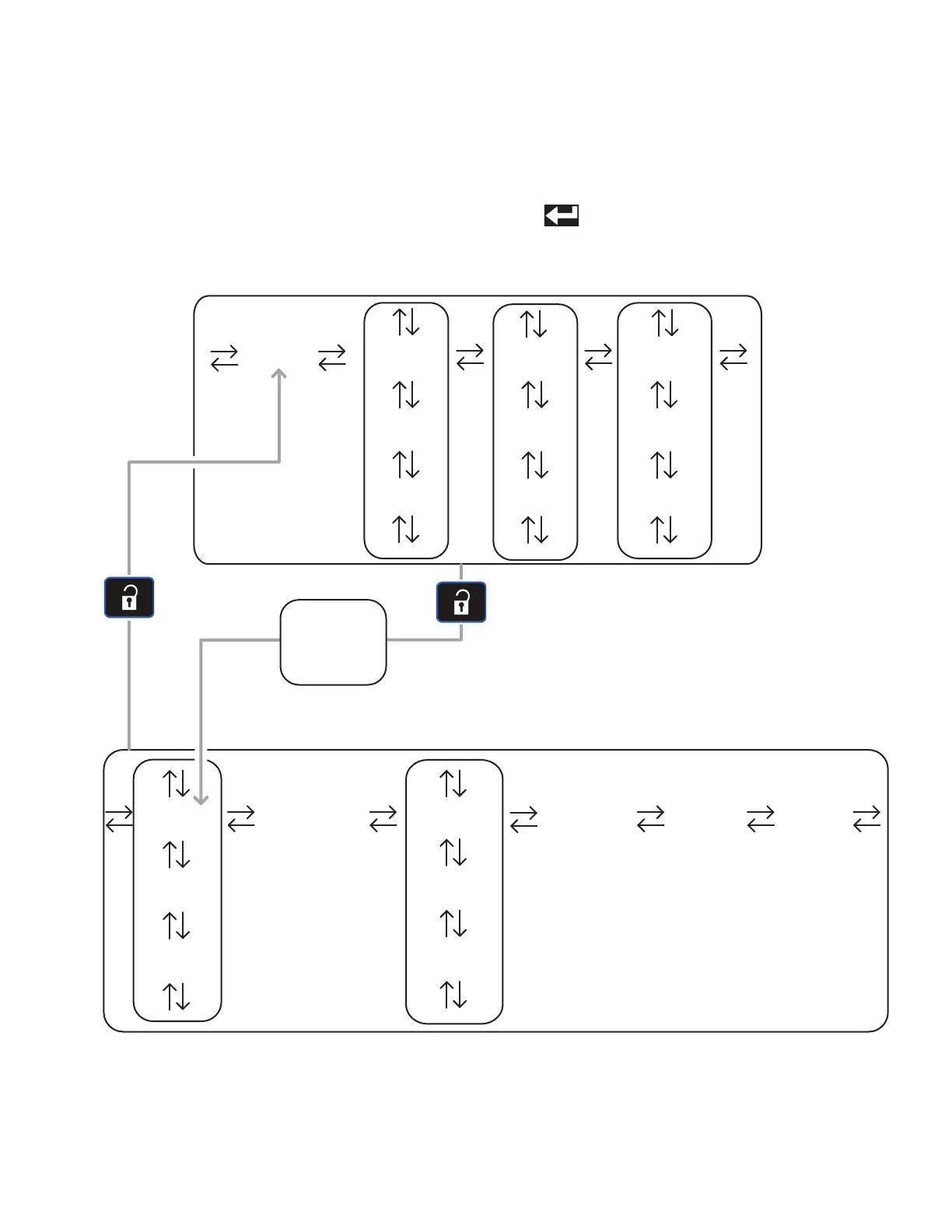
Screen Navigation Diagram
312759W 17
Screen Navigation Diagram
The black arrows in the diagram denote which arrow on
the directional keypad to press to move to the respective
screen.
If the password is enabled, the password will need to be
entered to access the Setup screens. Use the numeric
keypad to enter the password then press the Enter but-
ton ( ).
Home Data #1 Events #1
Data #2
Errors #1
Errors #2 Events #2
Data #... Errors #... Events #...
CalibrationEdit #1 Advanced System
Edit #2
Options #1
Options #2
Edit #... Options #...
Manual
Operation Screens
Setup Screens
Password
Entry
(if enabled)



 To Next Page