Operation
312759W 63
Auto-Refill
With Level Sensors installed, Auto-Refill can be used.
There are multiple Auto-Refill modes ranging in function.
For details on the different modes, see Fluid Options,
Screen #1 on page 27.
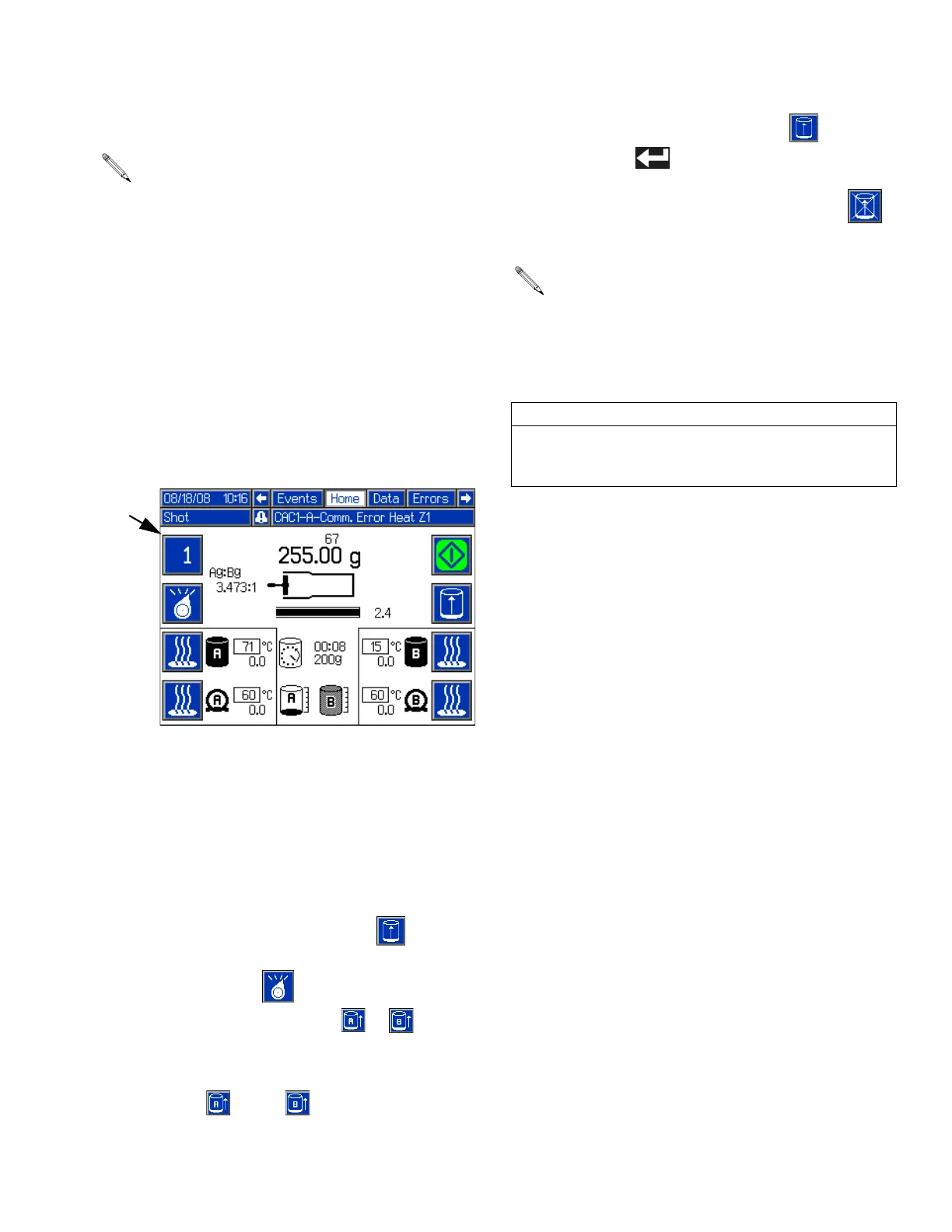
The tank icons on the Home Screen display the status
of each tank.
In all Auto-Refill modes other than Manual Auto-Refill,
the machine automatically performs the appropriate
functions.
Manually Initiate Auto-Refill
This procedure can be used to initiate auto-refill if Man-
ual Auto-Refill, High Level Auto-Refill, Empty
Auto-Refill, or Accumulator mode is enabled. See Fluid
Options, Screen #1 on page 27 for a description of
each Auto-Refill mode.
1. Navigate to the Home Screen. See Screen Naviga-
tion Diagram on page 17.
2. Press the Initiate Auto-Refill button ( ). The
Active Shot/Sequence button (BA) and Select Oper-
ating Mode button ( ) will each change to the
Auto-Refill Tank Select button ( or ) if a valid
Auto-Refill mode is enabled for both tanks.
3. Press the appropriate Auto-Refill Tank Select button
or buttons ( and/or ) to select the tanks to
refill.
4. Press the Initiate Auto-Refill button ( ) or the
Enter button ( ) to confirm.
5. If necessary, press the Abort/Cancel button ( )
to cancel auto-refill.
See Fluid Options, Screen #1 on page 27 for a
description of each Auto-Refill mode.
If an auto-refill is aborted or times out, the software
will not initiate a new auto-refill until a manually initi-
ated auto-refill has completed. To complete a man-
ually initiated auto-refill after an aborted or timed
out auto-refill, restart at step 2.
CAUTION
If an auto-refill is stopped and not restarted as
described in the previous note, the pumps may be run
dry and chemical crossover at the valve may occur.



 To Next Page