Setup
312759W 41
Phasing Adjustment
When the machine executes a shot, materials from
Tank A and Tank B enter the static mixer where they are
mixed and then dispensed. In order for the materials to
mix at the desired ratio, both materials must enter the
static mixer at the same time. The timing of the materi-
als entering the static mixer is dependent on the adjust-
ment of the phase adjustment screw for each piston.
Prepare Machine
1. Place a waste container under the dispense valve to
catch dispensed material.
2. Remove static mixer from dispense valve.
3. Install ratio check nozzle onto dispense valve.
4. If necessary, place a stand under ratio check nozzle
to support waste container close to nozzle.
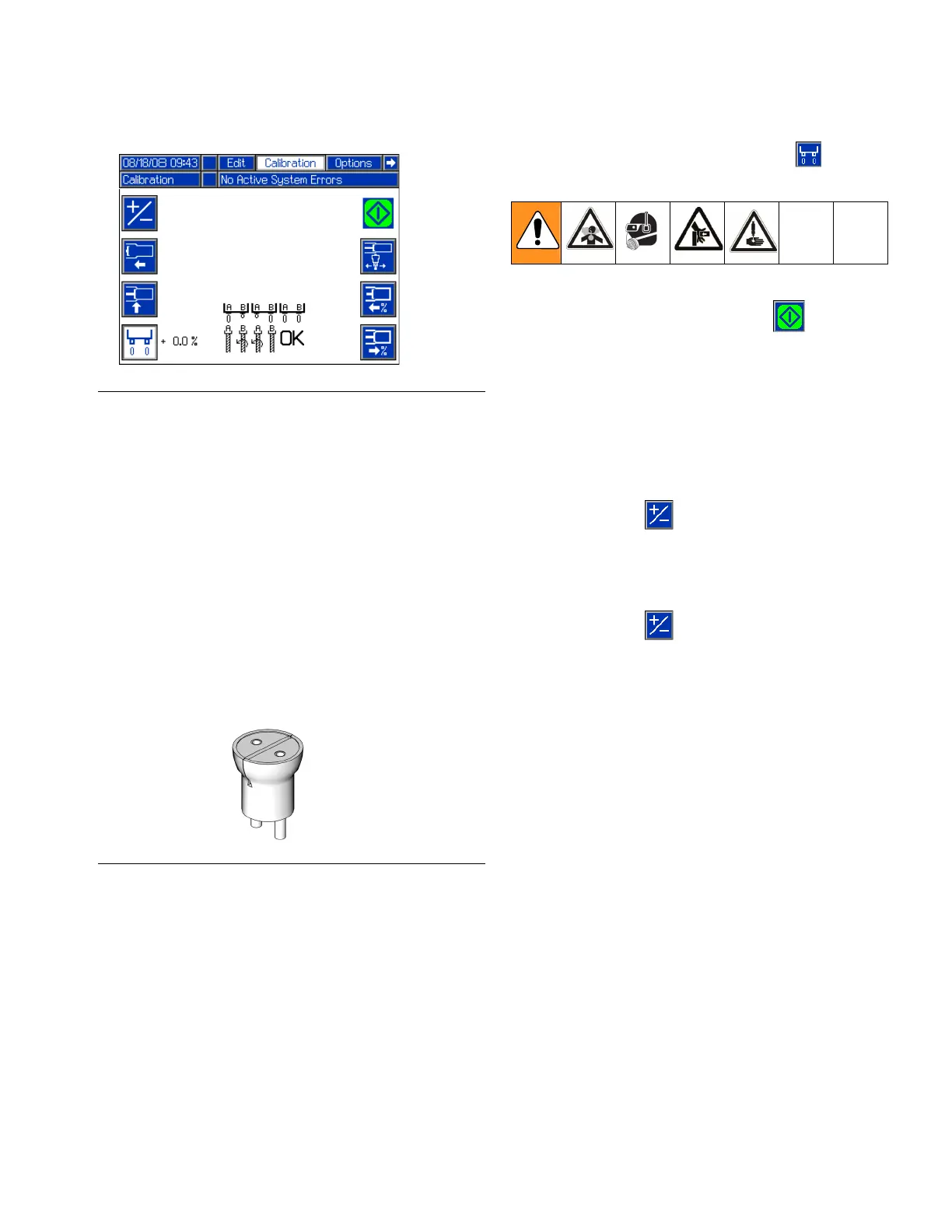
5. Navigate to the Calibration screen. See Screen
Navigation Diagram, page 17.
Adjust Dispense Quantity
6. Press the Enter/Exit Phasing button ( ) to enter
phasing mode.
7. Press the Start/Stop Shot button ( ) or the
footswitch to dispense a very small amount of mate-
rial.
8. Adjust the displayed percentage if more than a cou-
ple drops of either material was dispensed or if no
material was dispensed from both sides.
• If too much material was dispensed, decrease
the phasing percentage. If necessary, use the
+/- button ( ) to switch the percentage from
positive to negative.
• If no material was dispensed, increase the dis-
played percentage. If necessary, use the
+/- button ( ) to switch the percentage from
negative to positive.
F
IG. 25: Phasing
F
IG. 26: Ratio Check Nozzle



 To Next Page