Maintenance
312759W 69
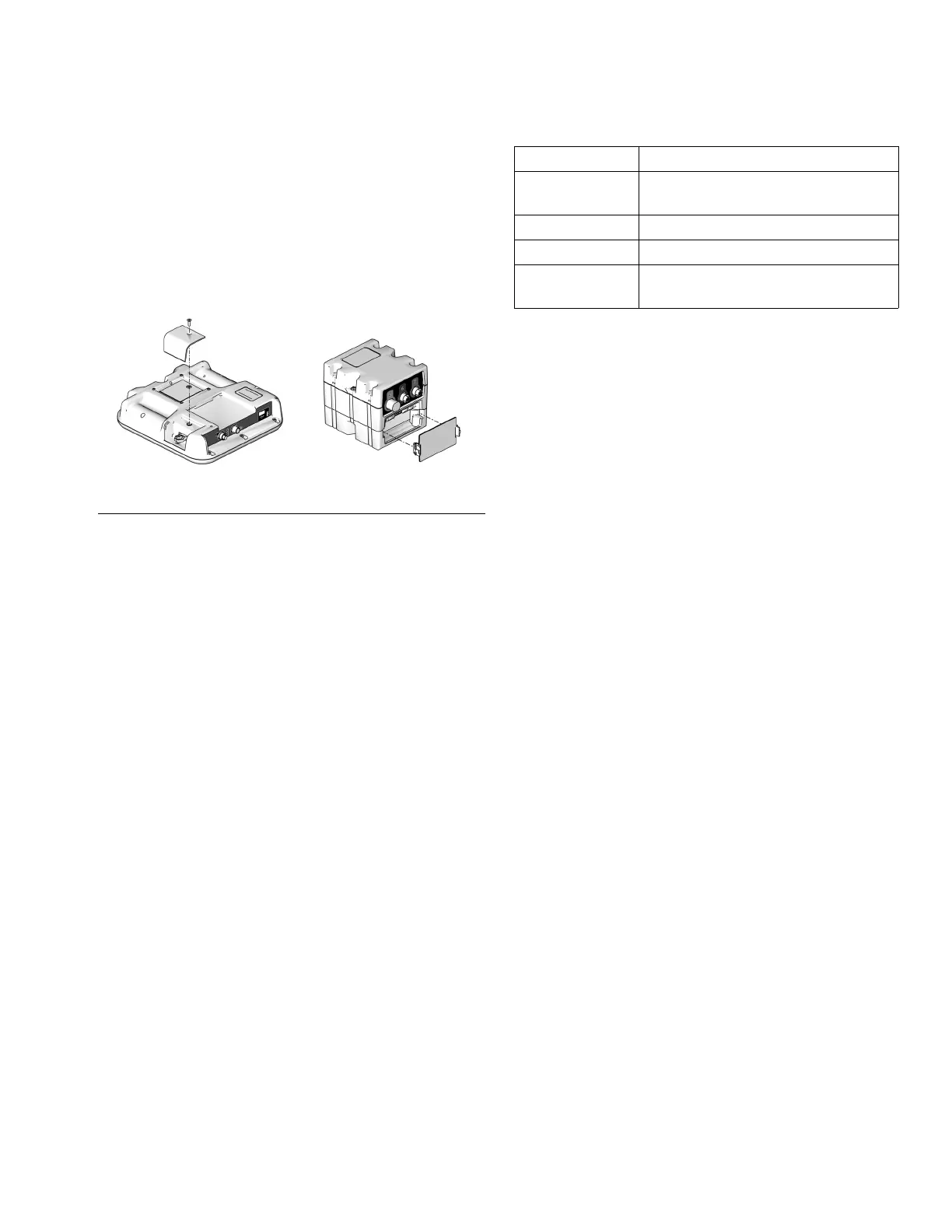
Install Upgrade Token
This procedure applies to the Advanced Display
Module (ADM) and Fluid Control Module (FCM).
1. Disconnect power to the module.
2. Remove token access panel. See F
IG. 41.
3. Insert and press firmly token into slot.
NOTE: There is no preferred orientation of the token.
4. Restore power to the module. The red LED will flash
rapidly to signal that software is loading. When the
red LED stops flashing, the software is done load-
ing.
5. Disconnect power to the module.
6. Remove the token.
7. Replace token access panel.
8. Restore power to the module.
9. Repeat for each module that needs to be updated.
10. Verify new software versions on the System Data
Screen screen. See page 36.
Light Tower (Optional)
Errors include advisories, deviations, or alarms, so
green will only be on when none of these occur. A yel-
low light can be on at the same time as red (flashing or
solid on) when an advisory exists at the same time as a
deviation or alarm.
F
IG. 41: Remove Access Panel
Advanced Display Module
ti12334a
ti12904a1
Fluid Control Module,
Low Power Temperature
Control Module
Signal Description
Green on only System is powered up and there are
no error conditions present
Yellow on An advisory exists
Red flashing A deviation exists
Red on The system is shut down due to an
alarm occurring.



 To Next Page