22
8.6 Wireless Network Settings
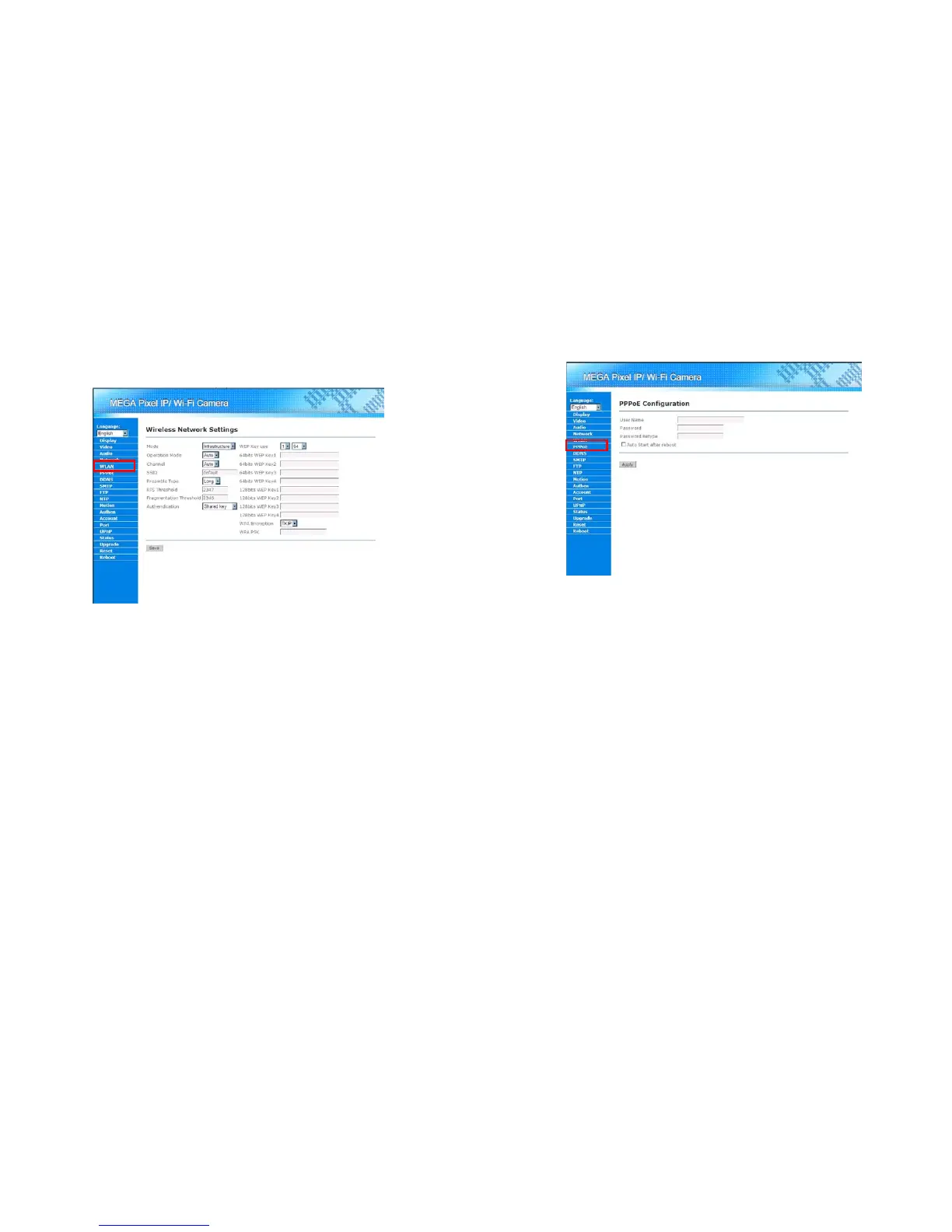
Mega Pixel Wi-Fi Camera supports 802.11b/g wireless network. User might configure the wireless setting
by clicking on “WLAN” in the Menu List. The details of network setting should appear in the Main Display
area. Please note, if the user wants to user the wireless network, he should turn the WLAN/LAN switch to
the WLAN side.
Mode: Select the wireless connection mode, whether Infrastructure or Ad-Hoc.
-AD-Hoc: If the user wants to use a wireless peer-to-peer connection, please select “Ad-Hoc”.
-Infrastructure: If the user wants to connect Mega Pixel Wi-Fi Camera with a wireless access
point, please choose “Infrastructure”.
Operation Mode: Select the protocol that Mega Pixel Wi-Fi Camera uses in the wireless network.
Mega Pixel Wi-Fi Camera supports 802.11b/g protocol.
Channel: Select the RF channel used in the wireless network.
SSID: Enter the SSID of the wireless network.
Preamble Type: Select the type of preamble. The default value is long.
RTS Threshold: Set the RTS threshold. The default value is 2347.
Fragmentation Threshold: Set the Fragmentation Threshold. The default value is 2346.
Authentication: Select the authentication method used in the wireless network. Mega Pixel Wi-Fi
Camera supports Open System, Share Key, WPA-PSK and WPA2-PSK authentication methods.
WEP Key Setting: Mega Pixel Wi-Fi Camera supports 64bit and 128bit WEP encryption. Please
configure the WEP parameters according to the user’s wireless network.
WPA Encryption: Mega Pixel Wi-Fi Camera supports TKIP and AES encryption for WPA enabled
wireless network. Please configure this value according to the wireless network.
WPA PSK: If the WPA-PSK, WPA2-PSK is enabled, please enter the key according to the wireless
network.
Save button: Save the configuration. All configurations should be available after the
configurations are successfully saved.
23
8.7 PPPoE Configuration
Mega Pixel Wi-Fi Camera supports PPPoE dial-up function that let it directly connect to the Internet
through a DSL modem. Please click on the “PPPoE” in the Menu List for further setup.
PPPoE User/Password: User might enter the PPPoE user name and password here.
Auto start after reboot: If this function is selected, the PPPoE function will auto start after the
Mega Pixel Wi-Fi Camera reboot.
Apply button: Apply the configuration. All configurations should be available after the
configurations are successfully saved.



 To Next Page