14
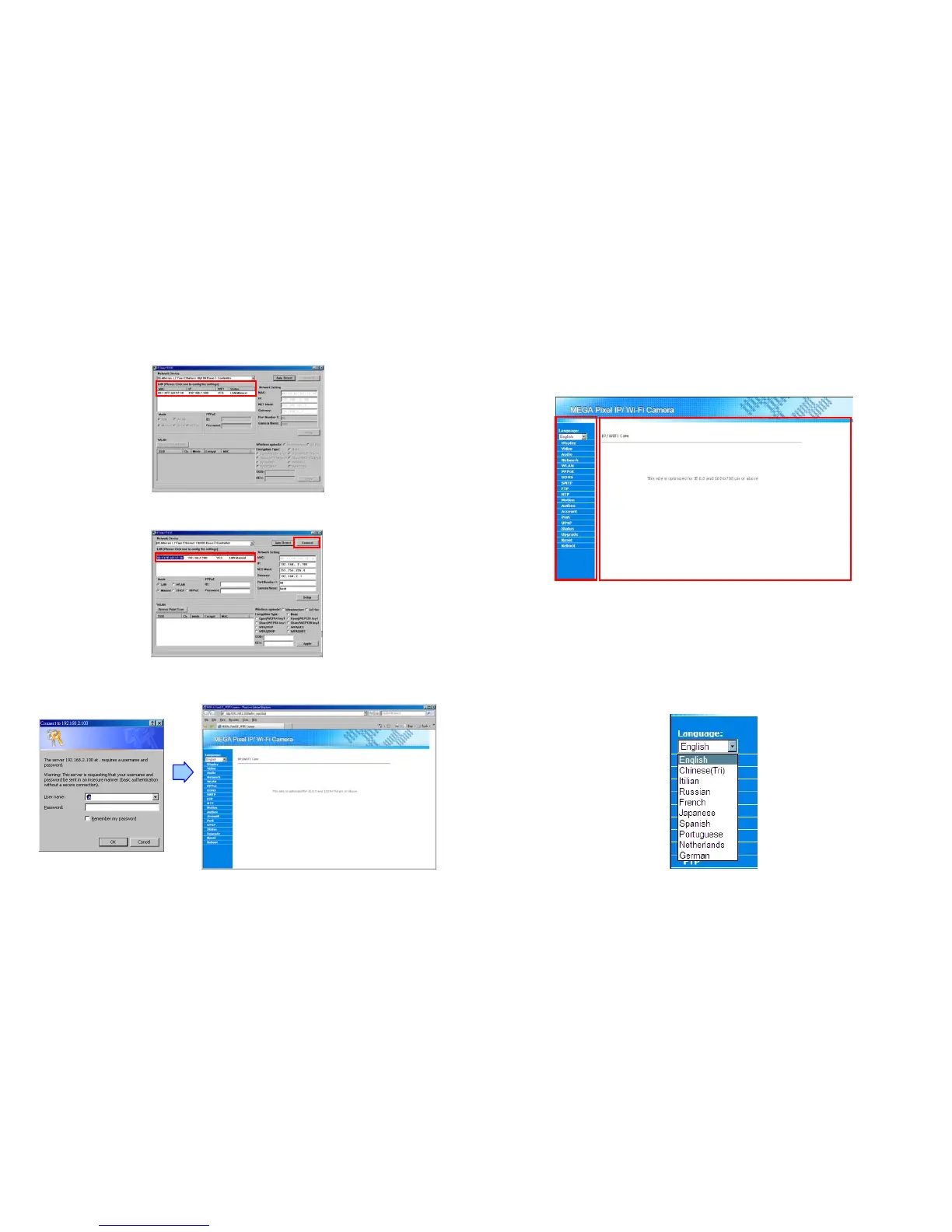
Step 10: Click the “Auto Detect” button again, and the new network information will be shown. (For some
environment factors, the time consumed by the searching might be very. In a normal situation, it might
take about 30~60 seconds for searching your Mega Pixel Wi-Fi Camera.)
Step 11: Select the “MAC” and click the “Connect” button to connect the Mega Pixel Wi-Fi Camera.
Step 12: When the login screen appears, enter the user name and password (default user name: root,
default password: admin), and click the “OK” button to login your camera.
15
8. Using the Build-In Web for Configuration
Mega Pixel Wi-Fi Camera provides a way for users to administrate the camera, a build-in web for
accessing the video, setting up the video parameter, configuring the network address etc. After login the
camera, the page as below will appear. There are two areas in the page: the Menu List and the Main
Display area.
You might access the video stream or select what you want to configure through the Menu List. The video
or the details of corresponding configuration will show up in the Main Display area.
8.1 Language Select
You might choose the language used in the build-in web from the draw down list in the top of the Menu
List. Mega Pixel Wi-Fi Camera supports multi-languages: English, Chinese (Tri), Italian, Russian, French,
Japanese, Spanish, Portuguese, Netherlands and German.



 To Next Page