10
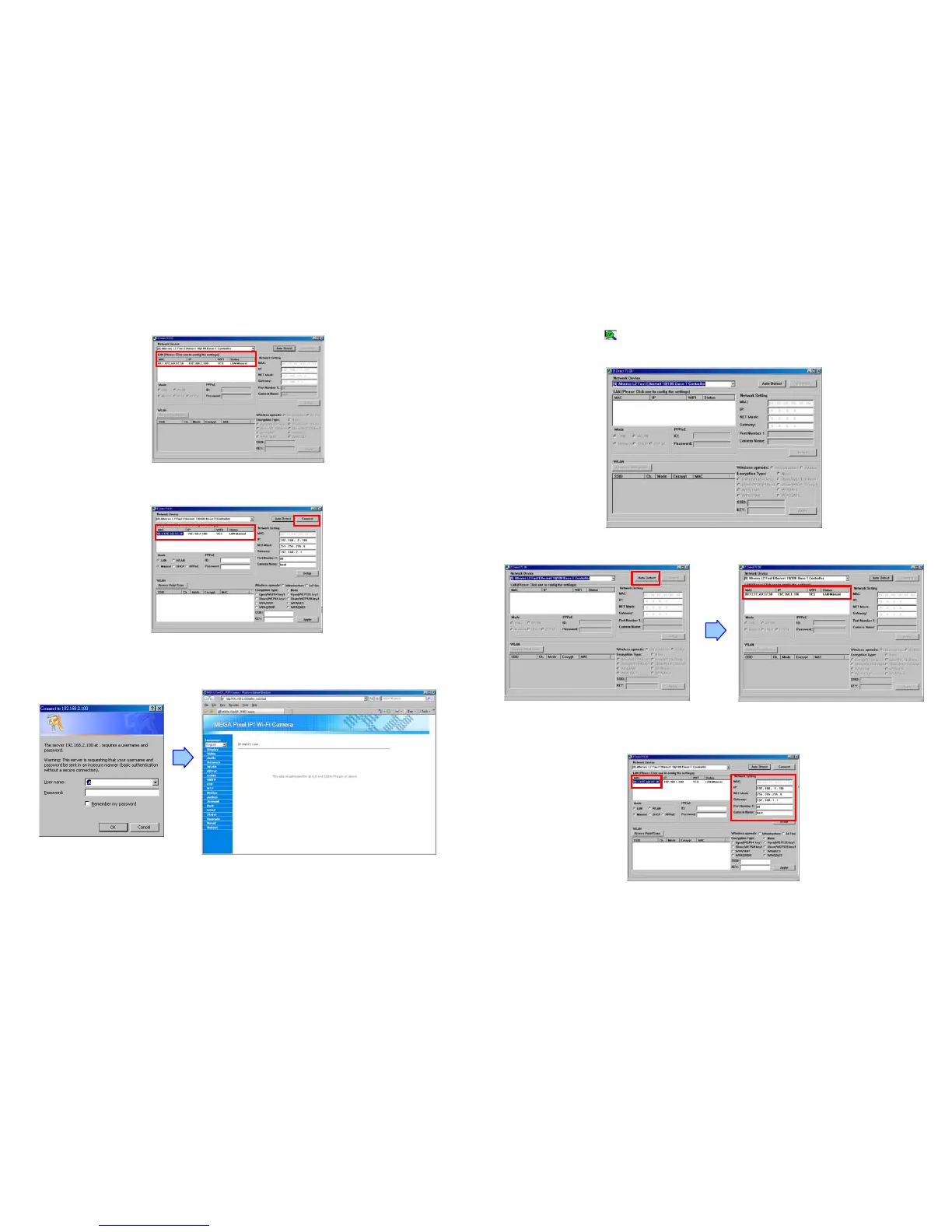
Step 5: Click the “Auto Detect” button again, and the new network information will be shown.
Step 6: Select the “MAC” and click the “Connect” button to connect the Mega Pixel Wi-Fi Camera.
Step 7: When the login screen appears, enter the user name and password (default user name: root,
default password: admin), and click the “OK” button to login your camera.
11
7.2 Wireless Network Installation
Step 1: Double click on ( ) IPCam Setup’s execution file on the desktop, and the following screen will
appear.
Step 2: Connect Mega Pixel Wi-Fi Camera to the PC with the crossover cable. Click the “Auto Detect”
button specified as below, and your camera’s MAC and default IP Address will be listed.
Step 3: Click on the “MAC”, and the “IP”, “Net Mask”, “Gateway”, “Port Number 1” and “Camera Name”
will be displayed in the “Network Setting” area.



 To Next Page