8.15 Port Settings………….…..………………………..…. 31
8.16 UPnP Services..………....…………………………… 32
8.17 Video Connection Status….….……………………… 33
8.18 Firmware Update……………….……………………. 34
8.19 Reset Configuration…..……………………………… 35
8.20 Reboot the Camera………..………………………… 36
9. Connecting Multiple Cameras to a Router……………... 37
10. Using UPnP to Connect the Camera…………………... 38
11. Surveillance Software…..………..………………………. 39
11.1 Using the Mega Pixel IP Camera Viewer……..…… 39
11.2 Play the Recorded Files...…………………………… 44
12. Troubleshooting………..………..………………………. 45
1
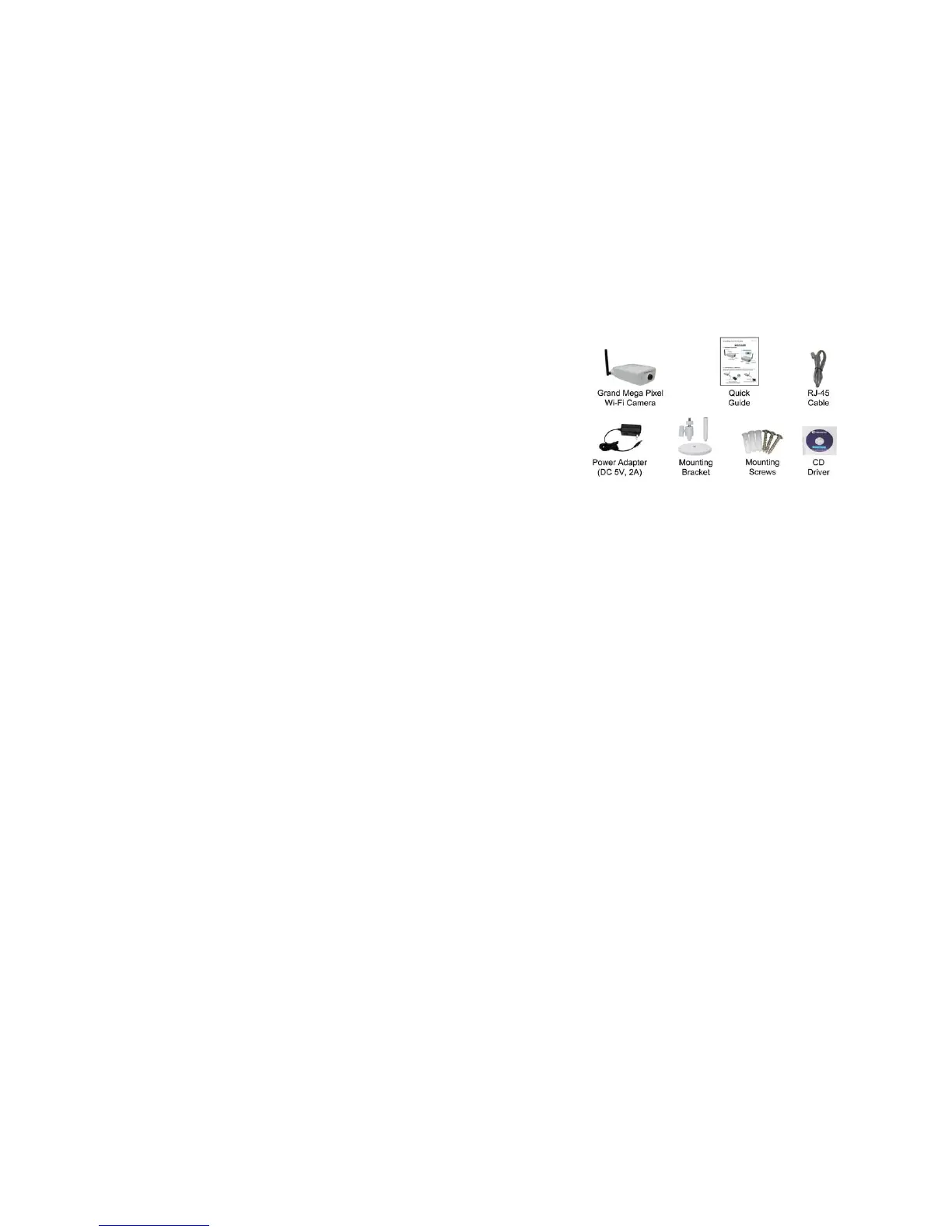
1. Package Contents
Grand Mega Pixel Wi-Fi Camera
Quick Guide
RJ-45 Cable
Power Adapter (DC 5V, 2A)
Mounting bracket
Mounting Screws
CD Driver with user manual/ software (IP Detect)/ Surveillance software
2. Introduction
Grand Mega Pixel Wi-Fi Camera is a full featured network camera that enables you to remote view
and listen with your web browser (supports iPhone WEB Browser). The Grand Mega Pixel Wi-Fi Camera
uses the latest video compression technology that provides clearer and more fluent image transmission.
Choose the Grand Mega Pixel Wi-Fi Camera to enhance safety and security at your home or office.
3. System Requirements
Router ( with DDNS or PPPoE function ) is required
10Base-T Ethernet or 100Base TX Fast Ethernet
Processor:
IE Remote View: Intel Pentium4 2.4GHz or higher
Surveillance Software:
1 channel: Intel Pentium4 2.4GHz or higher
2~7 channel: Intel Pentium Core 2 Duo 2.4 GHz or higher
8~16 channel: Intel Pentium Core 2 Quad 2.83 GHz or higher
RAM: 1GB or higher
Web browser: Microsoft Internet Explorer V6.0 or higher



 To Next Page