60
Copy / Erase
Model copy and fl ight phase copy function
Erase model
Copy model –>
model
Copy MX24 –> external
Copy external –> MX24
Copy flight phase
Back-up all models –> PC
=>
=>
=>
=>
=>
=>
This menu is used for:
• erasing model memories,
• copying internally from one model memory to ano-
ther,
• copying a model memory from one mx-24s trans-
mitter to another,
• copying from the mx-24s to an industry-standard
PC,
• copying individual fl ight phases within a single mo-
del memory,
• backing up all occupied model memories in the
mx-24s to an industry-standard PC.
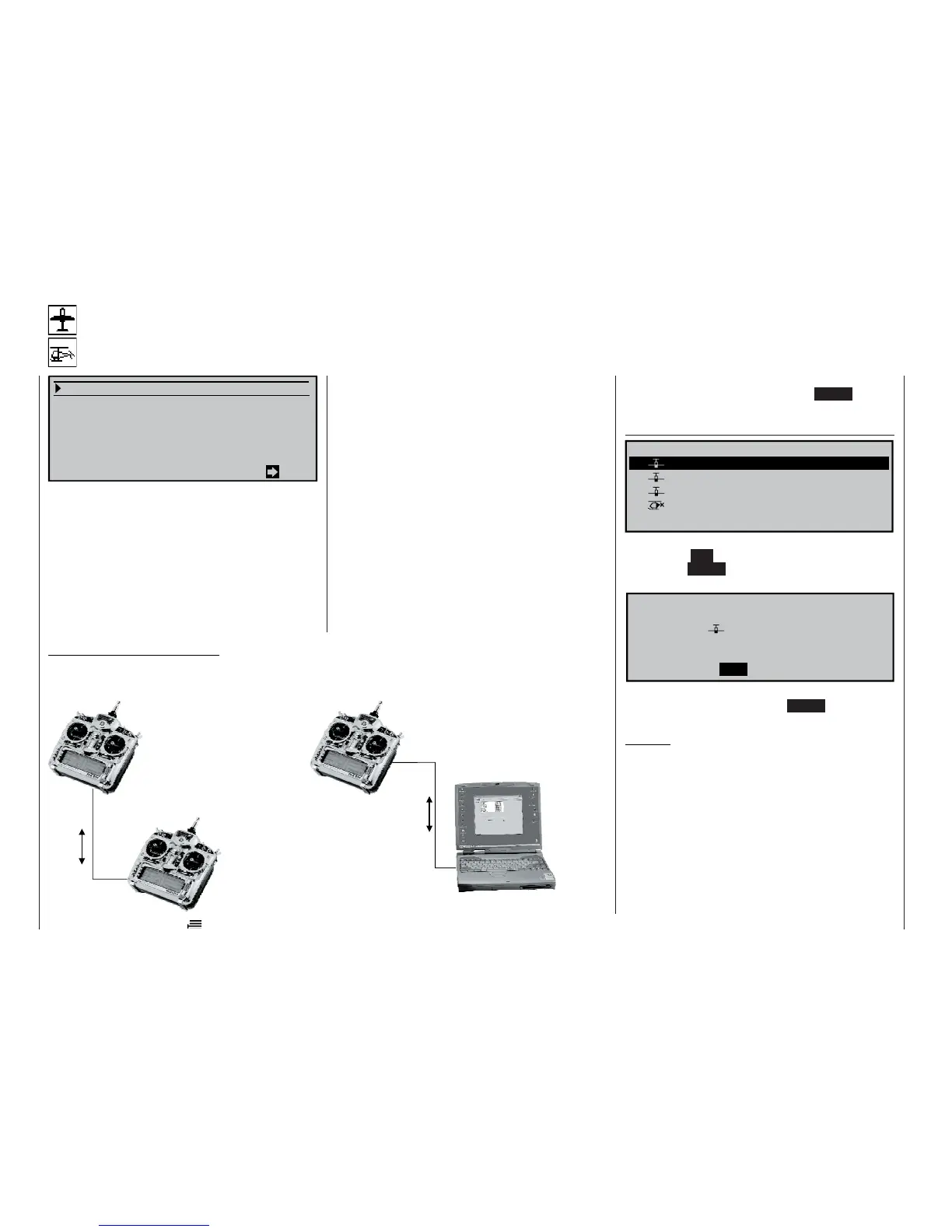
To connect the transmitter to a PC you will need the
PC interface lead, Order No. 4182.9, or the USB-PC
interface lead, Order No. 4185, both of which are con-
nected to the Trainer / PC module, Order No. 3290.22,
in order to transfer model data to the PC. There the
data should be saved on a hard disc or some other
form of data medium. Later – if necessary – the data
can be loaded back into the transmitter (or another
transmitter). Full details of these procedures are in-
cluded with the leads.
To transfer data between two mx-24s transmit-
ters, both transmitters must be fi tted with the Trainer
/ PC module, Order No. 3290.22. You will also need
the copy lead, Order No. 4179.2, to make the actual
transfer.
60
Program description: Model memories
First select the desired option with the rotary control
pressed in, then call it up by pressing ENTER or the
rotary control:
Erase model
Graubele
02
Soarmaster
2:45h
03 DV20KATANA 5:46h still in test
04 Starlet 50 8:31h
01
1:25h
PCM20 1675Gr
PPM18 070707
trim: new adj.
Select model to be erased:
Select the model to be erased using the rotary cont-
rol. Pressing ESC returns you to the previous screen
page. Press ENTER or the rotary control to shift to
the next screen page:
Model really
01 Graubele
to be erased?
NO YES
Select “NO” or “YES” using the rotary control and
confi rm your choice by pressing ENTER or the rota-
ry control.
Caution:
The erasure process is irrevocable. All data in the
model memory is erased permanently!
If you wish to erase the currently active model memo-
ry in the basic display, you will immediately be asked
to defi ne the model type “Heli” or “fi xed-wing”. Howe-
ver, if you erase any of the occupied but non-active
model memories, then the message “free”
appears in the Model select menu.
Caution – essential information:
Be sure to connect the PC or the second transmitter to your mx-24s using the interface or copy
lead before you switch on the mx-24s transmitter(s). When the process is completed, switch the
transmitter(s) off before you disconnect the lead!
Copy lead
Order No. 4179.2
PC interface lead
Order No.
4182.9
or
USB-PC interface lead
Order No. 4185
mx-24s
mx-24s
mx-24s















 To Next Page