Understanding the Display Icons
Your 0716 features a high contrast, backlit Liquid Crystal
Display (LCD) to provide important information about the status
of the radio while you are programming and using it. The LCD
includes a row of icons at the top that provides information about
the status of the scanner while it is operating. Beneath this row of
icons, there are 4 rows of 16 characters each that provide
alphanumeric information for frequencies, object names, Scan
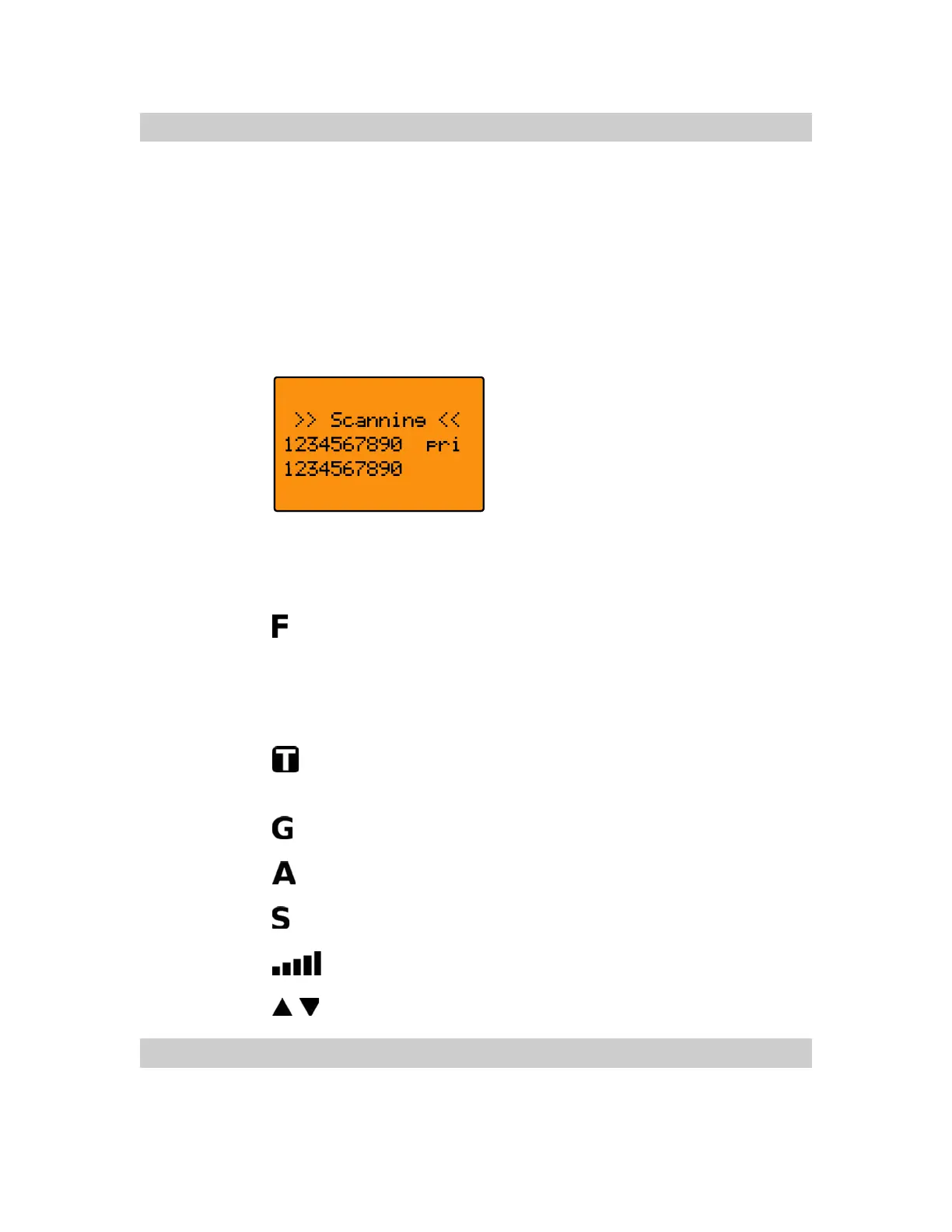
List status and menu information. Figure 4 provides an example
of the display that is shown while the radio is scanning.
Figure 4 - Scanning Display
The top row of icons are defined as follows:
The Function Key (FUNC) has been pressed. FUNC acts
as a “shift” key and typically enhances in some way the
action of the button that follows it. When using
FUNC,
press the
FUNC key first and release it, then press the
next key.
The scanner is currently receiving trunking control channel
data.
The attenuator is set for Global mode.
The attenuator is currently active.
The radios squelch circuit is open.
Signal meter indicating strength of the received signal.
Menu position and search direction indicators.
Understanding the Keypad
Your 0716 features an easy-to understand backlit keypad
with keys that are used to control and program the radio.
0716 User Manual Page 23



 To Next Page