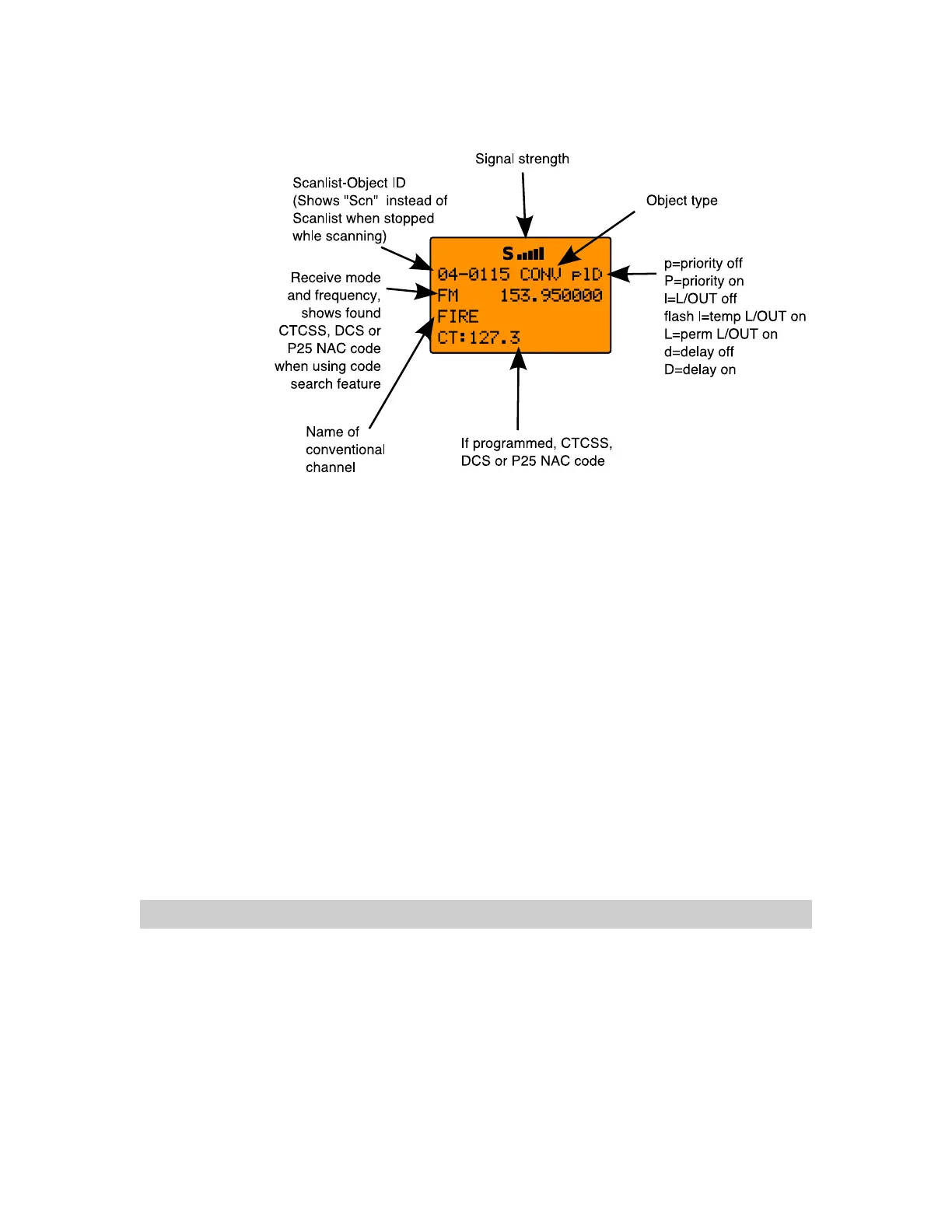
Browsing Objects
The 5-way pushbutton pad makes it easy for you to browse the
stored objects in your 0716 when in Manual or Program
modes. Press
MAN or PGM, then use the keys on the
5-way pushbutton pad to move around in the scanners memory
as follows:
: navigates “up” through the objects assigned to the
current Scan List
: navigates “down” through the objects assigned to the
current Scan List
: navigates “up” through the active Scan Lists in the radio
: navigates “down” through the active Scan Lists in the radio
Advanced Startup Topics
Congratulations! Now that you have mastered the creation of
Scannable Objects and how to monitor them using Scan and
Manual Mode, you can move on to some more advanced startup
topics.
This Advanced Startup Topics section of this manual will provide
you with more basic information about how you can create other
types of Scannable Objects, and how you can group your
0716 User Manual Page 45



 To Next Page