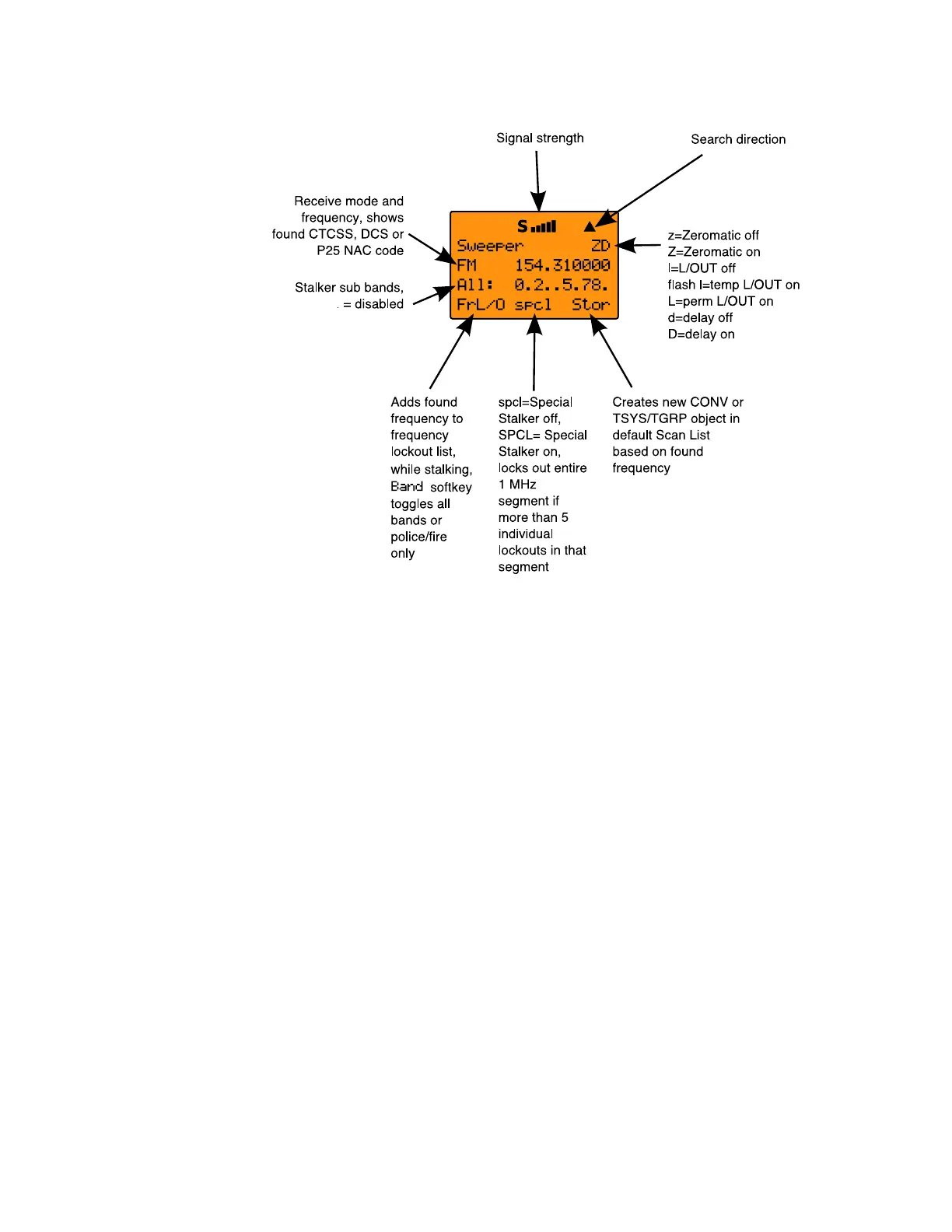
Operation of the dedicated Spectrum Sweeper mode is almost
identical to that of the object mode, with one exception. When
running the Spectrum Sweeper as a Scannable Object, you must
use the object menu to enable or disable the Spectrum Sweeper
sub-bands when operating in Scan Mode. When dedicated
Spectrum Sweeper mode is used, you may press the numeric
key on the keypad that corresponds with the sub-band you wish
to enable or disable. Disabling a sub-band will cause the
Spectrum Sweeper system to skip the frequencies within that
sub-band as it performs its sweeps. The sub-bands are defined
as follows:
0: 25-54 MHz VHF Low Band
1: 108-137 MHz VHF Aircraft Band
2: 137-174 MHz VHF High Band
3: 216-300 MHz 220 MHz Commercial/Amateur Band
4: 300-406 MHz UHF Military Air Band
5: 406-470 MHz UHF Band
6: 470-512 MHz UHF-T Band
7: 764-806 MHz 700 MHz Band
8: 806-869 MHz 800 MHz Band
9: 896-1300 MHz 900 MHz Band, 23 cm Amateur Band
In Public Safety, the sub bands are defined as follows:
0716 User Manual Page 72



 To Next Page