G36
Oxygen Analyzer
Version 2.11 - March 2022 19
6 Menu structure
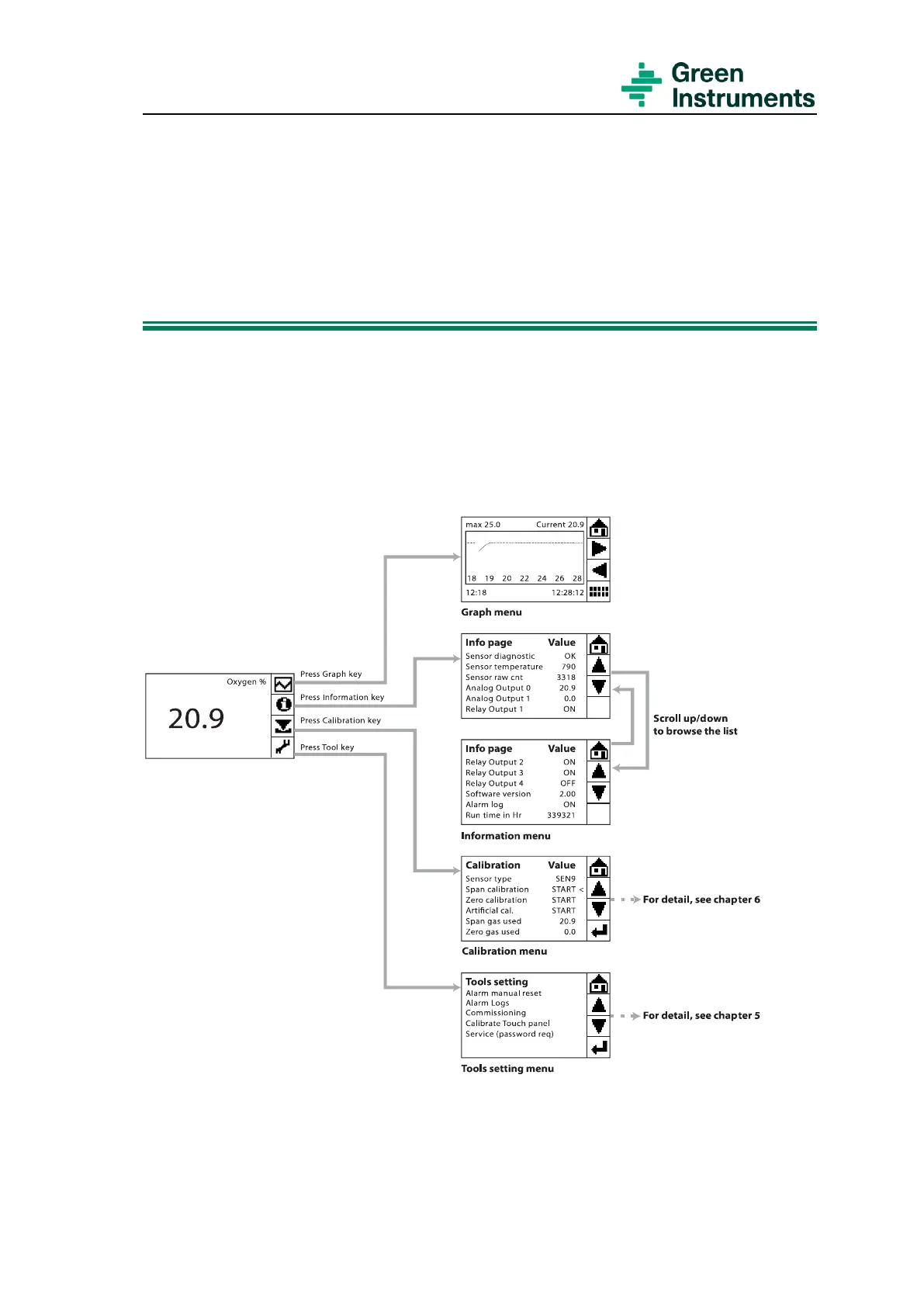
Please see Figure 1-1
for the Program Menu Structure
6.1 Main Menu
The analyzer is designed with a touch screen. The Main Menu displays the current oxy-
gen value in percent, and to the right four function keys are displayed. The function keys
are connected to four different functional menus: Graph, Information, Calibration and
Tools.
Figure 6-1: The G36 main menu and four functional menus
If the alarm function is on and an alarm is triggered, the alarm message will be displayed
at the bottom left corner of the screen.


 To Next Page