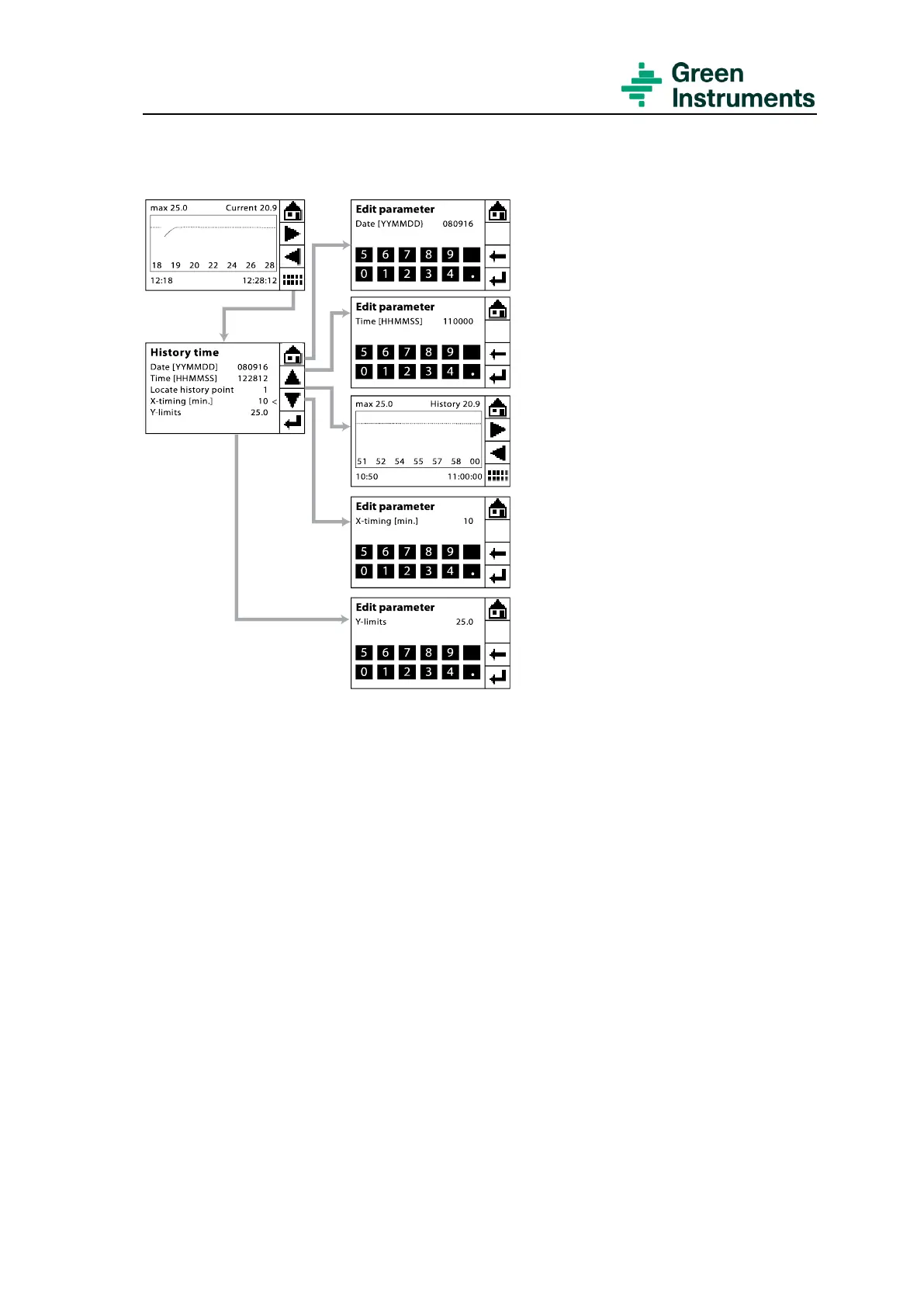
It will take time for the analyzer to
browse an old history point. The
longer time you want to go back, the
longer time the analyzer will require
to recall the history. When the ana-
lyzer is recalling history, the touch
screen will freeze and will not imme-
diately react to touching.
If you want to browse a history point
which dates back more than a week,
it will be best to read the history data
directly from the log file at the SD
card. For details of how to read the
log file, please go to section 5.2.6.
X-timing shows the time range of the
trending graph, which can be set as
required. However, the time range
should not exceed 1440 minutes (24
hours). The time range is displayed
on the lower part of the graph screen
with the starting point in the bottom
left corner and the ending point in the
bottom right corner.


 To Next Page