G36
Oxygen Analyzer
Version 2.11 - March 2022 29
7.4 Setting of Analog Outputs
7.4.1 Analog Output 1
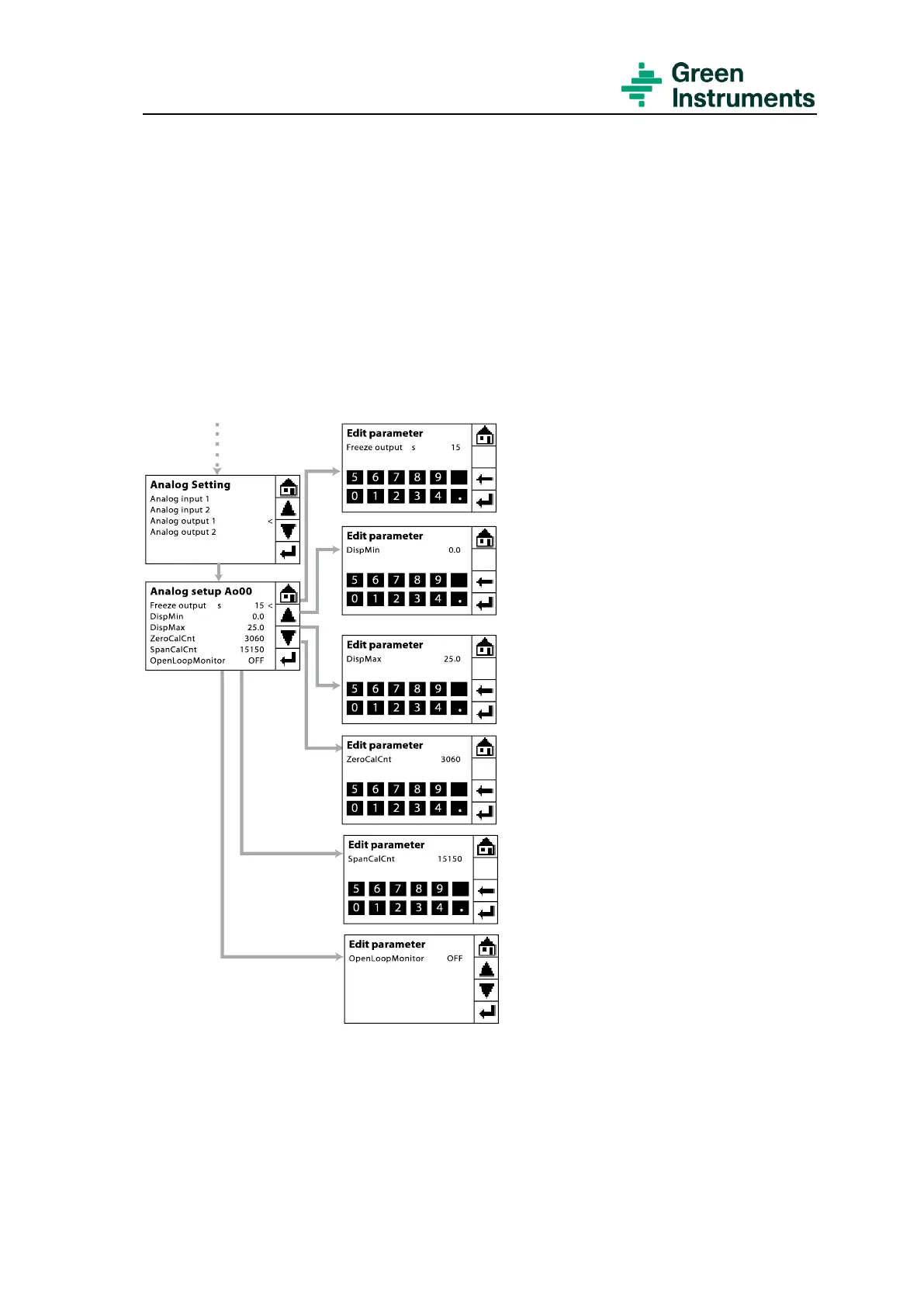
The route for setting Analog output 1 is Tools menu\Service (Password level 1:
9490)\Analog in/out settings\Analog output 1.
Analog output 1 (Ao00) is connected to terminal A-OUT connection 1 & 2 with default
setup to indicate the actual oxygen value in percent.
Freeze output: The freezing of the
output signal after back-flushing or cal-
ibration is set to 20 seconds by default.
Analog Output Scale: The analog
output signal can be scaled by editing
the minimum and maximum values
(DispMin/DispMax).
The scale is freely configurable, but
usually only the maximum setting is
changed. The range of the output signal
must correspond to the requirements
and settings of the external instrumen-
tation or system.
The default setting is 0.0–25.0% oxygen (0.0% ≙ 4 mA
and 25.0% ≙ 20 mA). This is appropriate where the ex-
ternal instrumentation is operating with an input scale
of 4–20 mA and display of 0.0–25.0% oxygen.
If however, the external instrumentation
is working with an input in a different
range – for example 0.0–10.0% oxy-
gen, i.e. 0.0% ≙ 4 mA and
10.0% ≙ 20 mA – then the maximum
value in DispMax has to be changed –
in this example to 10.0.


 To Next Page