910FS Splicer
Greenlee / A Textron Company 4455 Boeing Dr. • Rockford, IL 61109-2988 USA • 815-397-7070
32
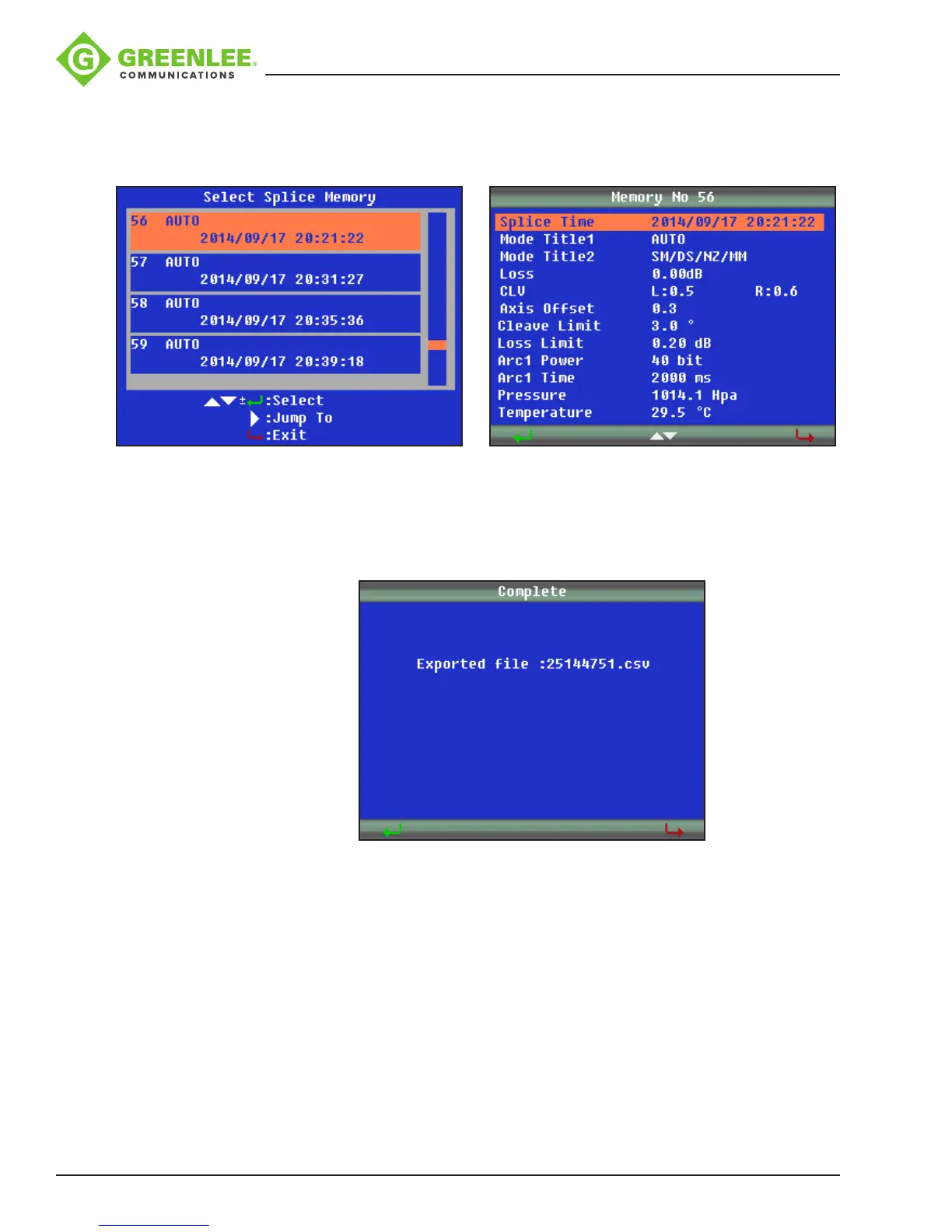
Enter “Display Splice Memory” menu to browse splice results. Use pandq to select
splice result, and press
8
to view details. Press
9
to exit.
Enter “Clear Splice Memory” menu to delete splice results. Use t and u to switch
between Start and End number of splice results. Use pandq to change value.
Press
8
to conrm, and press
9
to exit.
Format Memory
The Format Memory function allows the user to format the entire memory. Press
8
to
conrm, and press
9
to exit.
Clear Arc Count
The Clear Arc Count function allows the user to clear current arc counts from the last
clearance. Press
8
to conrm, and press
9
to exit.


 To Next Page