910FS Splicer
Greenlee / A Textron Company 4455 Boeing Dr. • Rockford, IL 61109-2988 USA • 815-397-7070
47
Appendix B. Practice Splicing
General Precautions
• Refer to the 910FS and 910CL user manual.
• Clean all connectors before making a connection.
It is highly recommended that new 910FS users use the AUTO mode splicing
profile until they have become proficient at splicing.
Checking the Splice Quality of the 910FS
The user should practice splicing with the type of ber that they will use in their
installation before attempting to splice bers in those installations.
The following procedure should be used to practice fusion splicing ber cables:
1. Identify the eld ber type by consulting the ber manufacturer’s data sheet.
2. Obtain an approximately 10 m length of ber (same as eld ber).
3. Determine if this ber type has a pre-programmed splicing prole in the 910FS.
Usethis prole for splicing.
4. If there is not an exact matching splice prole, use the AUTO mode splicing prole.
5. Splice a ber pigtail with a suitable connector for their source/power meter of like
ber to one end of the 10 m ber.
6. Splice a ber pigtail with a suitable connector for the source/power meter of like
ber to the other end of the 10 m ber.
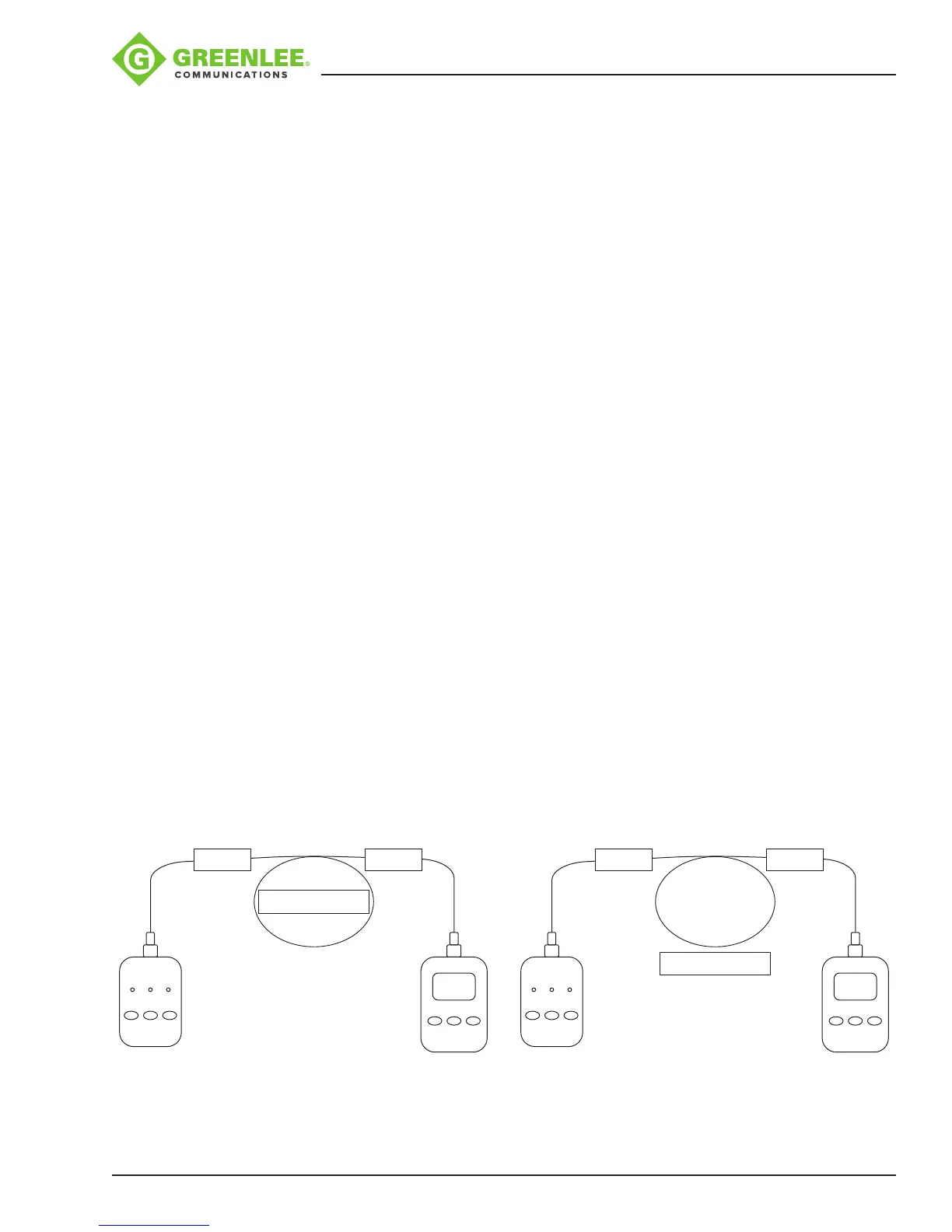
7. Connect a laser (SM) or LED (MM) source to one end of the ber and a power meter
to the other end of the ber. Refer to Figure 1.
8. Zero the power meter. Refer to Figure 2.
9. Cut the 10 m piece of ber in the middle and splice it back together. The power
meter should read 0dB PLUS allowable splice loss X2.
10. The splicing technician should repeat step 9 until they are able to reliably splice
using the desired ber.
On/Off
1
st
λ 2
nd
λ
Optical Source
On/Off
λ dB/dBm
Power
Meter
SPLICE SPLICE
10 m of Test Fiber
On/Off
1
st
λ 2
nd
λ
Optical Source
On/Off
λ dB/dBm
0 dB
SPLICE SPLICE
10 m of Test Fiber
Figure 1 Figure 2


 To Next Page