CM220 Chipper 5. OPERATION 5-2
©GreenMechLtd 5-2 08/17
5.2 Starting Machine
CAUTION! Beware sharp edges and dust. Wear protective gloves and eye shield!
Check all other personnel are clear of machine.
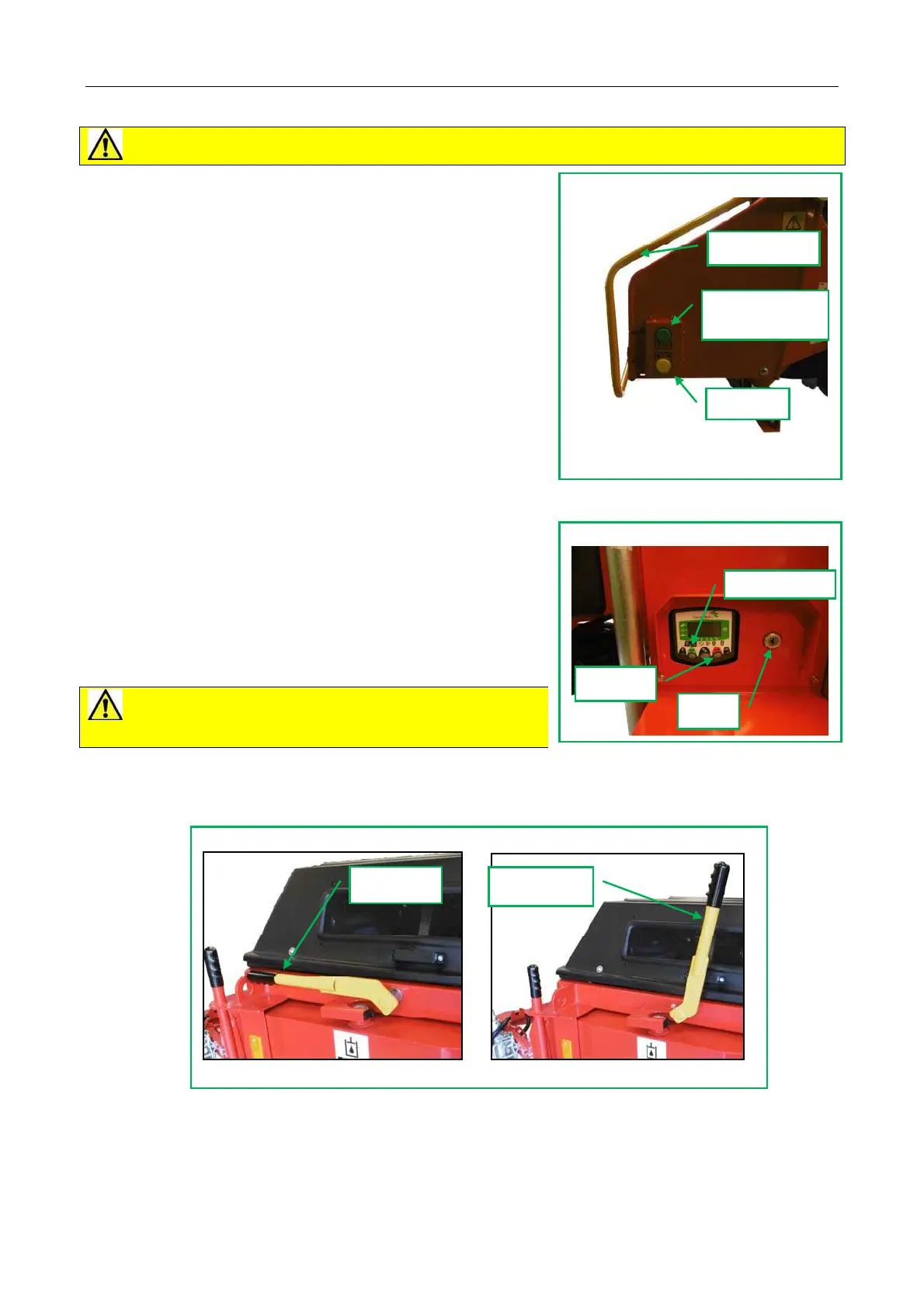
Check that feed roller control bar is free in STOP position to
make machine safe (Fig 5.2.1).
Check that clutch is disengaged (fig 5.2.3)
Turn ON - OFF key to position I. (Fig 5.2.2) Wait for pre-
glow countdown to cease and chipper speed 0 rev/min to be
displayed.
Press and hold green START button on engine control to
start chipper.
Engage the clutch (fig 5.2.3)
Press IDLE/RUN button (yellow) (Fig 5.2.1) to increase
speed to operating speed.
Press Green FEED IN button on Infeed chute when ready to
start loading chipper.
5.3 Stopping Machine
1 Push control bar to STOP feed in (fig 5.2.1)
2 Press yellow IDLE/RUN button and allow chipper flywheel
to slow down.
3 Disengage clutch (fig 5.2.3).
4 Press red stop button to stop engine (fig 5.2.2) and switch
start key to 0.
5 Wait for chipper flywheel to stop.
CAUTION! Chipper flywheel will take several
seconds to stop due to its inertia.
Fig 5.2.2 Engine control box
Key
Start button
STOP
Fig 5.2.1 Control Bar and Buttons
Control Bar positions
FEED OUT (Pull) STOP (Push)
Feed in (Green)
(both sides)
Control bar
Idle/Run
Fig 5.2.3 Clutch
Clutch off
Clutch on



 To Next Page