42
26. Changing the face cover
Removal:
● Fold up the carrying handle.
● Turn out both screws 71.
● Remove arm cover by lifting it upwards.
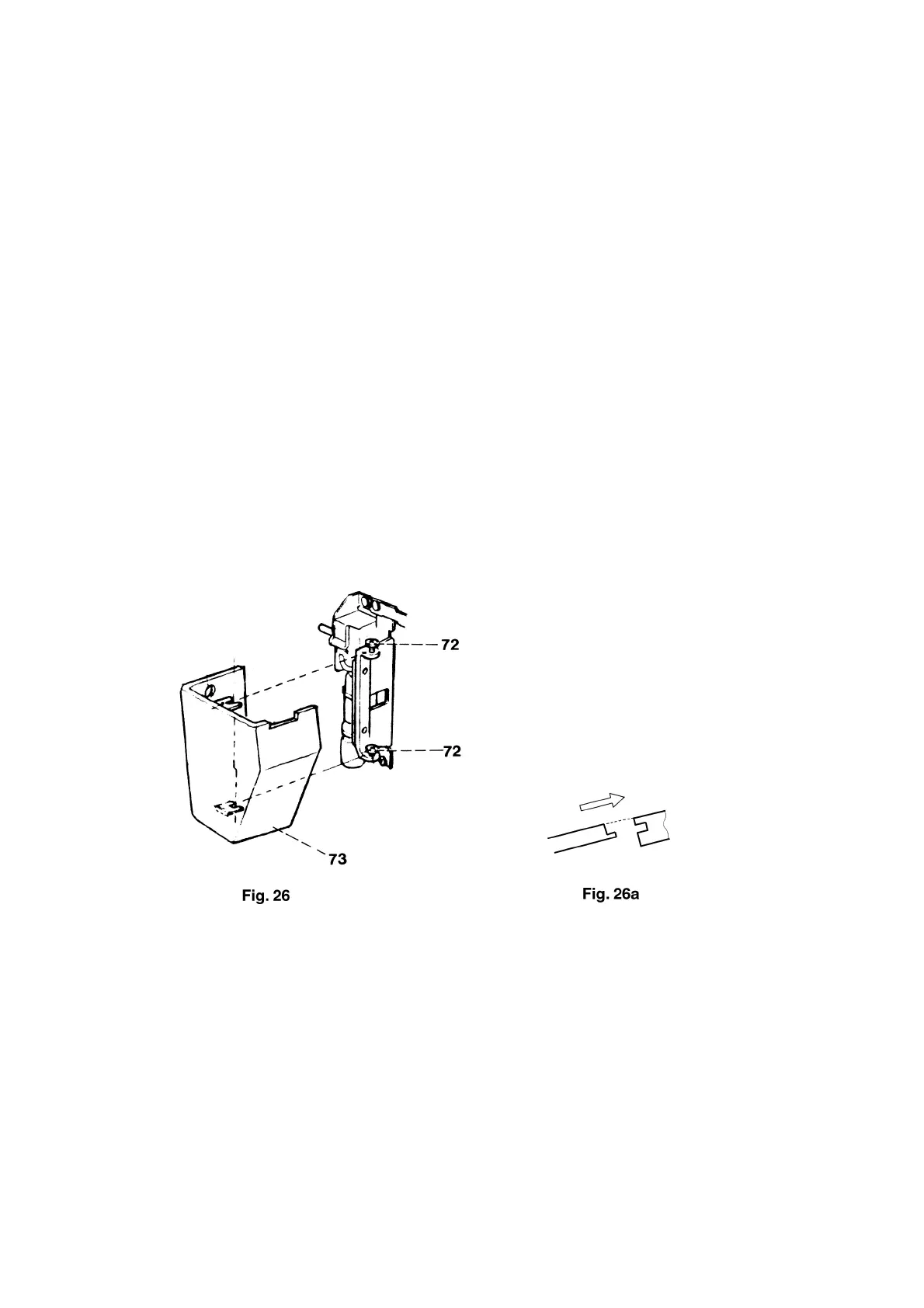
● Loosens both screws 72 by approx. 2 turns (fig. 26).
● Remove face cover 73.
Refitting:
● Insert face cover with the hole from behind over the main switch and both guides under the screw
heads.
● Fit face cover 73 exactly into its guide (fig. 26a).
● Tighten both screws 72.
● With the carrying handle in upright position, fit arm cover to the machine checking the position of the
thread tensioners and making sure that the arm cover closes without play.
● Insert and tighten both screws 71.



 To Next Page