43
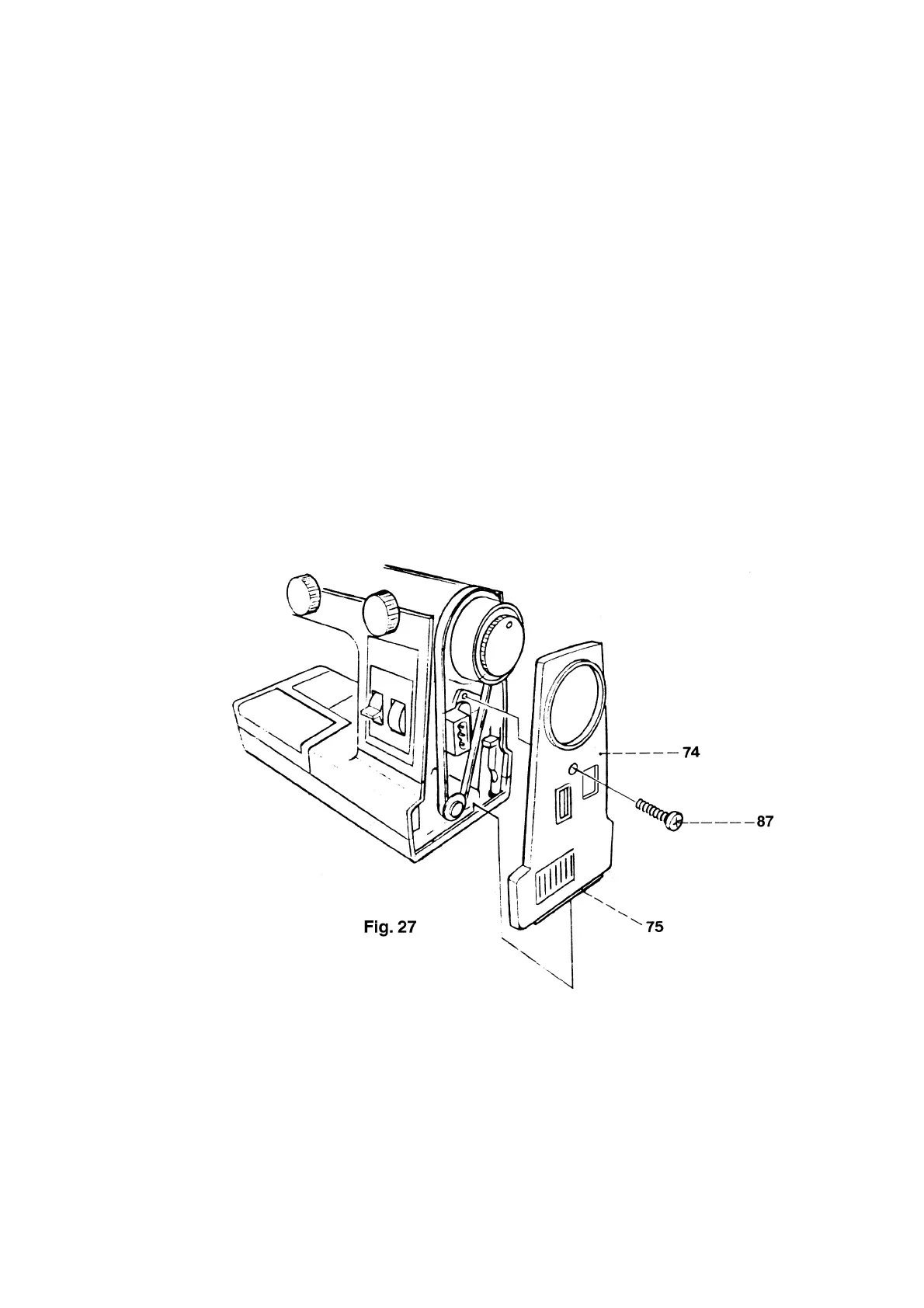
27. Changing the stand cover
Removal:
● Fold up the carrying handle.
● Turn out both screws 71.
● Remove arm cover by lifting it upwards.
● Turn out screw 87 (fig. 27).
● Remove stand cover 74.
Refitting:
● Insert stand cover rib 75 in the baseplate and push stand cover onto the machine housing.
● Insert and tighten screw 87.
● With the carrying handle in upright position, fit arm cover to the machine checking the position of the
thread tensioners and making sure that the arm cover closes without play.
● Insert and tighten both screws 71.



 To Next Page