-32-
Model G0948 (Mfd. Since 08/21)
Setting Upper Blade
Guide Height
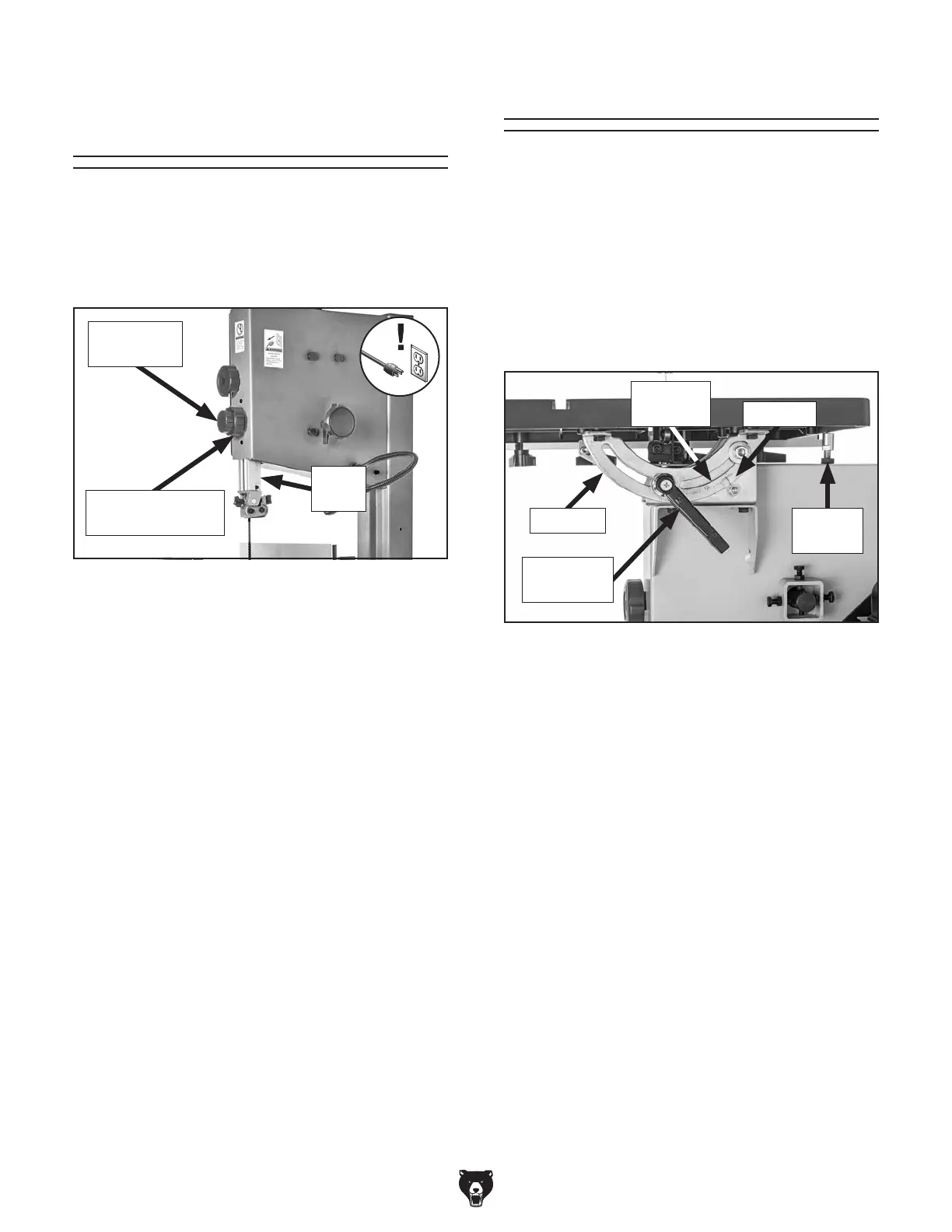
When cutting, the blade guides must always be
positioned so they just clear (no more than
1
⁄4") the
workpiece. The guide post, shown in
Figure 37,
allows the upper blade guide assembly to be
quickly adjusted for height.
To adjust height of upper blade guides:
1.
DISCONNECT MACHINE FROM POWER!
2.
Loosen guide post lock knob.
3. Using guide post adjustment knob, position
guide post so that blade guide assembly just
clears (no more than
1
⁄4") workpiece.
4.
Tighten guide post lock knob to secure
setting.
Tilting Table
The table can be tilted from 0°–45° right to make
beveled cuts. A table tilt scale with indicator is
provided on the trunnion, and a positive stop is
provided for quickly returning the table back to 0°
from a right-tilt setting (see
Figure 38).
Note: The tilt scale on the trunnion serves as a
guide only. For more accurate results, use a bevel
gauge or protractor to set the desired table tilt rela-
tive to the blade.
1.
DISCONNECT MACHINE FROM POWER!
2.
Loosen table tilt lock lever (see Figure 38).
3.
Tilt table to desired angle, then tighten lock
lever.
Tilting Table
Figure 37. Guide post controls.
Guide
Post
Guide Post
Lock Knob
Guide Post
Adjustment Knob
Figure 38. Table tilt controls.
Trunnion
Table Tilt
Lock Lever
Positive
Stop
Indicator
Table Tilt
Scale


 To Next Page