172
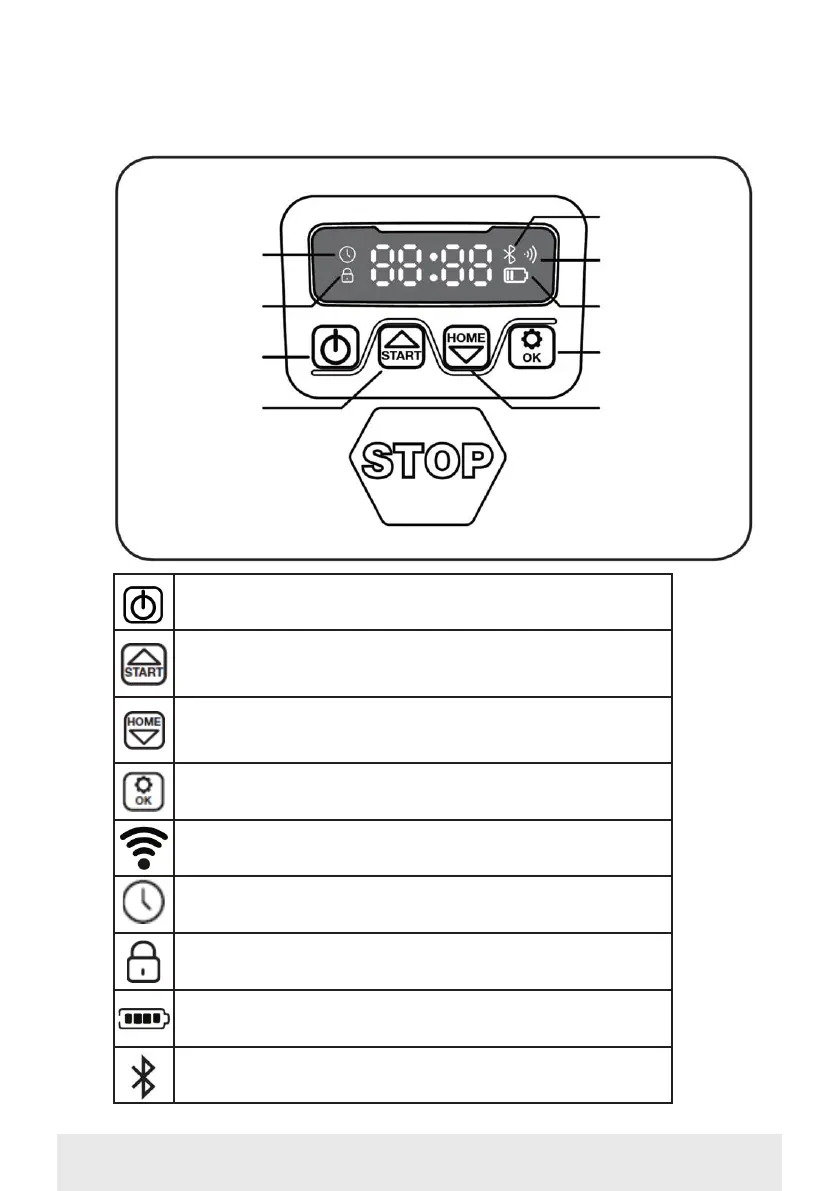
DESCRIPTION OF DISPLAY
Time setting
Wi-fi icon
Bluetooth icon
On/off
Confirm
Password pro-
tected
Battery status
Start mowing/
Up arrow
Drive home/
Down arrow
ON/OFF button: With each press, the robot will either turn on
or off (hold down)
Start button: The robotic lawnmower will start its mowing cy-
cle when this button is activated (followed by ‘OK’). The button
also functions as an up arrow.
Home button: The robot will drive straight back to the charg-
ing station when this button is pressed (followed by ‘OK’). The
button also functions as a down arrow.
OK button: This is used to confirm selections.
Wi-Fi signal icon
Time setting icon
Password setting icon
Battery icon
Bluetooth icon


 To Next Page