7
Chapter 2: Configuration
The GSE 672 Precision Scale comes from the factory with the BASIC WEIGH mode enabled. It is
possible to enable the APW Lookup method of counting. See the explanations of each method below.
After each different method are the instructions for setting up that method.
Refer to Chapter 3 for operating instructions of each method.
BASIC WEIGH
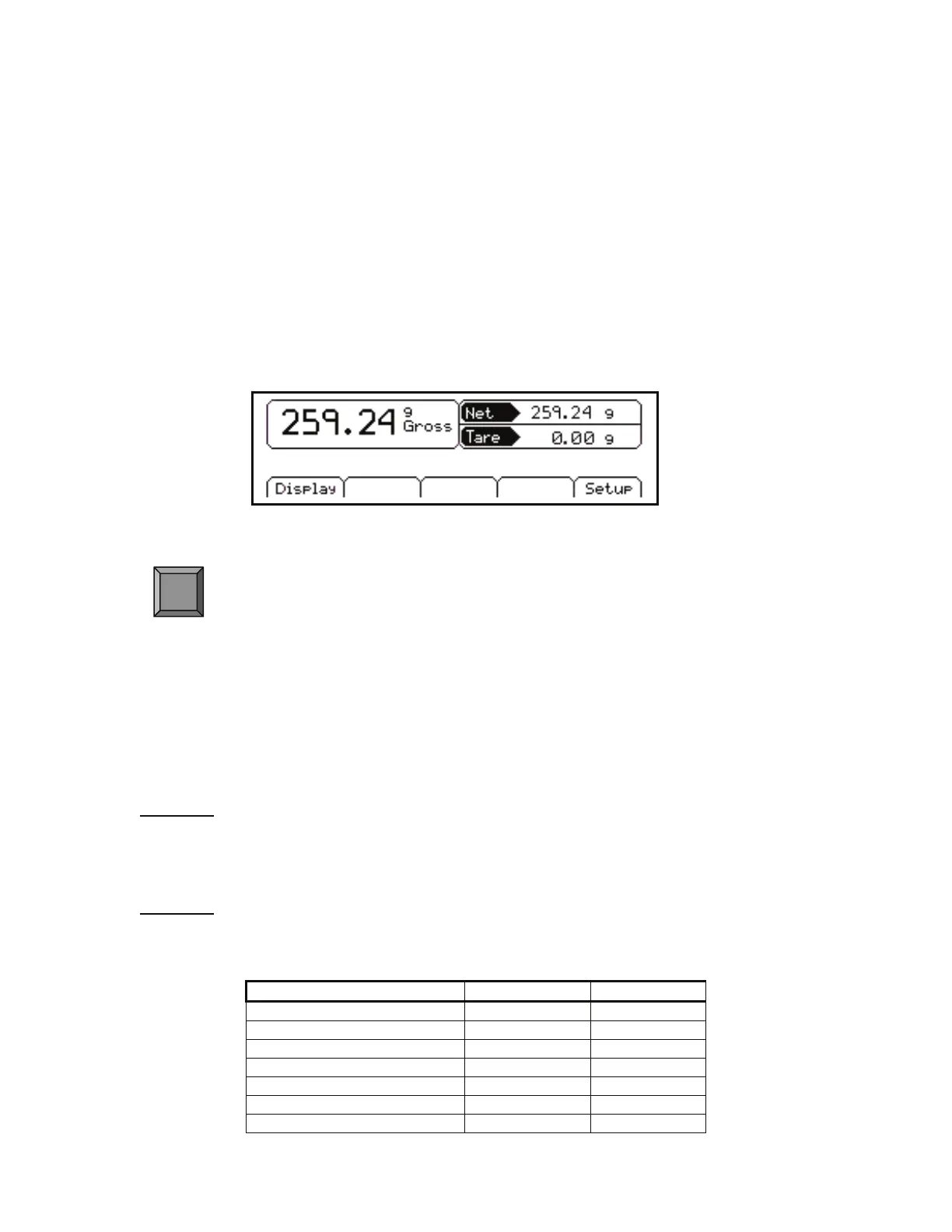
The Basic Weigh method offers basic weighing with three different display styles. The default display style
shows the gross, net and tare weights.
Figure 7: Basic Weigh Default Screen
Display – Chose between three different display styles.
Display Style
Different display styles are offered to help customize the Model 672 to fit your needs. Press 3 to
choose one of the display types. By using the
> select key several modes can be viewed from the
BASIC WEIGH screen.
STYLE 1
This style uses the classic GSE 2x5 display in large font. Press the > key to toggle through the different
parameter choices.
STYLE 2
This style incorporates the classic GSE 2x5 display and a second display, which will show two other
parameters. Press the
> key to toggle through the different parameter choices.
Medium display Small display Small display
Gross Net Tare
Net Net Tare
Tare Net Tare
Quantity Total Net Tare
Part # Net Tare
Quantity Net Tare
Average Piece Weight (APW) Net Tare
F1



 To Next Page