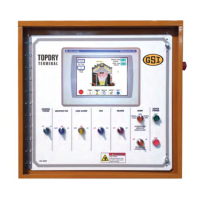
Chapter 4: Control Panels
Table 4-5 The components of the fill system control (cont'd.)
Item Name Description
2 Fill system 2 switch Controls the secondary load auger by way of the following modes:
• Off: the load auger does not operate
• On: the fill system operates continuously
• Auto: when the load auger switch on the TopDry Terminal is set to
Auto, the load auger starts and stops as determined by the TopDry
Terminal
Note the following:
• The Load Auger switch is illuminated whenever the unload auger is
operating
3 Aeration fan switch Controls the aeration fan(s) located at the bottom of the bin by way of the fol-
lowing modes:
• Off: the aeration fan(s) do not operate
• On: the aeration fan(s) operate continuously
• Auto: when the aeration fan switch on the TopDry Terminal is set to
AUTO, the aeration fan(s) operate continuously in AutoFlow mode; in
Autobatch mode, the aeration fan(s) start and stop with the main
drying fan(s)
Note the following:
• The Aeration Fan switch is illuminated whenever the aeration fan(s)
are operating.
4 Emergency stop
(e-stop)
A safety device used to turn off the dryer’s control power and immediately
stop all of its functions (the main power, which is controlled by the main elec-
trical disconnect, does not turn off when you press the Emergency Stop
plunger
DANGER:
• Never disable an Emergency Stop. Make sure all safety devices are
installed and work properly.
50 Pneg–4900 TopDry Terminal™


 To Next Page
 Loading...