www.gtec-power.de 68
5) Testing for the parallel system
After all above done, please operate as below to test the parallel system.
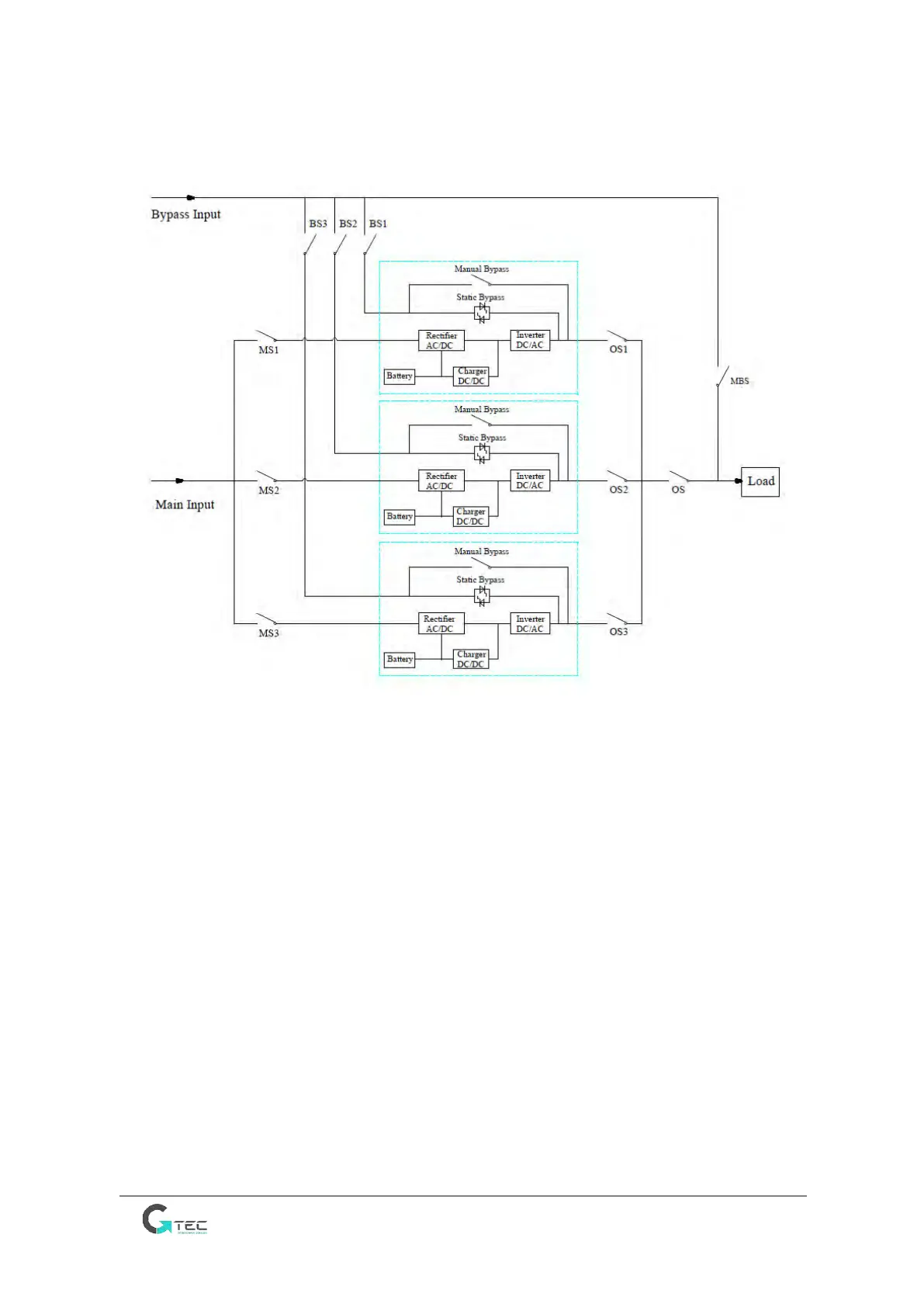
Below is a parallel system of 3 UPSs with dual input as example.
Note: Before the operation, please keep all the switches off.
1) First close OS1, and then close BS1 and MS1, the first UPS will start automatically, for the details of
start, please refer to the user manual. About 2 minutes later, the first UPS will complete the start
and final close the battery switch. At the moment, there should be no any alarm on the display
screen, users can check the information on the screen, and they should be same to that from its
nameplate. If the start fails, please contact the commissioned engineer or the supplier.
2) Turn off the battery switch, and then turn off BS1 and MS1, and finally turn off OS1, the first UPS
would be shut down completely.
3) Operate on second UPS and on third UPS as the first UPS mentioned above.
4) After above operations and confirming there is no abnormity, please first close OS1, OS2 and OS3
one by one, and second close BS1, BS2 and BS3, and third close MS1, MS2 and MS3, after about 2
minutes, the 3 UPSs should start successfully at the same time, and finally close the battery
switches for each UPS, at the moment there should be no any alarm on the display screen.
5) Operate the function “Transfer to Bypass” on the first UPS as below, the 3 UPSs should transfer to
bypass mode at the same time, and then operate the function “Esc Bypass”, the 3 UPSs should
retransfer to inverter mode. If there is no problem
6) Close the main output switch OS, the start is completed, users can start their equipments, one by
one.



 To Next Page