12
Setting Level Configuration and Key Operations Section 1-3
1-3 Setting Level Configuration and Key Operations
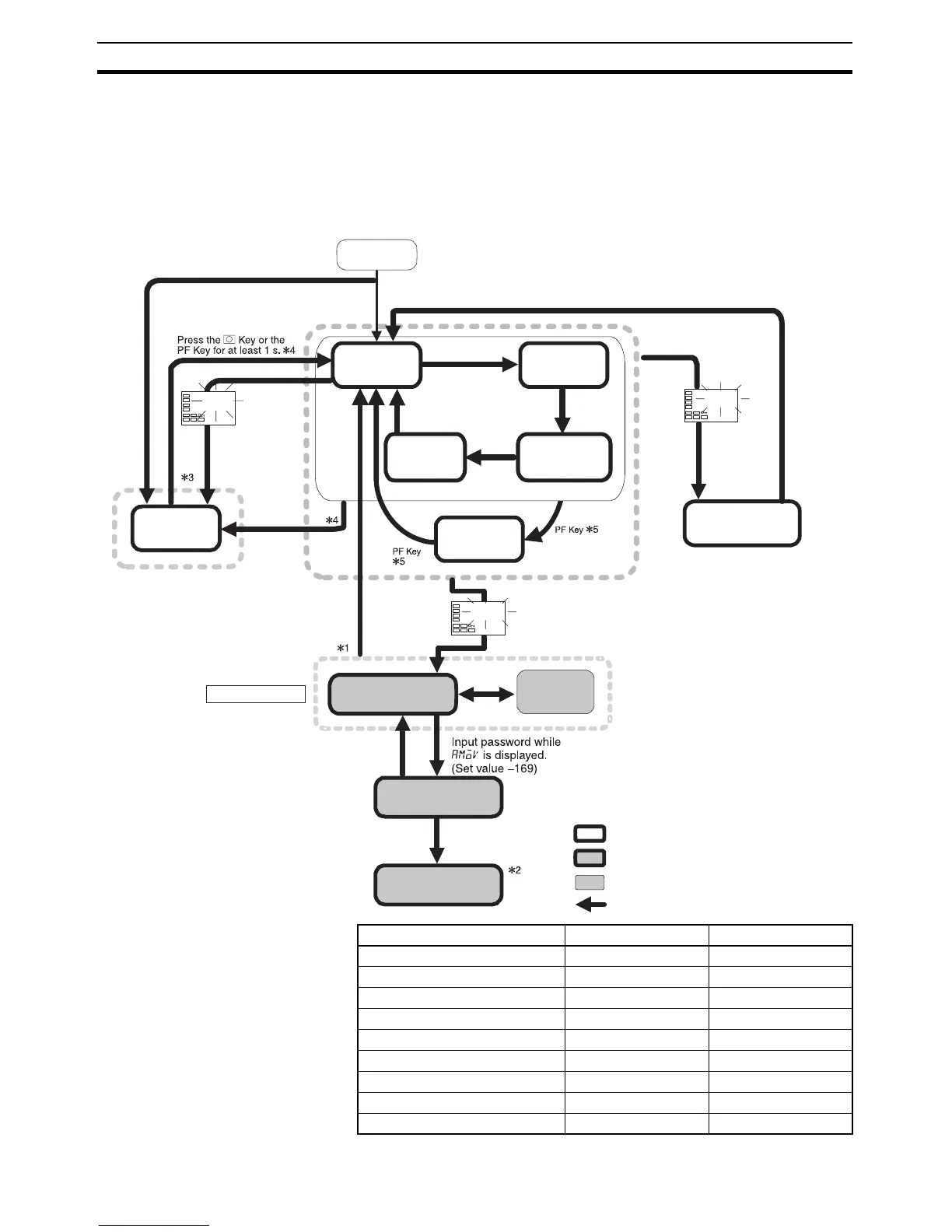
Parameters are divided into groups, each called a level. Each of the set val-
ues (setting items) in these levels is called a parameter. The parameters on
the E5CN/AN/EN-HT are divided into the following 9 levels.
When the power is turned ON, all of the display lights for approximately one
second.
Level Control in progress Control stopped
Protect level Can be set. ---
Operation level Can be set. ---
Program Setting Level Can be set. ---
Adjustment level Can be set. ---
PID setting level Can be set. ---
Manual control level Can be set. ---
Monitor/setting item level Can be set. ---
Initial setting level --- Can be set.
Advanced function setting level --- Can be set.
Start in manual mode.
Press the O Key
for at least 3 s while
a-m is displayed.
(a-m will flash after
1st second.)
25.0
100.0
c
a-m
25.0
100.0
c
Power ON
Manual
Control Level
Manual
mode
Operation
Level
Press the O Key
for at least 1 s.
Input password.
Press the
O Key less than 1 s.
Press the O Key for at
least 3 s. (Display will flash
after 1st second.)
Control stops.
Press the
O Key for less than 1 s.
Press the O+
M Keys for at
least 1 s.
Press
the O +
M Keys
for at
least 3 s.
(Display
will flash
after 1st
second.)
Protect Level
Control in progress
Level change
Not displayed for some models
Control stopped
Start in automatic mode.
Adjustment
Level
Initial Setting
Level
Monitor/Setting
Item Level
Advanced Function
Setting Level
Calibration Level
Press the PF Key
for at least 1 s.
Communica-
tions Setting
Level
Press the
O Key less than 1 s.
Press the
O Key less
than 1 s.
Press the O Key
for at least 1 s.
PID Setting
Level
Program
Setting Level
Press the
O Key less
than 1 s.
Note: The time taken to
move to the protect
level can be adjusted
by changing the
“Move to protect level
time” setting.



 To Next Page