61
Setting Programs Section 3-6
• The setting range is END or 0 to No. of Segments Used −1. The default is
END (segment setting completed).
Setting the Segment Set
Points and Segment
Times (sp) (time)
• For step time programming, each segment has a Segment Set Point
parameter and a Segment Time parameter. The number of settings is
determined by the Number of Segments Used parameter.
• The setting range for the segment time is 0.00 to 99.59 (h.min or min.s).
The default is 0.00.
• Segment 0 is a soak segment. To start from a ramp (increase or
decrease), set the segment time for segment 0 to 0 so that actual opera-
tion starts from segment 1. (In this example, the Reset Operation parame-
ter is set to stop control.)
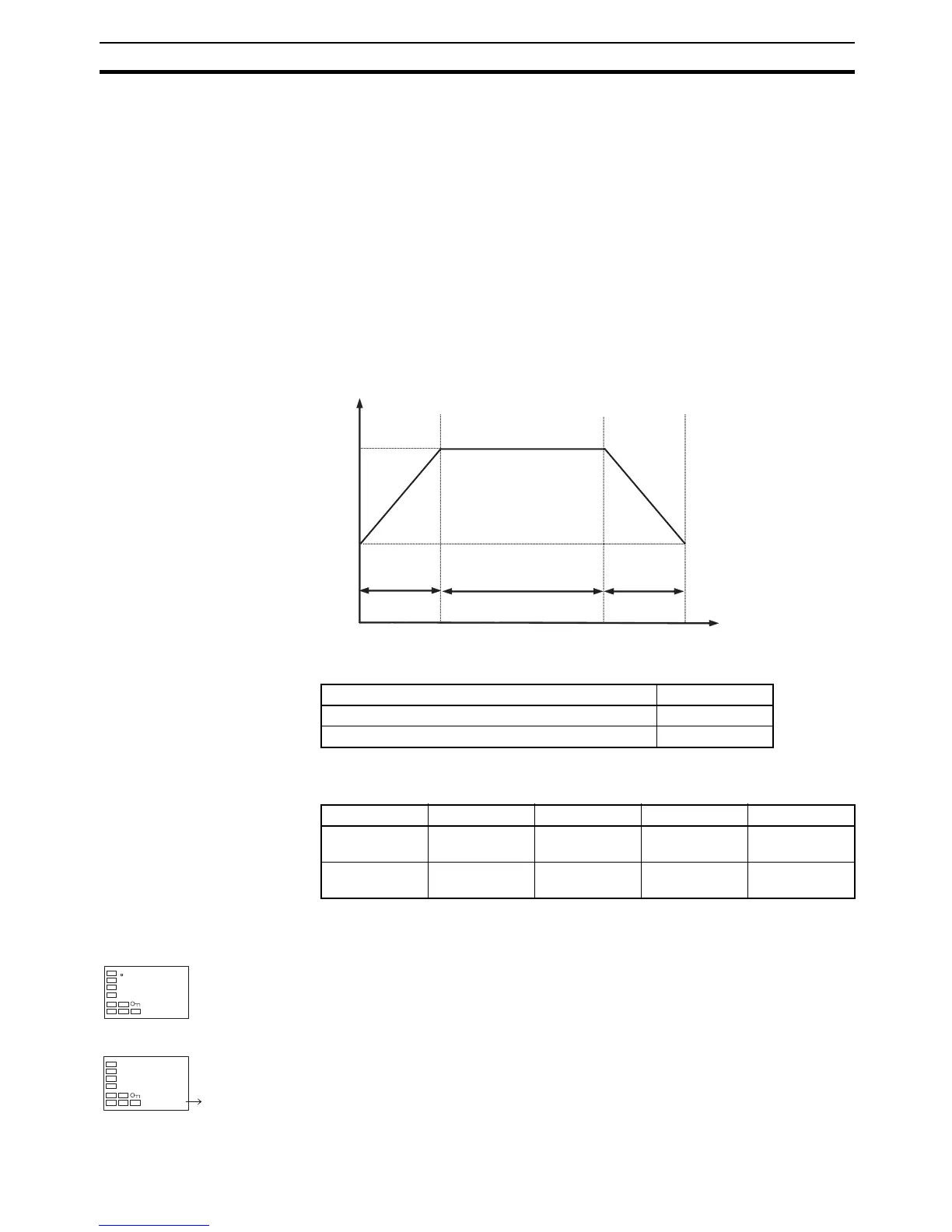
3-6-3 Program Setting Example
The following settings are used for the Number of Segments Used and Pro-
gram No. parameters.
The following settings are used for the Segment Set Point and Segment Time
parameters for program 1.
Operating Procedure This procedure is used to set the program.
Parameter Setting
Number of Segments Used (Program 1) 4
Program No. 1
Segment No. 0123
Segment Set
Point
50.0 100.0 100.0 50.0
Segment Time
(h.min)
0.00 0.20 0.40 0.20
Set point
Segment 1
Segment 2
50.0
100.0
Time
0.20
0.40
0.20
Segment 3
Operation Level
1. Press the O Key to move from the operation level to the program setting
level.
Program Setting Level
2. The Display Program Selection is displayed.
3. Press the UD Keys to change the setting to 1.
30.0
0.0
c
d.prg
0 1



 To Next Page