60
Setting Programs Section 3-6
3-6 Setting Programs
3-6-1 Outline of Program Functions
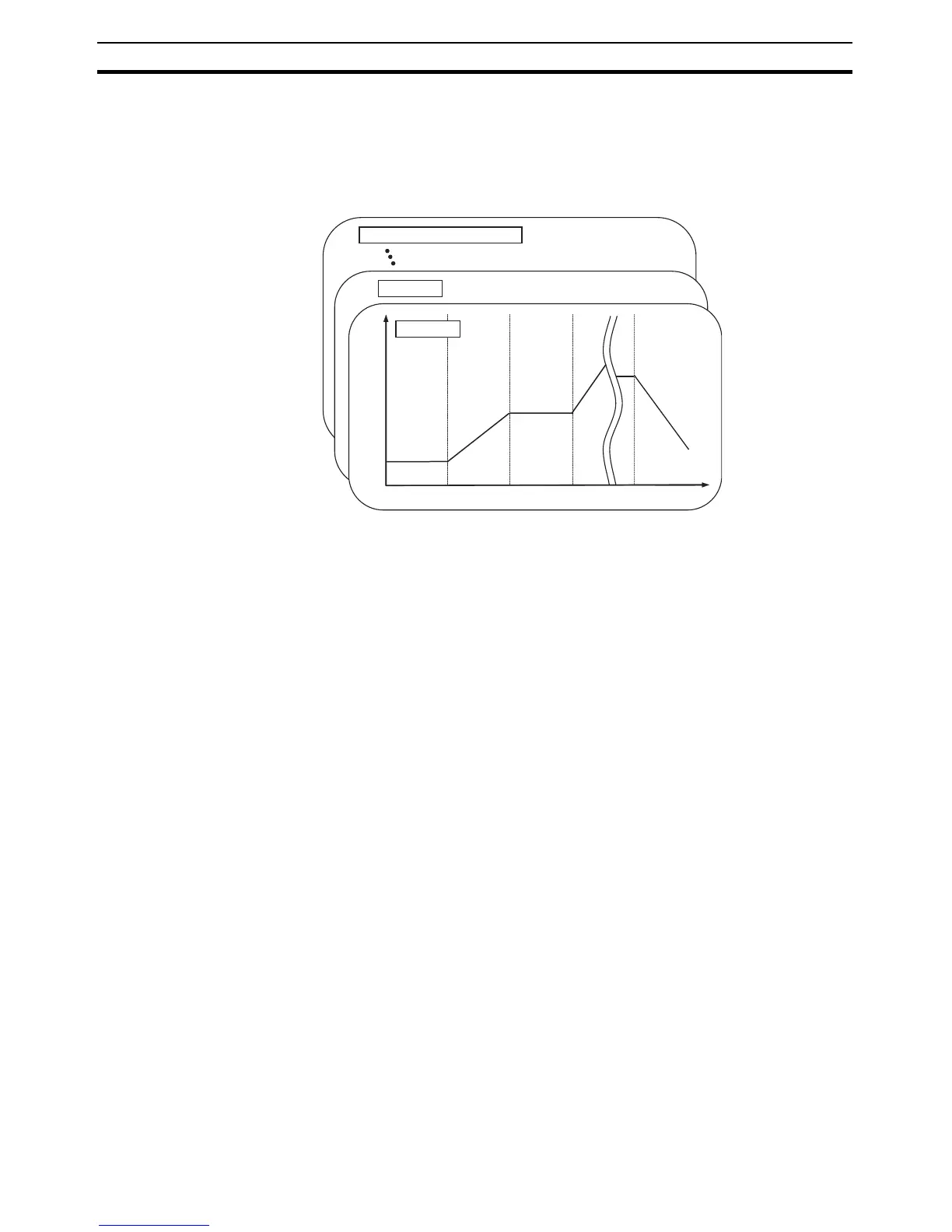
• Up to 8 programs (patterns) can be created and each program can have
up to 32 segments (steps).
• Programming is possible either by setting the SP and time for each seg-
ment (step time programming) or by setting the target SP, rate of rise, and
time for each segment (rate of rise programming).
• Program repetitions and a program link destination can be set for each
program.
• You can hold measurements during operation, or advance operation to
skip segments.
• If you set a wait band, each segment will wait until the PV reaches a spec-
ified band before operation moves to the next segment.
• Outputs can be assigned to time signal outputs, program end outputs, run
outputs, or stage outputs.
3-6-2 Program Settings
Here, the procedure is given for using step time programming. For the proce-
dure for rate of rise programming, refer to 4-15 Program-related Functions.
Selecting the Program
Number (d.prg)
• The Display Program Selection parameter specifies the number of the
program to be set.
• The default is the number of the currently selected program.
Setting the Number of
Segments Used (s-no)
• The Number of Segments Used parameter is used to set the number of
segments used for the specified program.
• The default is 8.
• Once the number of segments set for the Number of Segments Used
parameter have been executed, the program will be in operation com-
pleted status. If the setting of the Number of Segments Used parameter is
changed to a value smaller than the segment currently being executed in
the program, the program will immediately change to operation completed
status.
Selecting the Segment to
Set (d.seg)
• Set the Display Segment Selection parameter to the number of the seg-
ment to set.
Program 7 (highest program number)
Program 1
Program 0
Set
point
Segment 0
Segment 1 Segment 2
Segment 31
(highest segment
number)
Time



 To Next Page