65
Determining the PID Constants (AT or Manual Settings) Section 3-8
Setting the Hysteresis
Operating Procedure Set the hysteresis to 2.0°C.
3-8 Determining the PID Constants (AT or Manual Settings)
3-8-1 AT (Auto-tuning)
• When AT is executed, the optimum PID constants for the set point at that
time are set automatically. A method (called the limit cycle method) for
forcibly changing the manipulated variable and finding the characteristics
of the control object is employed.
• Either 40% AT or 100% AT can be selected depending on the width of MV
variation in the limit cycle. In the AT Execute/Cancel parameter, specify
at-2 (100% AT) or at-1 (40% AT). To cancel AT, specify off (AT can-
cel).
• Only 100% AT can be executed for heating and cooling control or for float-
ing control for position-proportional models.
• Auto-turning cannot be executed while the program is reset (if the reset
operation is set to stop control), while on standby (if the reset operation is
set to stop control), during manual operation, and during ON/OFF control.
• The following operations are not possible during auto-tuning: changing
settings, holding or releasing the program, and segment operations, such
as advance operations.
Operation Level
1. Press the O Key twice to move from the operation level to the adjustment
level.
Adjustment Level
2. The Adjustment Level Display parameter will be displayed in the adjust-
ment level.
3. Select the Hysteresis (Heating) parameter by pressing the M Key.
4. Press the U and D Keys to set the hysteresis (2.0 in this example). Ei-
ther press the M Key or wait for at least two seconds after setting the hys-
teresis value to confirm the setting.
5. To return to the operation level, press the O Key twice.
C
25.0
100.0
PV/SP
1.adj
Adjustment
Level Display
hys
1.0
Hysteresis
(Heating)
C
hys
2.0
C
at
SP/PV
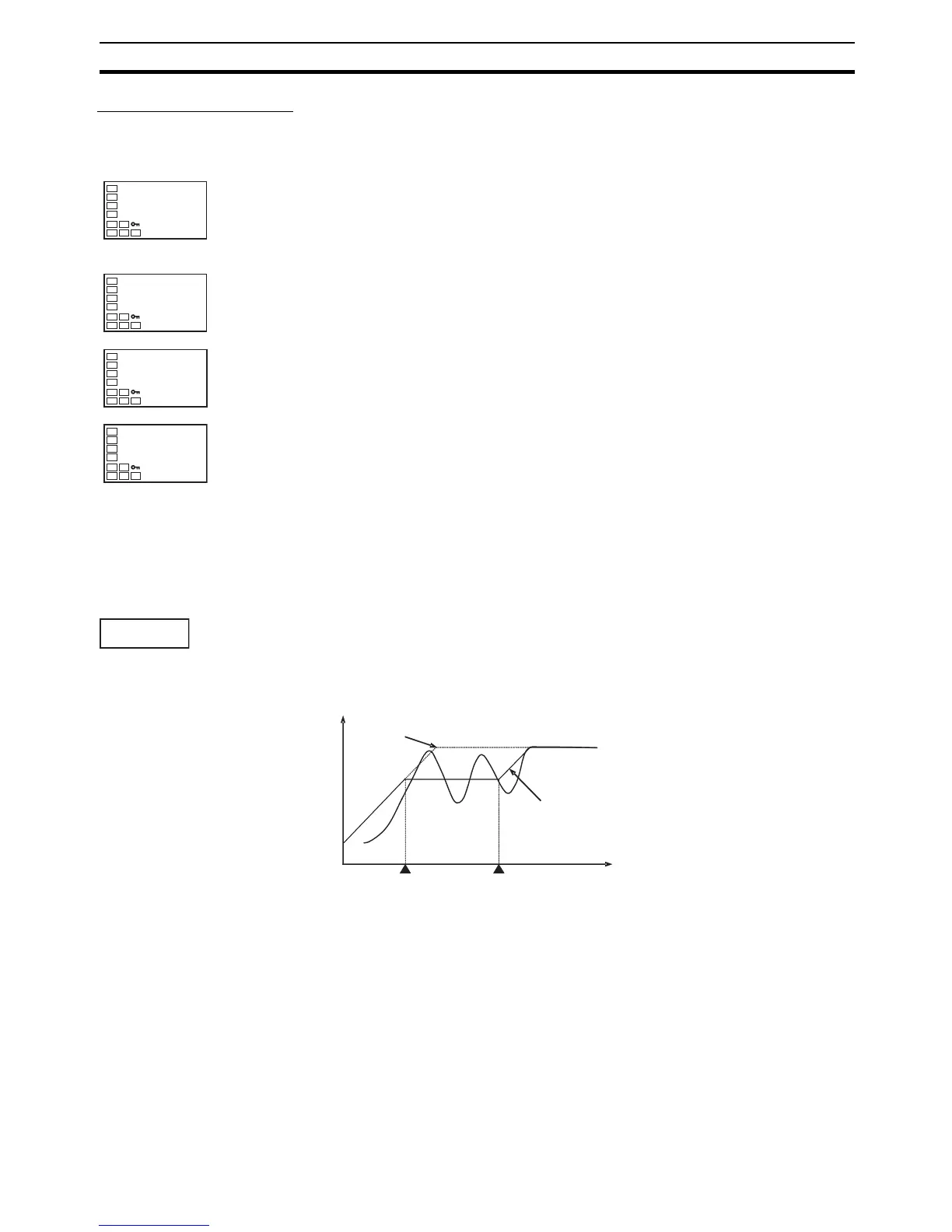
Program that is set
PV
Program that is executed
Auto-tuning started
Auto-tuning completed
Tim



 To Next Page