15
Communications Function Section 1-4
1-3-1 Selecting Parameters
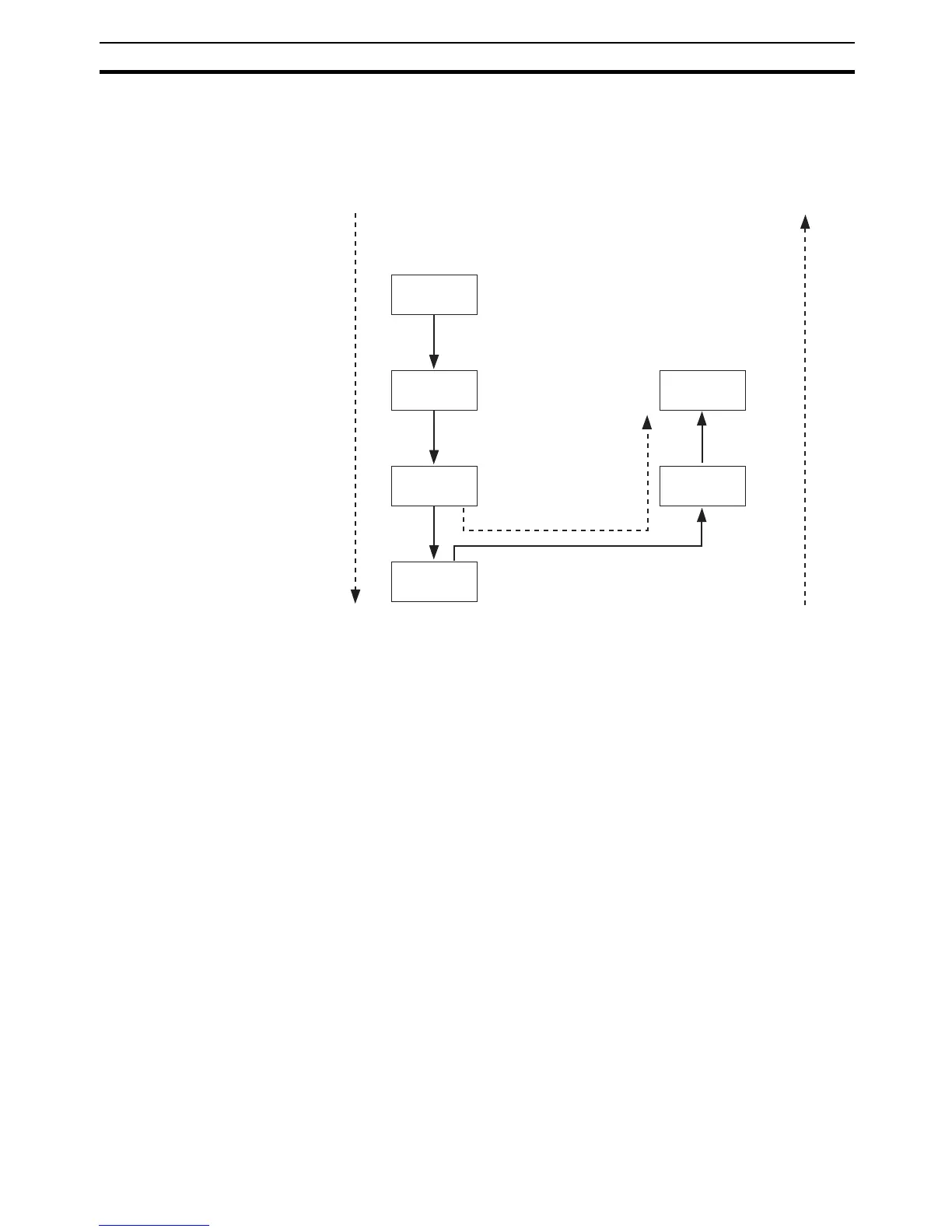
• Within each level, the parameter is changed in order (or in reverse order)
each time the M Key is pressed. (In the calibration level, however, param-
eters cannot be changed in reverse order.) For details, refer to SECTION
5 Parameters.
1-3-2 Saving Settings
• If you press the M Key at the final parameter, the display returns to the
top parameter for the current level.
• To change parameter settings, specify the setting using the U or D Key,
and either leave the setting for at least two seconds or press the M Key.
This saves the setting.
• When another level is selected after a setting has been changed, the con-
tents of the parameter prior to the change is saved.
• When you turn the power OFF, you must first save the settings (by press-
ing the M Key). The settings are sometimes not changed by merely
pressing the U or D Keys.
1-4 Communications Function
The E5CN-HT, E5AN-HT, and E5EN-HT Digital Controllers are provided with
communications to enable parameters to be checked and set from a host
computer. If communications is required, use a model that supports communi-
cations (E5@N-HT@@@03, E5@N-HT@@@01, or E5AN/EN-HT@@@02). For
details on communications, refer to the E5CN-HT/E5AN-HT/E5EN-HT Digital
Controller Communications Manual Programmable Type (Cat. No. H170). Use
the following procedure to move to the communications setting level.
1,2,3... 1. Press the O Key for at least three seconds to move from the operation lev-
el to the initial setting level.
2. Press the O Key for less than one second to move from the initial setting
level to the communications setting level.
M
M
Moves in order after M Key
is pressed (if key is
released within 1 s).
Parameter 1
Parameter 2
Parameter 3
Release the
M Key in
less than 1 s.
Parameter 4
Hold down the M Key
during this interval.
While the M Key is being held
down, the parameter will move
each second in reverse order.
Parameter 2
Parameter 3
After M Key
has been held
down for 2 s.
After M Key
has been held
down for 1 s.



 To Next Page