24 AXOS
5
Compact immunity test System
8.2.2 Properties
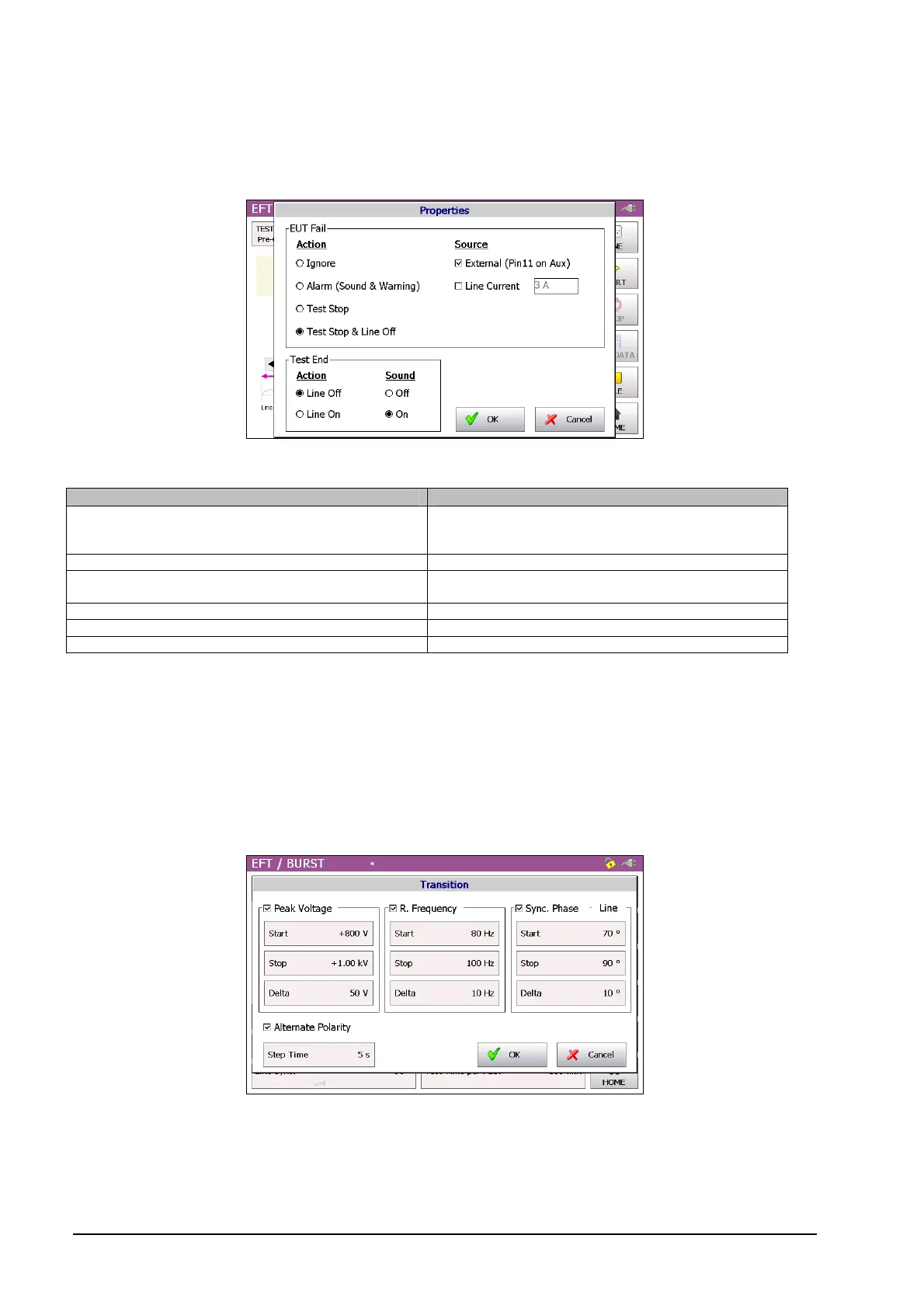
The next window shows the property window of the Burst waveform. Detailed description of each parameter can be
read in the Table 8-1.
Figure 8-5: BURST properties
Position Description
External (Pin11 on Aux) External condition (e.g. device or PLC signal), the
position becomes 1 and causes an action (Ignore,
Alarm, Test Stop or test stop & line off)
Line Current Limits the current (L, N, PE front view) to the EUT
Action: Ignore, Alarm, Test stop, Test stop & line off Due to EUT fails, AXOS5 cause an action which can
be: Ignore, Alarm, Test Stop, Test Stop & Line off.
Line off Voltage locked at L, N, PE when test has finished
Line on Voltage unlocked at L, N, PE when test has finished
Sound on or off Acoustic signal when test ends
Table 8-1: BURST properties description
After selection has been finished, the button “OK” must be confirmed and setting gets applied to the Burst generator.
8.2.3 Transition
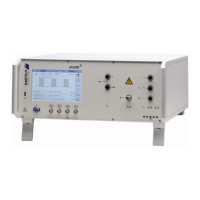
The Figure 8-6 shows the “transition” menu. It is possible to select independently “peak voltage”, “Repetition
frequency”, “Phase” and “Alternate polarity”. To be able to select “phase” the Synchrony has to be either set as
Synchronization or external Synchronization, otherwise it is not possible to select it. Eventually, every parameter can
be changed by pushing the certain value and entering a new.
Figure 8-6: BURST Transition
When finalizing the parameter, it must be confirmed with “OK” and either the pre-compliance or standard mode gets
open depending on what has been previous operation mode.


 To Next Page