GB
Modus 600RT 19
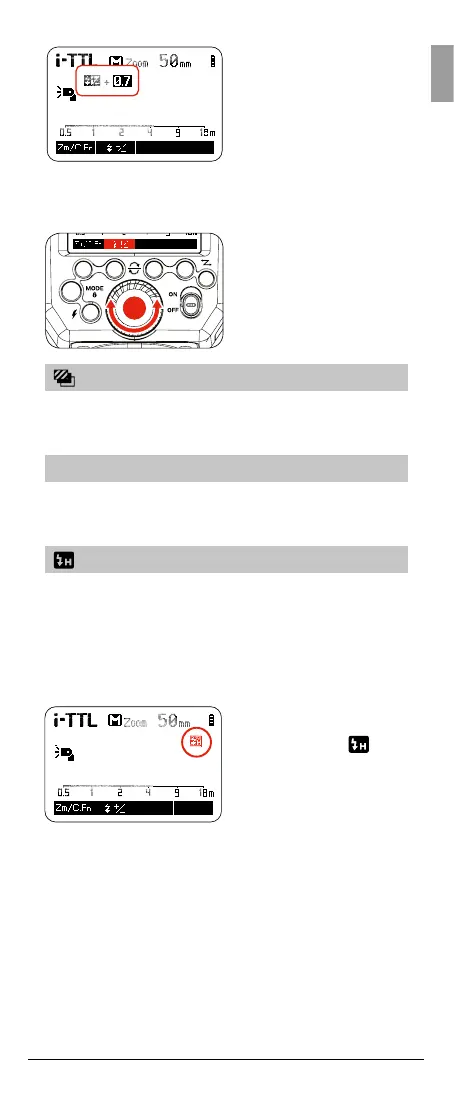
2. Set the ash exposure
compensation amount.
• Turn the Select Dial to
set the amount.
• “0.3”means 1/3 step,
“0.7”means 2/3 step.
• To cancel the
ash exposure
compensation, set the
amount to “+0”.
3. Press < SET > button
again to conrm the
setting.
FEB: Flash Exposure Bracketing
The Flash Exposure Bracketing can be set from your
camera. Please refer to the Camera instruction manual for
further details
FV Lock: Flash Value Lock
The Flash Value Lock can be enabled from the camera.
Please refer to the Camera instruction manual for further
details
High-Speed Sync
High Speed Sync (FP ash) enables the ash to
synchronize with all camera shutter speeds. This is
convenient when you want to use aperture priority for
ll-ash portraits. To enable high speed sync in the Nikon
camera menu, set the ash sync speed to 1/320’s (Auto
FP) or 1/250’s (Auto FP). Refer to camera manual for
more info.
1. Press the camera
shutter button halfway
and the icon <
> will
be displayed. If camera
(Auto FP) is enabled.
HSS is now turned on



 To Next Page