GB
Modus 600RT 35
Master Unit Flash ON/OFF
You can switch ON or OFF the “Master” unit ash that is
controlling the wireless “Slave” units. When Master ash is
ON, it will ash as group A.
For more detailed information on this feature see
description under 2.4GHz Radio control (Page 26 )
• Even if the master unit ash ring is disabled, it still res a
preash to transmit wireless signals
Setting the optical Communication Channel
The Modus 600RT has four optical communication
channels. The master and the speedlights must be set to
the same channel.
Master
• Press function button 3 <
CH
> and use the
select dial to set the required channel
• Press <SET> button to lock selection
Slave
• Press function button 4 <
CH
> and use the
select dial to set the required channel
• The channel must be set the same as the master
speedlight
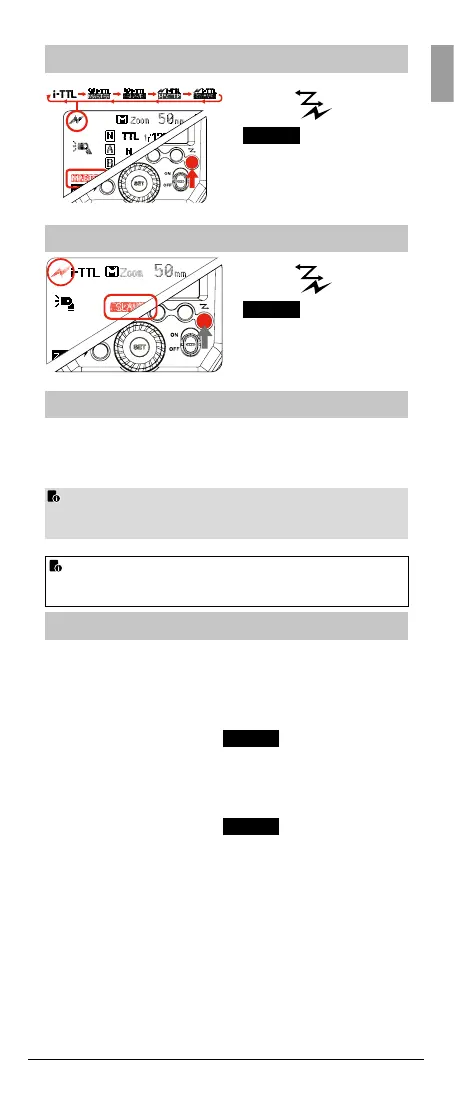
Master Unit Setting
Press < > button
so that <
> and <
MASTER
> are displayed
on the LCD panel.
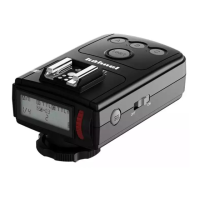
Press <
> button
so that <
> and <
SLAVE
> are displayed
on the LCD panel.
Slave Unit Setting



 To Next Page