Operation
Menu Operations
Settings Menu Options
MOVE
MOVE
MOVE
SELECT
SELECT
SELECT
PREVIOUS
PREVIOUS
PREVIOUS
EXIT
EXIT
EXIT
OK
OK
OK
MENU
MENU
MENU
EXIT
EXIT
EXIT
PICTURE
PICTURE
PICTURE
AUDIO
AUDIO
AUDIO
CHANNELS
CHANNELS
CHANNELS
SETTINGS
SETTINGS
SETTINGS
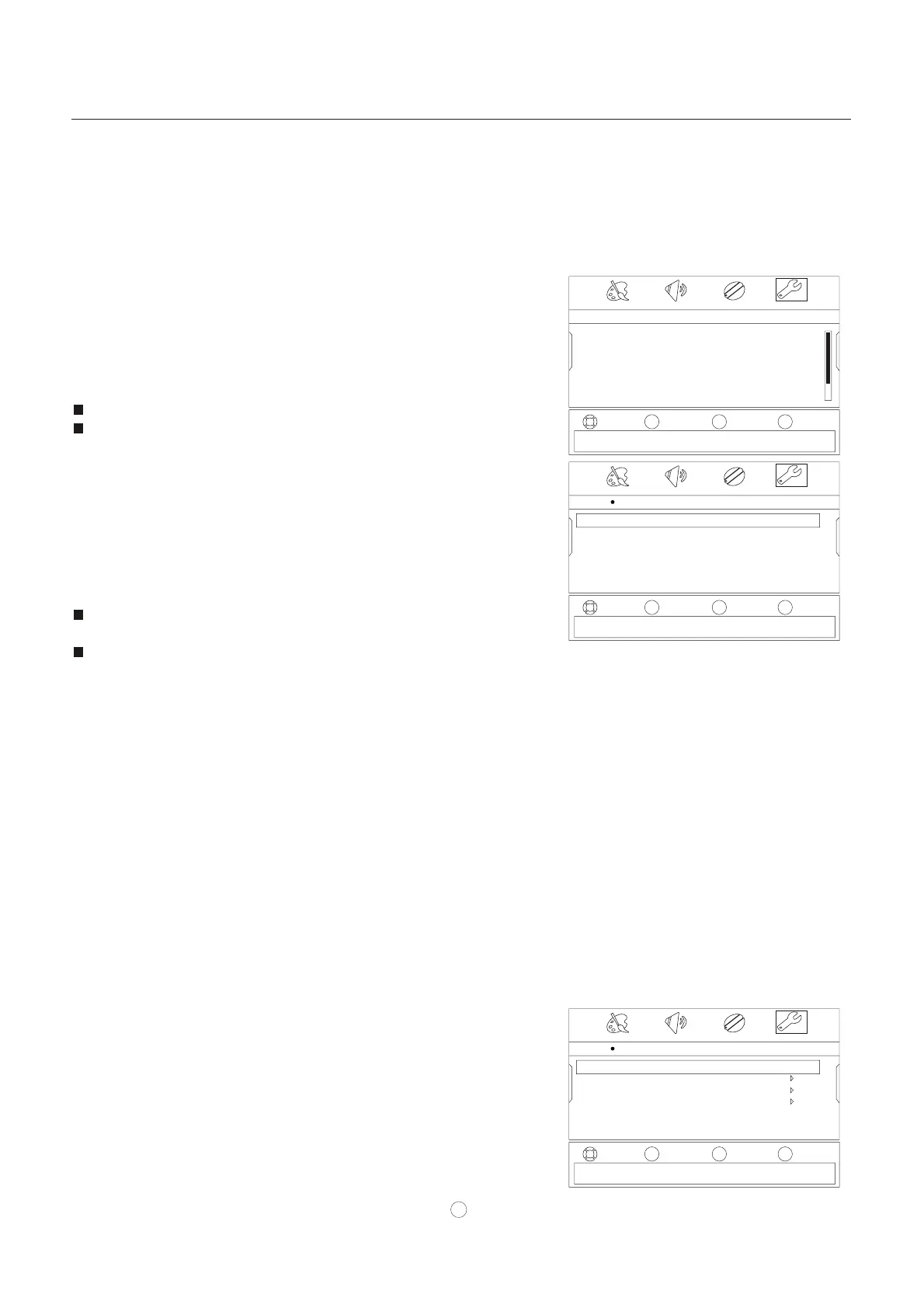
Settings
Settings
Closed Caption
Settings Time
Closed Caption
Time
Menu Settings
Input Labels
Computer Settings
Component Settings
Caption mode CC Off
Analog Caption English
Digital Caption CC1
Digital CC Settings
Mode Manual
Clock 04:22 AM
Off Time 04:22 AM
On Time 04:22 AM
Sleep Timer Off
VOL
-
VOL
+
CH+
CH-
VOL
-
VOL
+
CH+
CH-
VOL
-
VOL
+
CH+
CH-
Adjust settings to affect picture quality
Set Closed Caption Mode
If Automatic, options are automatically set by TV source
Closed Caption
SETTINGS
Closed Caption
VOL+/OK. T Closed Caption menu opens
VOL+/OK
Caption m
SETTINGS
VOL+/OK. T menu opens
VOL+/OK
VOL+/OK
Lets you turn closed captioning on or off. Also lets you set
closed caption options.
1 Press MENU ,then press VOL+/- to select menu.
2 Press CH-/OK ,then press CH+/- one or more times to select
the .
3 Press he .
Press CH+/- to select the option, press to
open the sub-menu, then press CH+/- to set up. Options include:
ode Select CC On, CC Off, or CC On Mute.
Analog Caption For analog programming. Options
include:
• Cc1 Standard CC display.
• CC2 to Cc4 For other modes of video related broadcast
information.
• Text1 For a program guide or other information
displayed by broadcasters.
• Text2 to Text4 For additional modes of information
displayed by broadcasters.
• Off Turns analog captions off.
Digital Caption For digital programming. Select CS1,
CS2, CS3, CS4, CS5, CS6, or Off.
Digital CC Settings To change digital closed caption
settings. Options include:
• Style Select either Automatic or Custom. When you
select automatic, the others are disabled and cannot be
adjusted.
• Size To select the size of the caption displayed.
• Font
To select the font of the caption displayed.
• Text Color To select the text color or the opacity of the
text box of caption display. Select a color and one of the
opacity options.
• Text Opacity To specify the opacity for the text color.
• Background Color To select a background color.
• Background Opacity To select the opacity for the
background color.
• Edge Effect To select the edge effect.
• Edge Color To select the edge color.
4 Press MENU to return to the previous menu, or press EXIT to
close the menu.
You can also press CCD to turn closed captioning on or off.
Adjusting time settings
Lets you set the clock.
1 Press MENU ,then press VOL+/- to select menu.
2 Press CH-/OK ,then press CH+/- one or more times to select
the Time.
3 Press he Time .
Press CH+/- to select the option, press to
open the sub-menu, then press CH+ /-to select Date/Time, then
press . The Date/Time menu opens.



 To Next Page