EasyManua.ls Logo

Hakko Electronics FM-202 - Page 12

Hakko Electronics FM-202
26 pages
Print Icon
To Next Page IconTo Next Page
To Previous Page IconTo Previous Page
Loading...
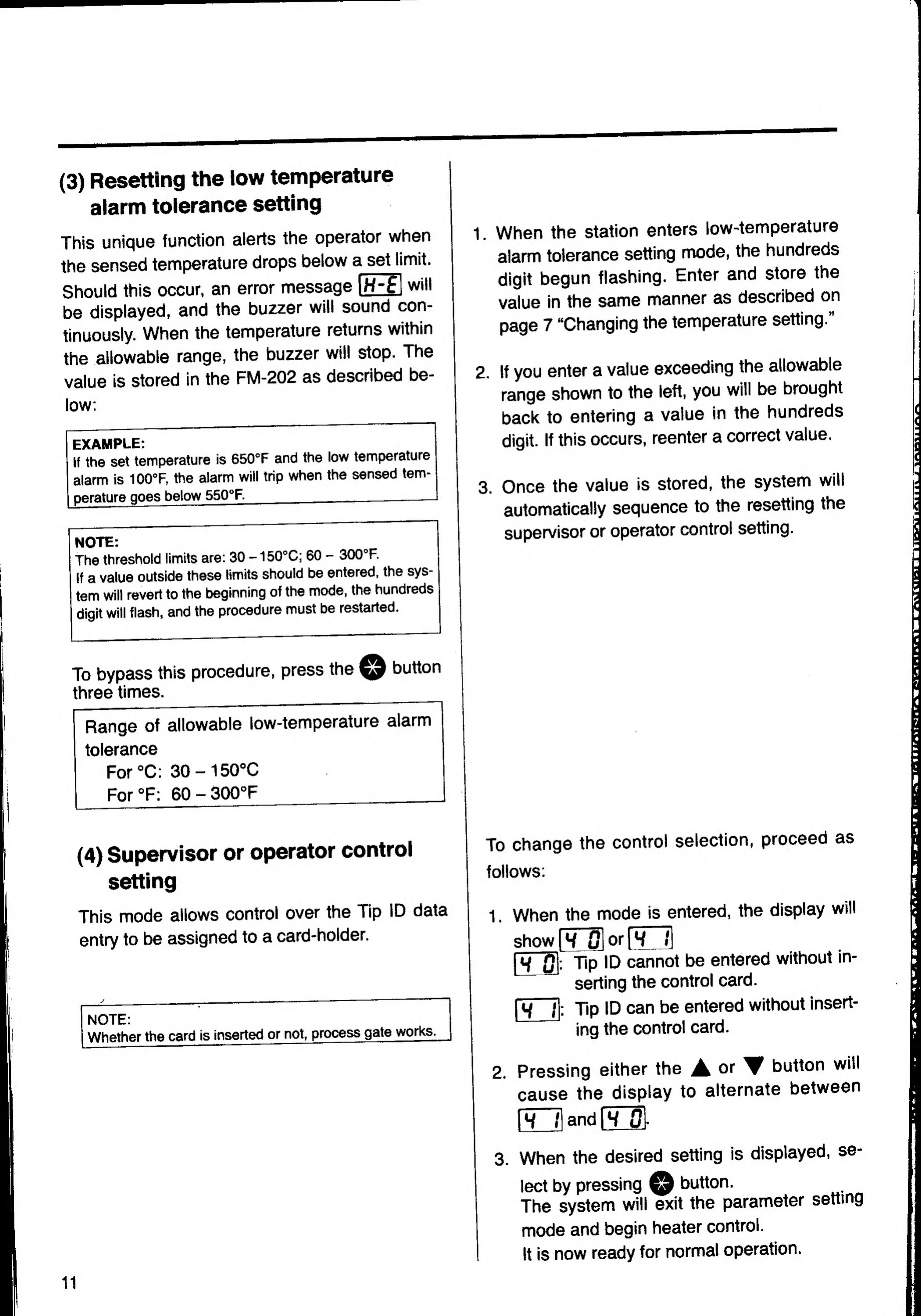
(3)
Resetting
the
low
temperature
alarm
tolerance
setting
This
unique
function
alerts
the
operator
when
the
sensed
temperature
drops
below
a
set
li
mit.
Should
this
occur,
an
error
message
|H-^|
will
be
displayed,
and
the
buzzer
will
sound
con-
tinuously.
When
the
temperature
returns
within
the
allowable
range,
the
buzzer
will
stop.
The
value
is
stored
in
the
FM-202
as
described
be-
low;
EXAMPLE:
If
the
set
temperature
is
650°F
and
the
low
temperature
alarm
is
100°F,
the
alarm
will
trip
when
the
sensed
tem¬
perature
goes
below
550°F.
_____
NOTE:
The
threshold
limits
are:
30
-150°C;
60
-
300®F.
If
a
value
outside
these
limits
should
be
entered.
the
sys¬
tem
will
revert
to
the
beginning
of
the
mode.
the
hundreds
digit
will
flash,
and
the
procedure
must
be
restarted.
1.
When
the
station
enters
low-temperature
alarm
tolerance
setting
mode,
the
hundreds
digit
begun
flashing.
Enter
and
store
the
value
in
the
same
manner
as
described
on
page
7
“Changing
the
temperature
setting.”
2.
If
you
enter
a
value
exceeding
the
allowable
range
shown
to
the
left,
you
will
be
brought
back
to
entering
a
value
in
the
hundreds
digit.
If
this
occurs,
reenter
a
correct
value.
3.
Once
the
value
is
stored,
the
system
will
automatically
sequence
to
the
resetting
the
supervisor
or
operator
control
setting.
button
To
bypass
this
procedure,
press
the
three
times.
__
Range
of
allowable
low-temperature
alarm
tolerance
For
X:
30-150°C
For
°F:
60
-
SOOX
_
(4)
Supervisor
or
operator
control
setting
This
mode
allows
control
over
the
Tip
ID
data
entry
to
be
assigned
to
a
card-holder.
NOTE:
Whether
the
card
is
inserted
or
not,
proæss
gate
works,
To
change
the
control
selection,
proceed
as
follows;
1,
When
the
mo
de
is
e
ntered,
the
display
will
show
|W
0l
or
(TU
pTS'-
Tip
ID
cannot
be
entered
without
in-
serting
the
control
card.
|i^
;|
:
Tip
ID
can
be
entered
without
insert
ing
the
control
card.
cause
th
e
disp
lay
to
alternate
between
IW
t|
a
nd
\
H
Ol
-
3.
When
the
desired
setting
is
displayed,
se-
w
button.
leet
by
pressing
^
The
system
will
exit
the
parameter
mode
and
begin
heater
control.
It
is
now
ready
for
normal
operation.
setting
11

Related product manuals