EasyManua.ls Logo

Hakko Electronics FM-202 - Initial Setup Procedures

Hakko Electronics FM-202
26 pages
Print Icon
To Next Page IconTo Next Page
To Previous Page IconTo Previous Page
Loading...
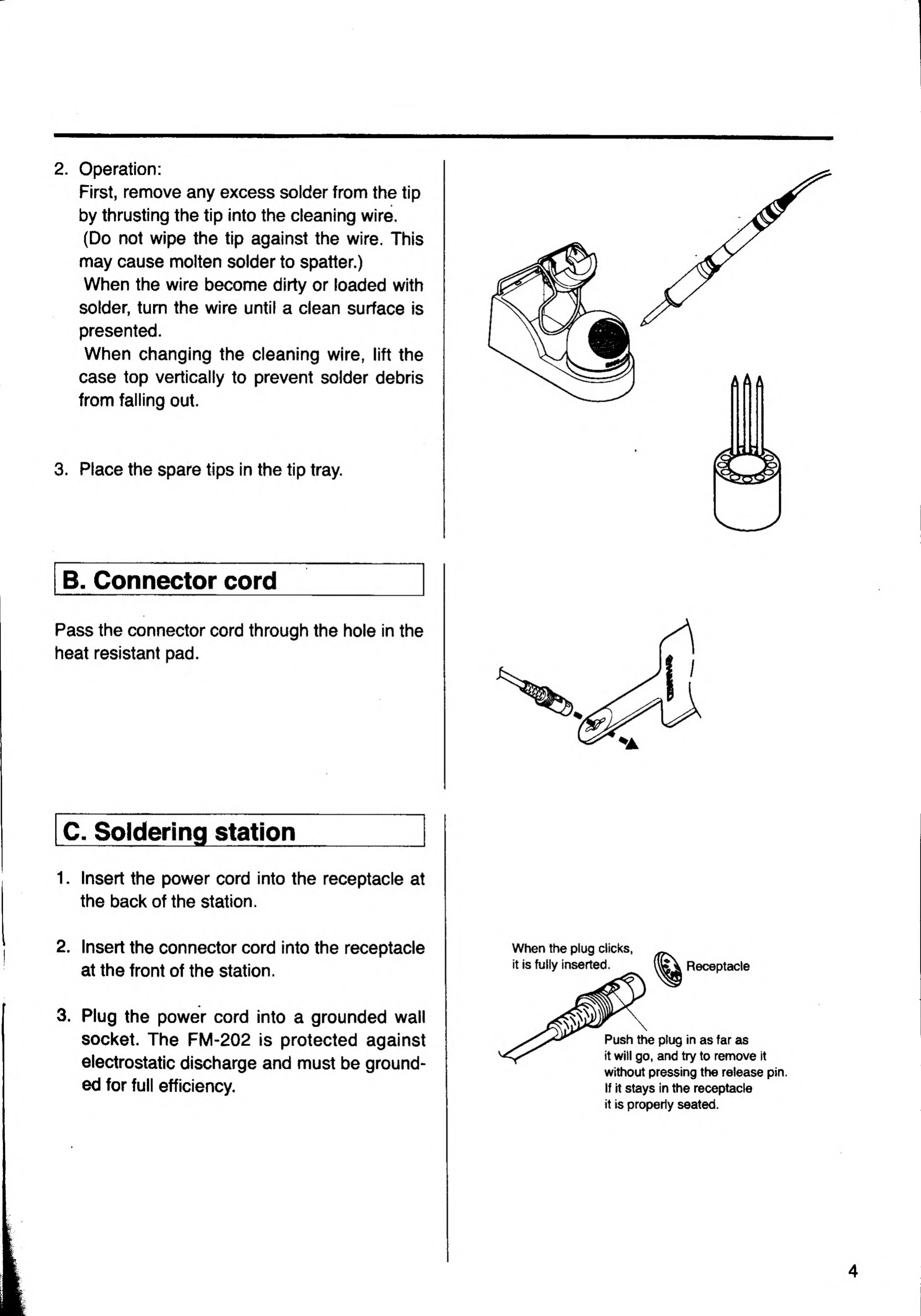
2.
Operation:
First,
remove
any
excess
soider
from
the
tip
by
thrusting
the
tip
into
the
cleaning
wire.
(Do
not
wipe
the
tip
against
the
wire.
This
may
cause
molten
solder
to
spatter.)
When
the
wire
become
dirty
or
loaded
with
solder,
turn
the
wire
until
a
clean
surface
is
presented.
When
changing
the
cleaning
wire,
lift
the
case
top
vertically
to
prevent
solder
debris
from
falling
out.
3.
Place
the
spare
tips
in
the
tip
tray.
B.
Connector
cord
Pass
the
connector
cord
through
the
hole
in
the
heat
resistant
pad.
C.
Soldering
station
_
1.
I
nsert
the
power
cord
into
the
receptacle
at
the
back
of
the
station.
2.
Insert
the
connector
cord
into
the
receptacle
at
the
front
of
the
station.
3.
Plug
the
power
cord
into
a
grounded
wall
Socket.
The
FM-202
is
protected
against
electrostatic
discharge
and
must
be
ground¬
ed
for
full
efficiency.
When
the
plug
ciicks,
it
is
fully
inserted.
Receptacle
Push
the
plug
in
as
far
as
it
will
go,
and
try
to
remove
it
without
pressing
the
release
pin
If
it
stays
in
the
receptacle
it
is
properly
seated.

Related product manuals