10. TROUBLE SHOOTING GUIDE
WARNING:
¥ Before opening the FP-102, or replacing parts, be sure to disconnect the power plug. Failure
to do so may result in electric shock.
●
The unit does not op-
erate when the power
switch is turned on.
CHECK : Is the plug disconnected?
ACTION
: Connect it.
●
The tip does not heat up.
• “Sensor error”
is dis-
played.
CHECK : Is the tip inserted properly?
ACTION
: Insert the tip completely.
CHECK : Is the connection cord and/or the heater/sensor broken?
ACTION
: See the appropriate section of this manual regarding how
to check the connection cord and/or the heater/sensor for
breakage.
●
Solder does not wet the
tip.
CHECK : Is the tip contaminated with oxide?
ACTION
: Remove the oxide (see “Tip maintenance” on P. 7).
●
The tip temperature is
too high.
CHECK : Is the connection cord broken?
ACTION
: See “Checking the connection cord for breakage” on P. 8.
●
The tip temperature is
too low.
CHECK : Is the tip contaminated with oxide?
ACTION
: Remove the oxide (see “Tip maintenance” on P. 7).
●
The soldering iron er-
ror, yellow and red lamp
blink.
CHECK : Is the wrong soldering iron connected? Or the FM-2021
plug disconnected?
ACTION
: Turn off the power switch, re-connect the FM-2021 solder-
ing iron, then turn on the power switch.
10
●
Heater terminal short
circuit error
6. OPERATION
5
OPERATION
1. Turn the power switch ON.
2. A heat range indicator (one of the four seg-
ment buttons, indicating the selected range)
will blink.
3. When the set temperature is reached, the
buzzer alarm sounds indicating it is ready
for use. The indicator lamp remains on
steadily.
NOTE:
When not in use, place the soldering iron to the iron
holder.
●
Control card
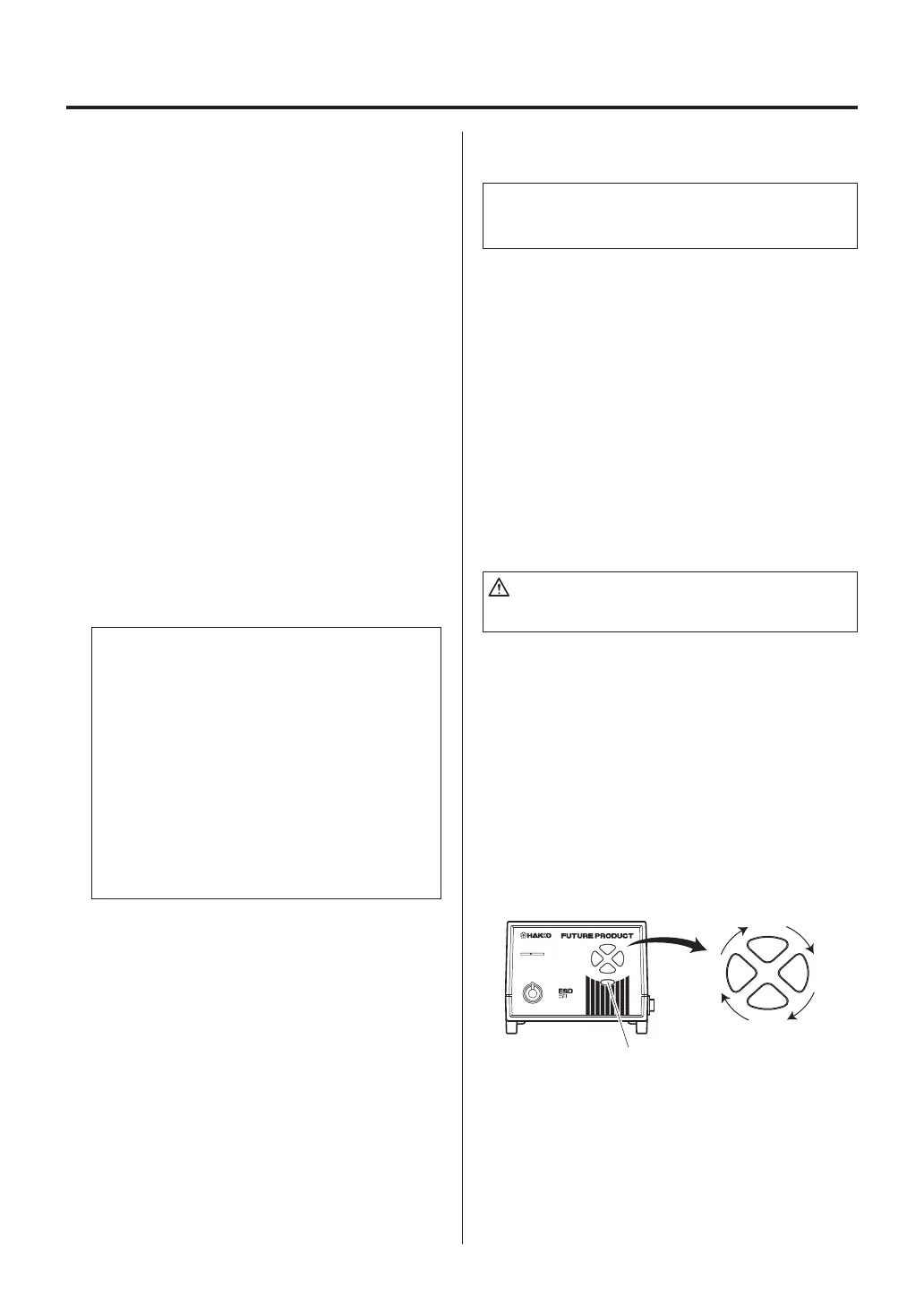
Each FP-102 comes with a small card, which
inserts into the Card slot on the front of the unit.
This card is used when changing
heat
ranges
.
Any FP-102 card can be used with any FP-102
soldering station.
●
Changing the heat range
1. Insert the control card into the slot in the
front of the unit.
As previously noted, the four segment
lights on the front panel indicate the heat
range selected for the FP-102 (6.5= ~650
°F. [343°C]; 7.0= ~700°F. [371°C]; 7.5=
~750°F. [399°C]; 8.0= ~800°F. [427¡C].
The ranges are approximate values only;
the actual tip temperature depends upon
tip geometry and mass. These lights
are
indicators
;
one must press the “heat
range” button, located below the indica-
tors, to change range.
2. Press the heat range selector button. Each
time this button is pressed a different heat
range indicator lamp will light. It will blink
slowly
until the set range is reached; once
at temperature, it will remain on steadily.
3. Removing the card.
When the station is on and the control card
is in the station, the temperature can be
changed any time.
4. When the alarm sounds and the heat range
indicator lamp starts lighting, the station is
ready for use.
When power is switched off the selected heat
range is stored in memory.















 To Next Page