5. INITIAL SETUP
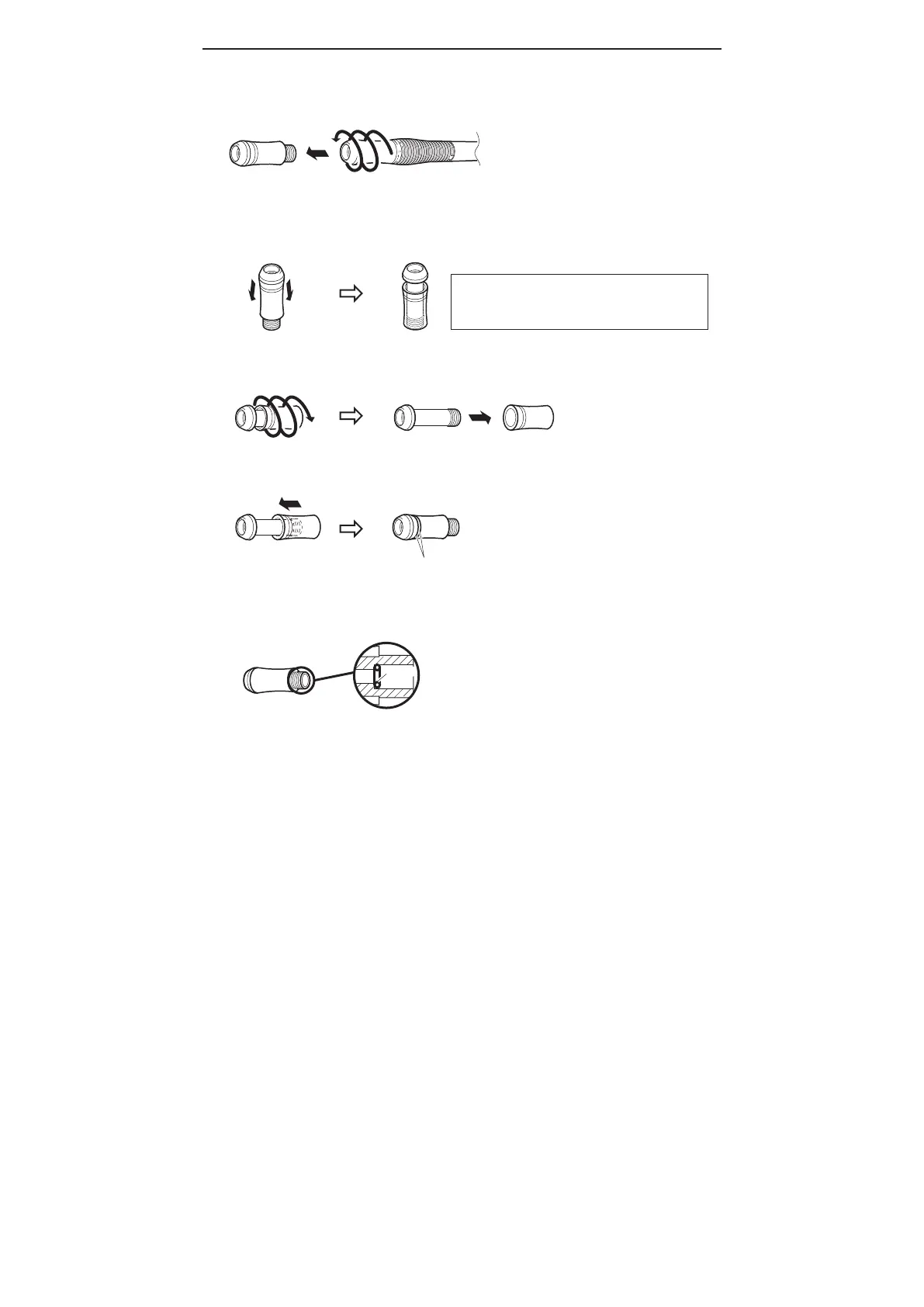
1. Turn the sleeve assembly counterclockwise and remove it from the handle.
2. Remove the sleeve as shown in the diagram below.
3. Turn the sleeve counterclockwise just like loosening a screw and remove it.
5. Before you re-attach the sleeve assembly to the handle, be sure the small o-ring is in place and
seated properly in the sleeve assembly.
Counterclockwise
4. Insert the new sleeve.
O-ring
Pay attention to the direction of the sleeve.
■
How to replace the sleeve
NOTE:
A small o-ring is placed inside the sleeve assembly and
may fall out when you remove the sleeve assembly.
Be sure not to lose this o-ring.















 To Next Page