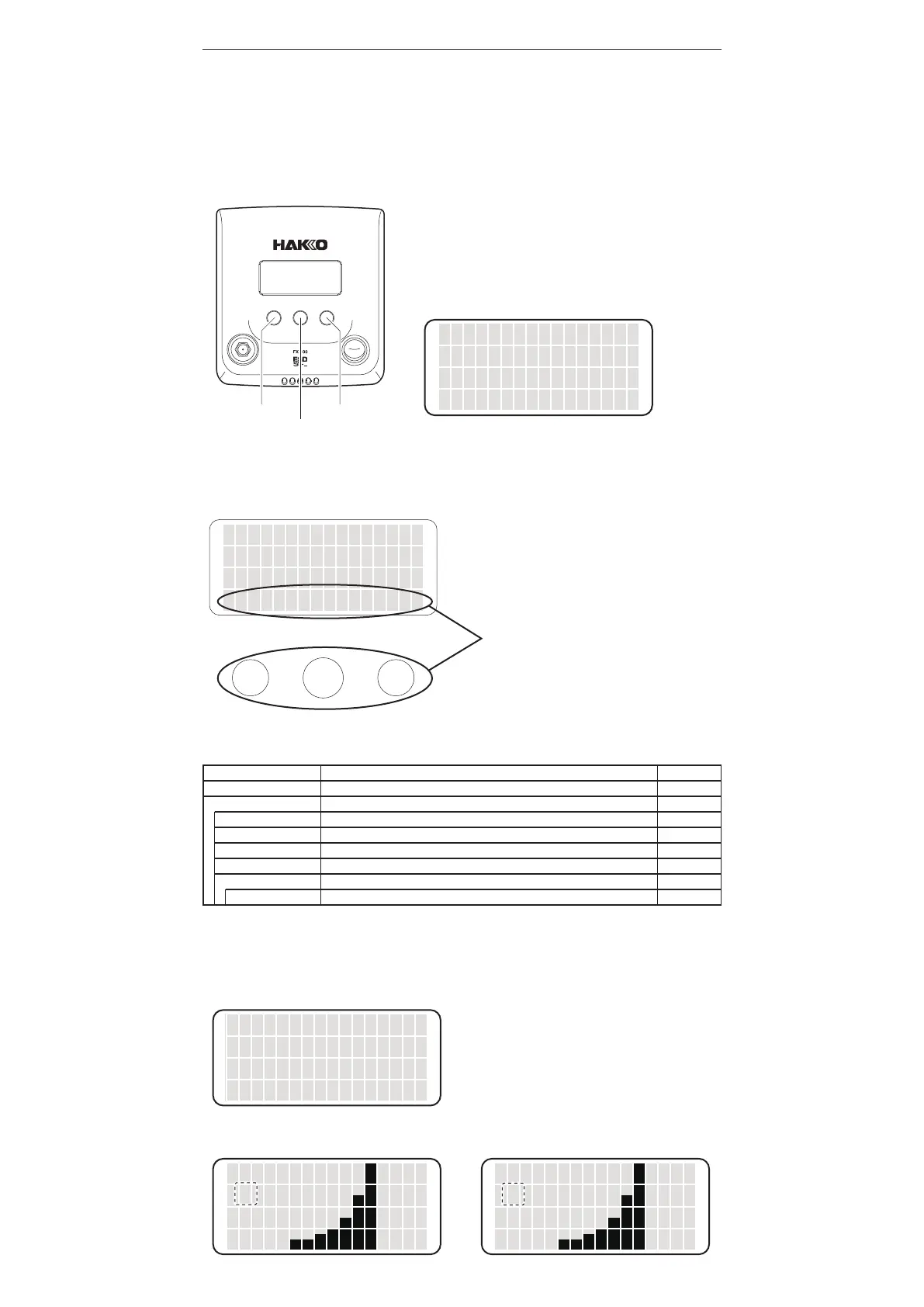
Display
MODE
DSP
SHOWPROFILE
SHOWTIPLOADS
SHOWTIPTIME
SELECTPROFILE
TIPTYPE
MANUALSET*
HAKKOFX-100has3operationbuttons.Theoperationexecuted
byeachbuttonvariesdependingonwhatisonthedisplayscreen.
Theoperationforeachbuttonisindicatedatthebottomofthe
screen.Selectthebuttonaccordingtotheindication.
Bypressingcertainbuttonsfromthehomescreen,thedisplaywill
change,revealingthebuttonlabelsandwaitingforyourselection.
LeftbuttonMODE
CenterbuttonDSP(Display)
RightbuttonSET(Parameters)
Ifnobuttonispressed,itwillgobacktothehomescreen.
6.OPERATION
Controlsanddisplays
Leftbutton Rightbutton
Centerbutton
● Operation
1. Turn ON the power switch.
2. The screen will switch in order of product number indication → greeting → home screen.
3. When the home screen is displayed, the MODE status is indicated on the left and output graph at the
center. The graph starts rising as the iron tip temperature increases. The graph starts falling as the iron
tip approaches stable temperature, reaching the minimum when the stable temperature is achieved. Start
soldering after the stable temperature is reached.
Example)MODEscreen
▲
NORMAL
BOOST
<CANCEL>
<↑> <↓> <OK>
Operatethemachineusingthesebuttons
thatareplacedintheorderofthebuttons
displayedonthescreen.
・When MODE is pressed
The mode can be changed to NORMAL mode or BOOST mode.
By changing the mode to BOOST, the performance of the station is increased and the tip temperature rises
slightly.
▲
NORMAL
BOOST
<CANCEL>
<↑> <↓> <OK>
BN
Movethecursorbypressingthe<↑>or<↓>
buttontoselectNORMALorBOOST.
Afterselecting,press<OK>.
DisplayintheNORMALmode DisplayintheBOOSTmode
N
MODE ・ DSP ・ SET
Display item
NORMAL / BOOST
SHOW PROFILE / SHOW TIP LOADS / SHOW TIP TIME / SELECT PROFILE / TIP TYPE
Display in the set profile
Display in the soldering count
Display in the cumulative running time on the iron tip
No.1 / No.2
AUTO DETECT / MANUAL SET / OFF
<01> / <02> / <03>
Initial value
NORMAL
ー
0
0
No.1
OFF
ー
Display item and initial value of MODE / DSP screen are as follows.
* Displayed only when “MANUAL SET” is selected.















 To Next Page