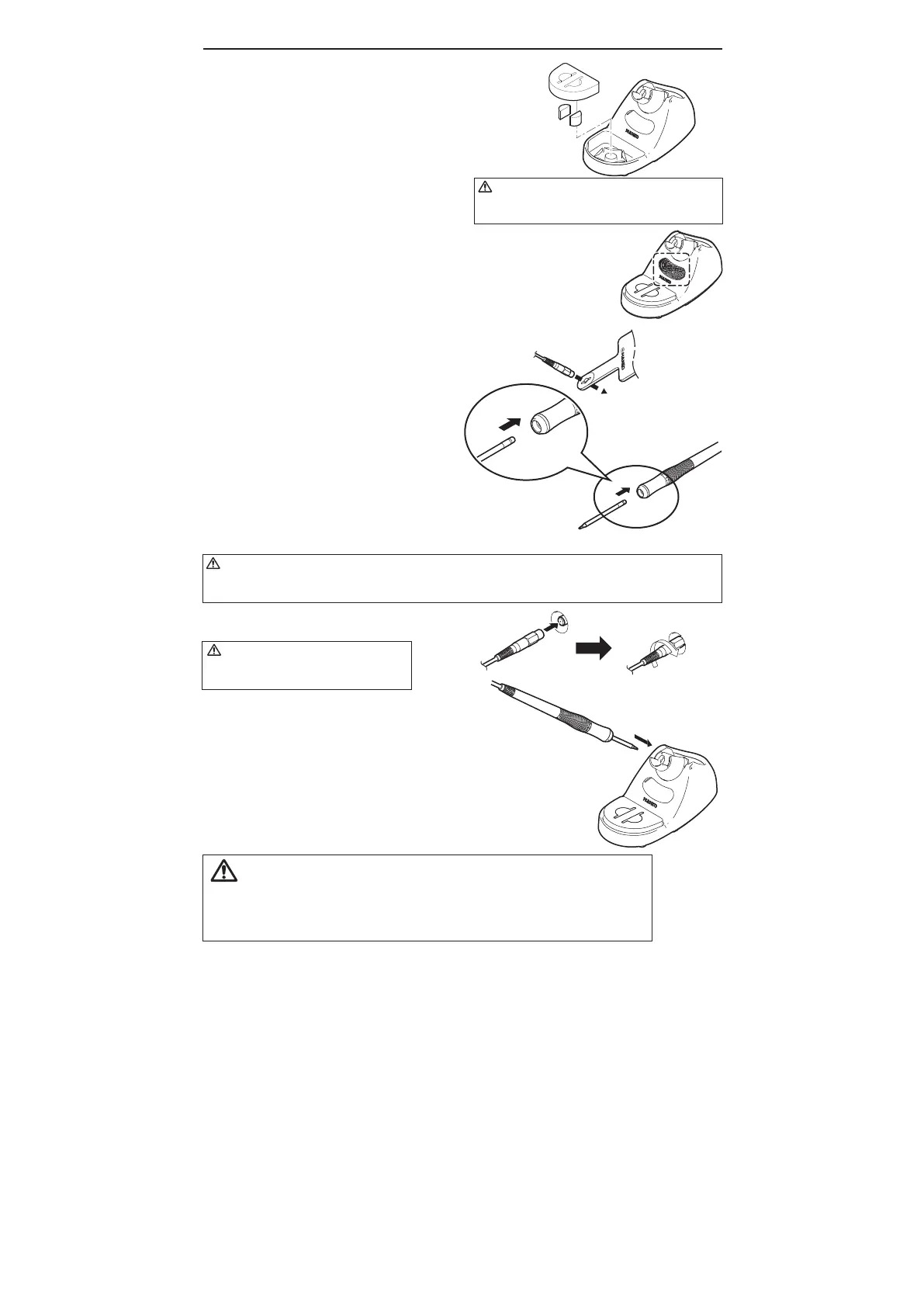
small sponge
large sponge
CAUTION
Using the sponge without water may damage the
tips.
5. INITIAL SETUP
A. Iron holder
This product includes two methods for cleaning the
tip: a wire tip cleaner, and a sponge. Please be
sure to soak the sponge in water before using.
1. Set the iron holder.
2. Put the small cleaning sponge in one of the five
holes in the iron holder base.
3. Add water to the iron holder base. The small
sponge will keep the large sponge moist through
capillary action.
4. Wet the large sponge, squeeze it dry and put it
on the iron holder base.
B. Handpiece cord assembly
1. Pass the iron cord through the hole in the heat
resistant pad.
2.HoldtheheadpartoftheT31seriestip(not
included)withtheheatresistantpadandinsert
thetipintothehandpiece.Pushuntilthetip
stops.
C.Station
1. Insert the power cord into the receptacle at the
back of the station.
2. Insert the connection cable plug into the
receptacle at the front of the station, and turn it
in a clockwise direction until it stops.
3. Set the iron in the iron holder.
4. Plug the power cord into a grounded wall socket.
CAUTION
Be sure the power switch is OFF before connecting or disconnecting the soldering iron cord. Failure to do so may
result in damage to the circuit board.
CAUTION
The HAKKO FX-100 is protected against electrostatic
discharge and must be grounded for full efficiency.
*When using a Cleaning Wire
Place it in the iron holder as shown on the right. See "2.Using a Cleaning Wire"
in section "7. MAINTENANCE"
CAUTION
Do not twist connector cable when inserting,
as it may cause wire breakage.















 To Next Page