11
Navigation and controls
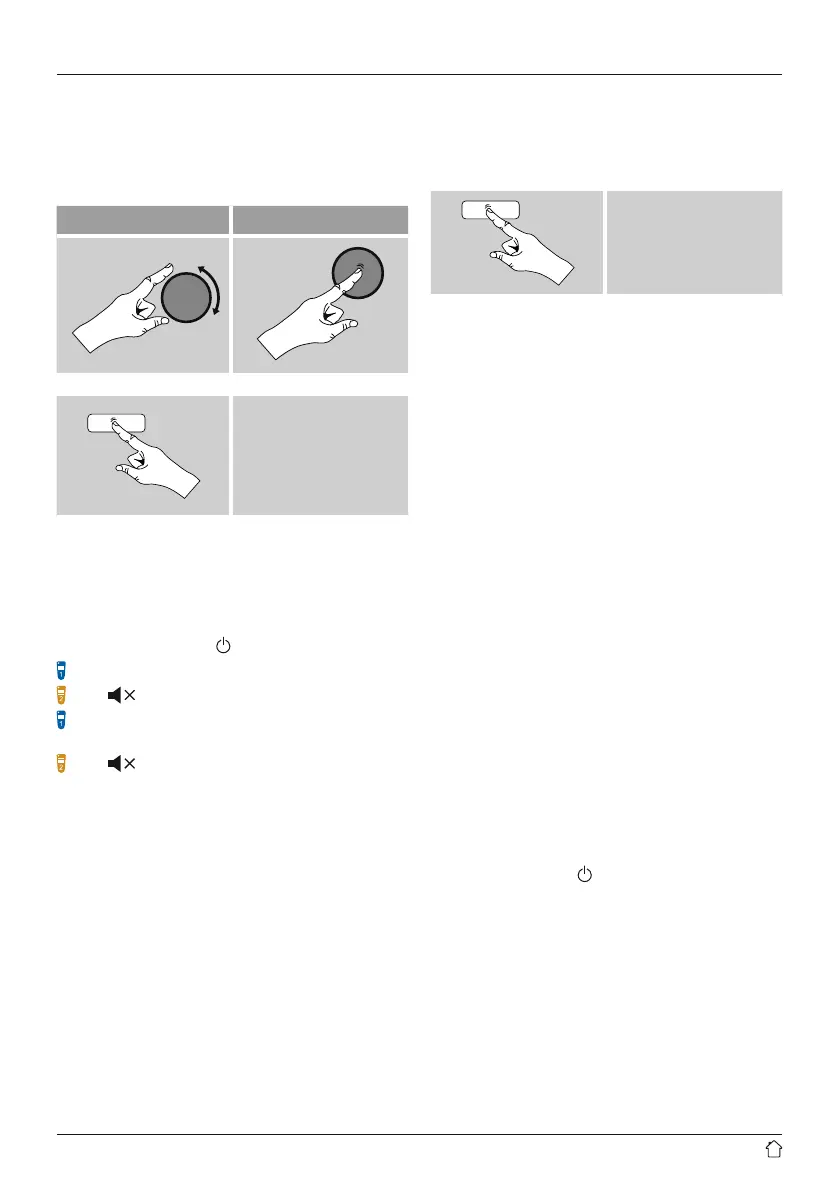
• Select among menu items by turning [enter/navigate].
• Conrm the selection by pressing [enter/navigate].
This procedureisindicated in these operating instructions
by the following symbols:
selection (navigate) conrmation (enter)
Some features can be
accessed by means
of shortcut buttons.
Pressing shortcut buttons
is indicated herebythis
symbol.
After pressing ashortcut button, navigate amongst the
menu items using [enter/navigate].
Volume adjustment /mute
• Youcan turn the volume up (right) or down (left) by
turning [volume -/+] /[
]accordingly.
Press [MUTE]onthe remote control to mute the radio.
Press [ ]onthe remote control to mute the radio.
Press [MUTE], on the remote control again to reset the
volume at the level you set beforemute the radio.
Press [ ], on the remote control again to reset the
volume at the level you set beforemute the radio.
Entering passwords, search terms, and so on
• Select each successive letter and digit by turning [enter/
navigate]and conrm each selection by pressing
[enter/navigate].
• To make corrections, select BKSP and conrm. The last
input made is deleted.
• To cancel input, select CANCEL and conrm.
• Once your input is complete, select OK and conrm to
nish.
• Press [info]tojump directly to the BKSP/ OK/ CANCEL
elds.
Additional information
Press [info]todisplay context-dependent additional
information. The information shown depends on the
operating mode as well as the current selection of radio
station, music le, etc.
[info]
• Description
Indicates the radio station, the current program,
contents, subjects, etc.
• Program genre/country
Indicates the genre(music style) and the country or
region of the station.
• Reliability
• Bit-Rate
The currently received digital bit rate of the received
station is displayed.
• Codec
Species the encoding scheme used to digitise the data
or signal (such as MP3 or WMA).
• Sampling rate
Species the sampling rate, or the frequency with which
the audio signal is polled (Sampling-/ Samplerate), in a
certain period of time.
• Signal strength
The signal strength of the received station is displayed
via abar and its length.
• Today’sdate
• Artist
• Album
• Folder
• Path
Species the directory path at which the le currently
being played back is saved.
Switching on/off /Standby
• Press [volume -/+]
/
[
], to switch the radio on or off
(Standby).
• To completely switch off the device, disconnect it from
the power supply.



 To Next Page