PIANO / ENSEMBLE Voice Sections 33
t COMPONENT
The Component Parameters are explained starting below.
NOTE: For an explanation of Components, please consult page 224.
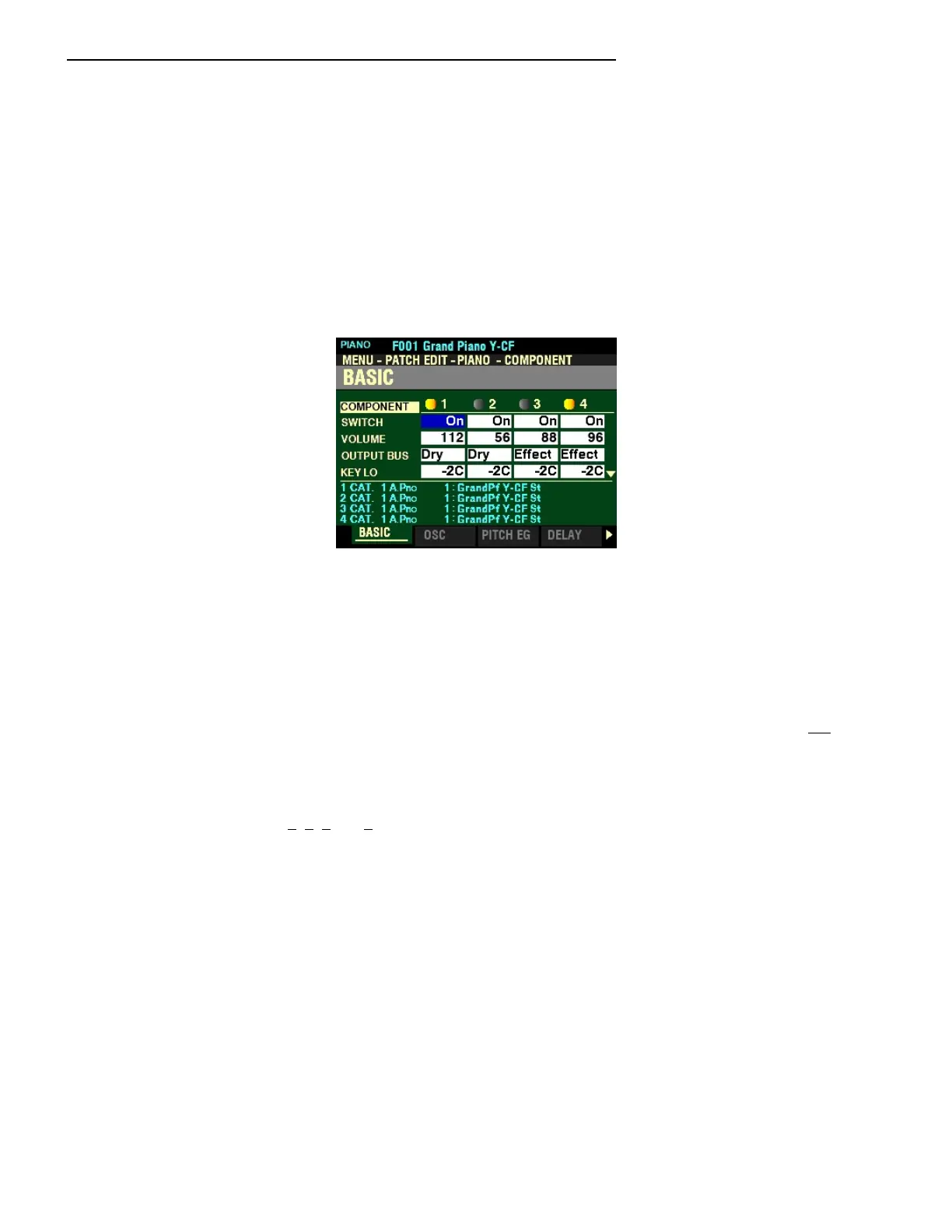
From the screen shown at the bottom of the previous page, press the ENTER button (the EDIT box is
already highlighted). The first Page of the COMPONENT FUNCTION Mode should now display. The
box to the right of “SWITCH” should be highlighted.
For this Page and the rest of the Pages in the COMPONENT FUNCTION Mode, use the DIRECTION
“t” and “u” buttons to select the Component you want to edit.
BASIC
This Page allows you to adjust basic Parameters. These are explained starting below.
SWITCH
This Parameter allows you to select whether you want the selected Component to sound as part of the
selected Patch. A round icon to the left of each number will be highlighted when a Component is On, or
sounding.
Use the VALUE knob to turn the selected Component “On” or “Off.”
NOTE: You can use the 1, 2, 3 and 4 numbered buttons to turn individual Components “ON” or “OFF” while
editing. When “ON,” the graphic next to the number will light yellow/orange.
NOTE: When editing a Component be sure the box next to its number in the display is highlighted; otherwise
you will not hear the effect of your edit(s). Also, be sure to notice the KEY LO and KEY HI settings, which are
explained on page 231.



 To Next Page