PIANO / ENSEMBLE Voice Sections 37
From the screen shown at the bottom of the previous page, press the DIRECTION “q” button once.
The box to the right of “VEL OFFSET” should be highlighted.
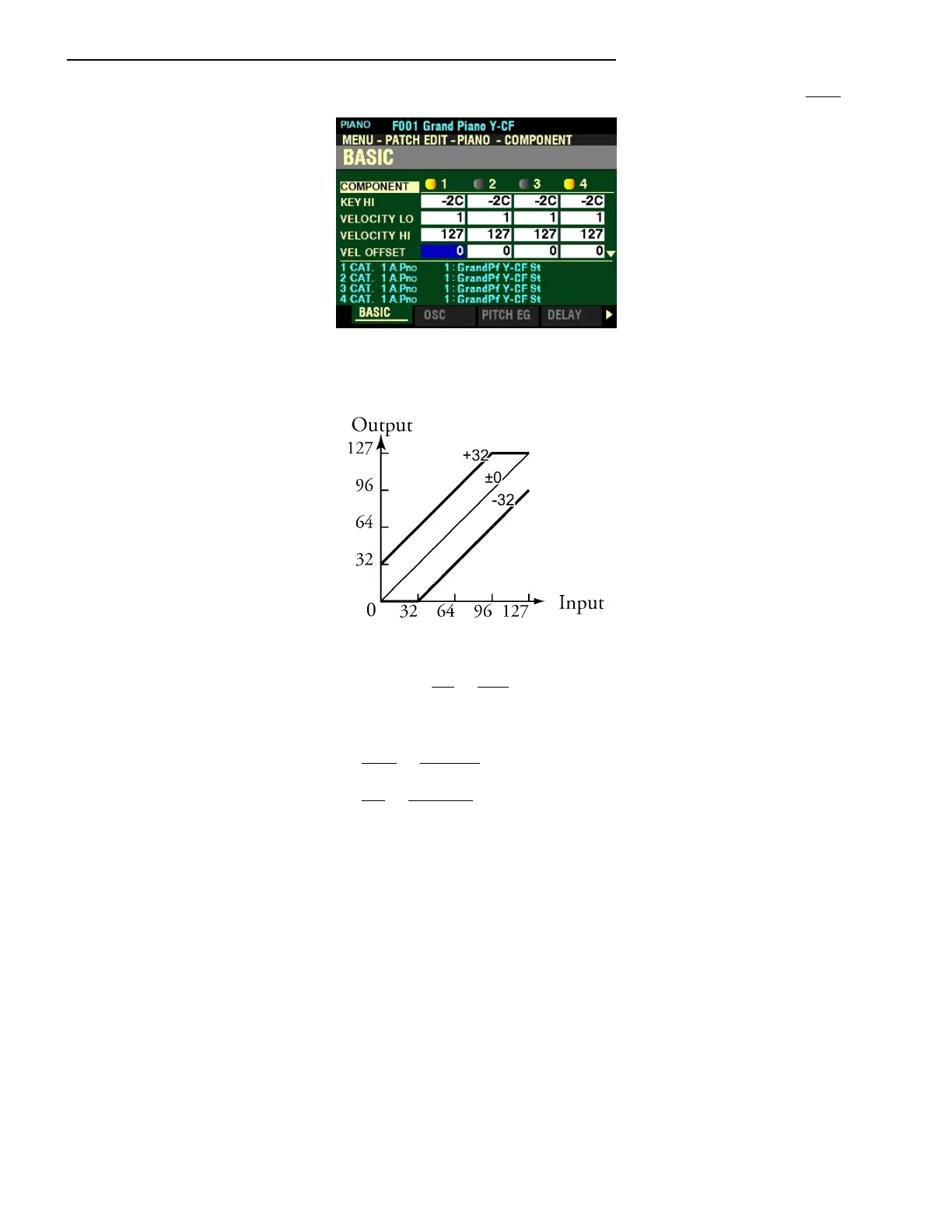
VELOCITY OFFSET
This Parameter allows you to adjust the relative loudness of notes played using the selected Component
(see illustration above). You can select from -64 to +63. A lower setting will result in lower volume levels
from the lowest to the highest key velocities. A higher setting will produce higher volumes from the
lowest key velocities (the upper velocity level is fixed).
Turn the VALUE knob to the right to increase the Offset.
Turn the VALUE knob to the left to decrease the Offset.



 To Next Page