PIANO / ENSEMBLE Voice Sections38
From the screen shown on the previous page, press the DIRECTION “q” button once.
The box to the right of “VEL DEPTH” should be highlighted.
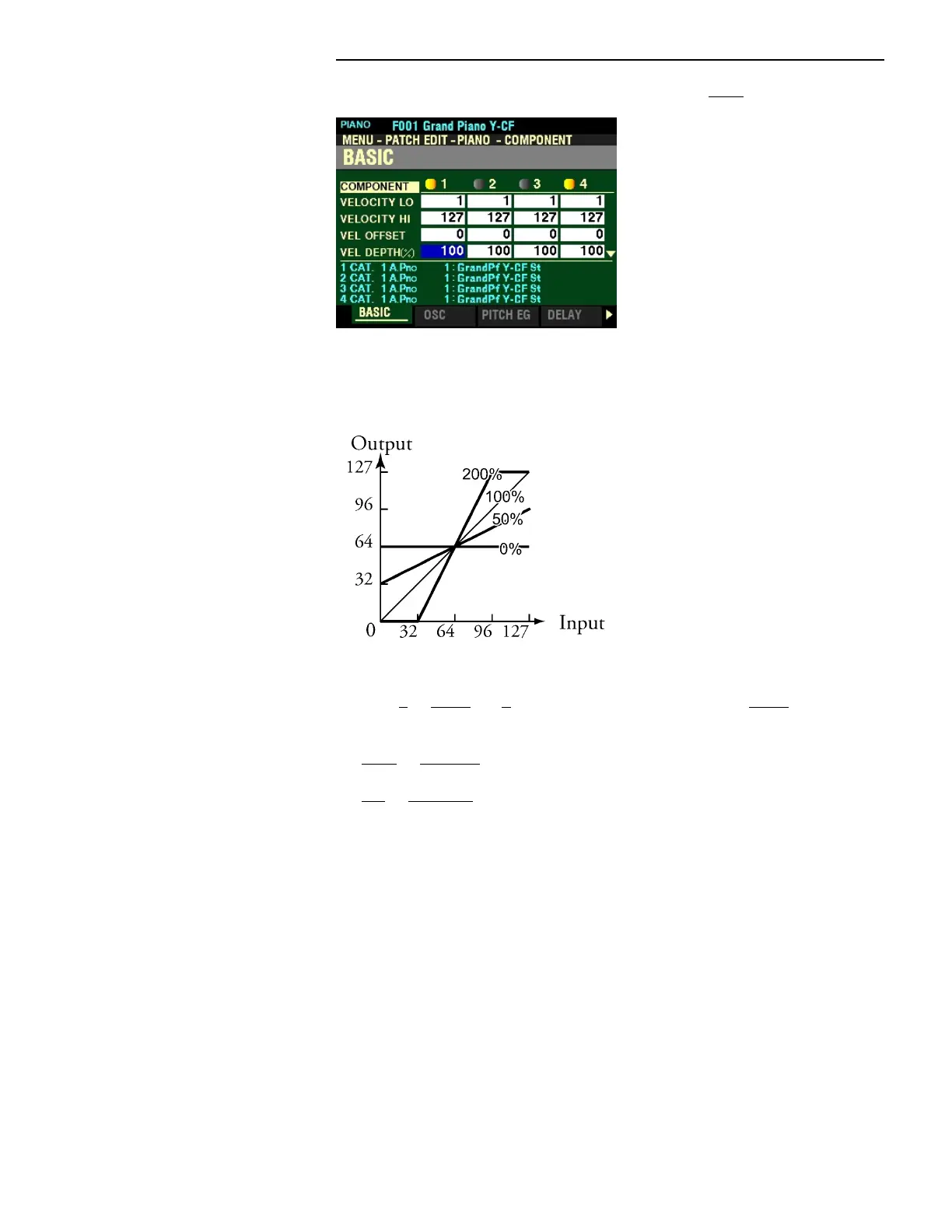
VELOCITY DEPTH
This Parameter allows you to adjust the response of the selected Component to key velocity (see
illustration above). You can select from 0 to 200%. At 0 there is no change in velocity. At 200%, the
volume is changed by the maximum amount in proportion to the velocity.
Turn the VALUE knob to the right to increase the Depth.
Turn the VALUE knob to the left to decrease the Depth.



 To Next Page