PIANO / ENSEMBLE Voice Sections 43
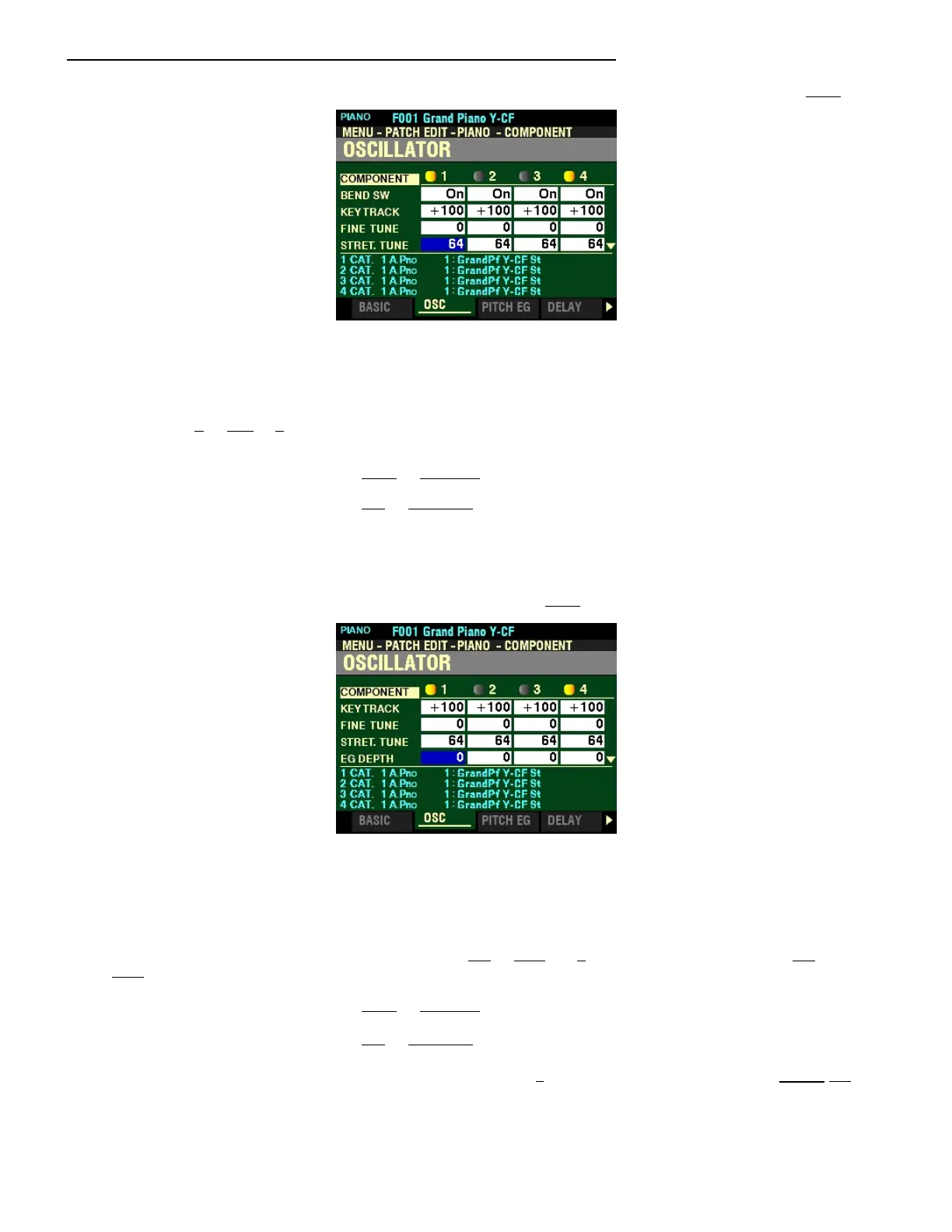
From the screen shown at the bottom of the previous page, press the DIRECTION “q” button once.
The box to the right of “STRET TUNE” should be highlighted.
STRETCH TUNE DEPTH
This Parameter allows you to adjust the depth of the Stretch Tuning for the selected Component. You can
select from 0 to 127. 0 is an Equal Temperament. If the value is increased, the bass will sound lower and
the treble will sound higher.
Turn the VALUE knob to the right to increase the Plus Depth.
Turn the VALUE knob to the left to decrease the Plus Depth.
NOTE: “Stretch tuning” is a method of tuning stringed instruments (notably piano) to compensate for their
inherent inharmonicity, a characteristic that can differ from instrument to instrument. This is explained more fully
several places on the Internet and can be found by executing Searches on “Stretch tuning” or “Inharmonicity.”
From the above screen, press the DIRECTION “q” button once.
The box to the right of “EG DEPTH” should be highlighted.
EG DEPTH
This Parameter allows you to adjust the depth of the pitch changing of the Pitch EG (Envelope Generator
for the selected Component. You can select from -64 to +63. At 0 there is no pitch change. At -64 or
+63 the pitch will change down or up by one octave.
Turn the VALUE knob to the right to increase the Depth.
Turn the VALUE knob to the left to decrease the Depth.
NOTE: This Parameter must be set to some value other than 0 to hear the effect produced by the PITCH EG,
which is explained starting on the next page.
NOTE: A large amount of pitch change may produce artifacts such as “step noise.”



 To Next Page