PIANO / ENSEMBLE Voice Sections46
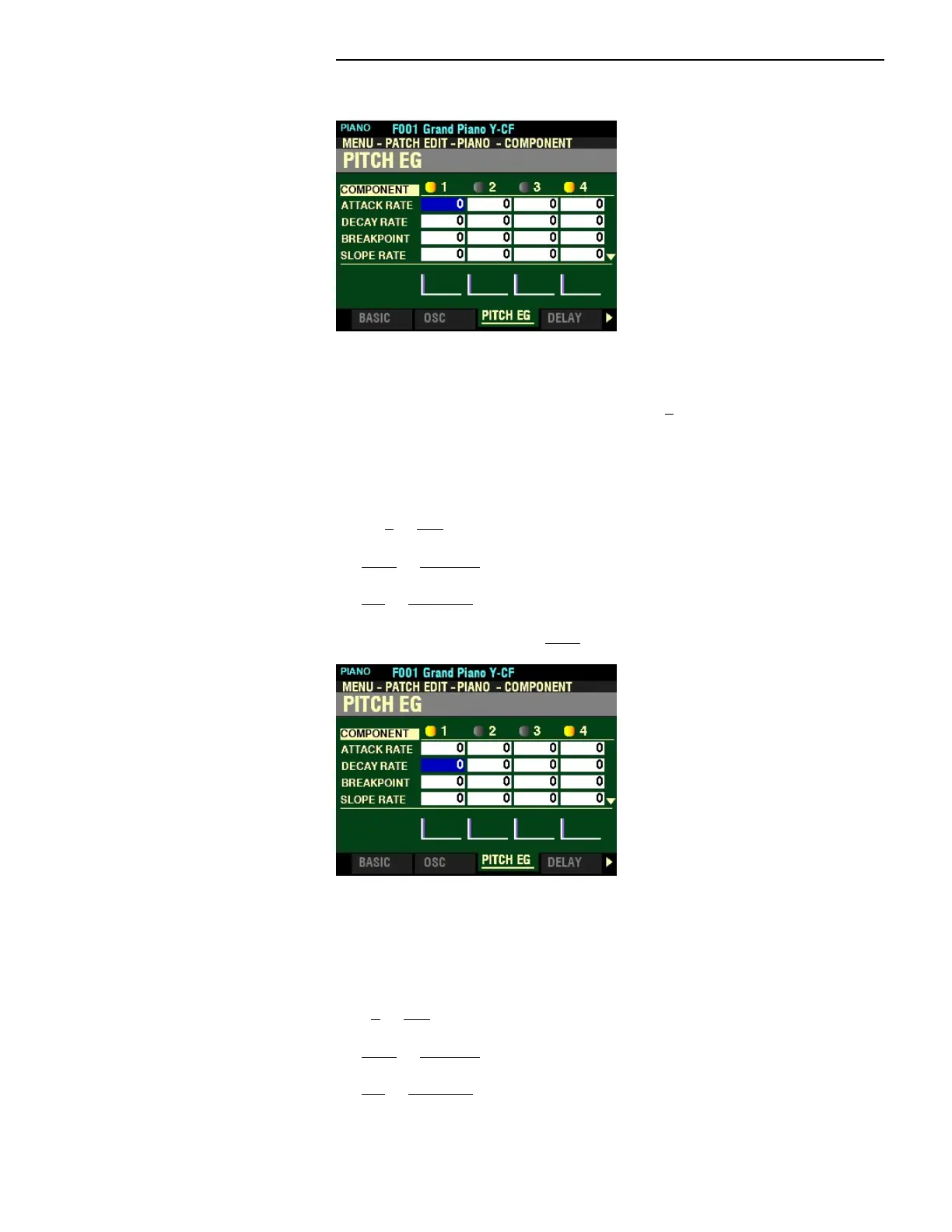
PITCH EG
This FUNCTION Mode Page allows you to adjust the Pitch Envelope.
NOTE: The PITCH EG DEPTH Parameter must be set to some value other than 0 to hear the effect produced
by the PITCH EG.
ATTACK RATE
This Parameter allows you to adjust the time for the pitch to increase to its peak value beginning when a
key is depressed. You can select from 0 to 127.
Turn the VALUE knob to the right to increase the Attack Rate.
Turn the VALUE knob to the left to decrease the Attack Rate.
From the above screen, press the DIRECTION “q” button once.
The box to the right of “DECAY RATE” should be highlighted.
DECAY RATE
This Parameter allows you to adjust the time from the peak amount to the Breakpoint Level (explained on
the next page). You can select from 0 to 127.
Turn the VALUE knob to the right to increase the Decay Rate.
Turn the VALUE knob to the left to decrease the Decay Rate.



 To Next Page